Changelog

What's new in Goodfit

Product updates, improvements, and fixes shipped to the Goodfit platform.

June Week 1

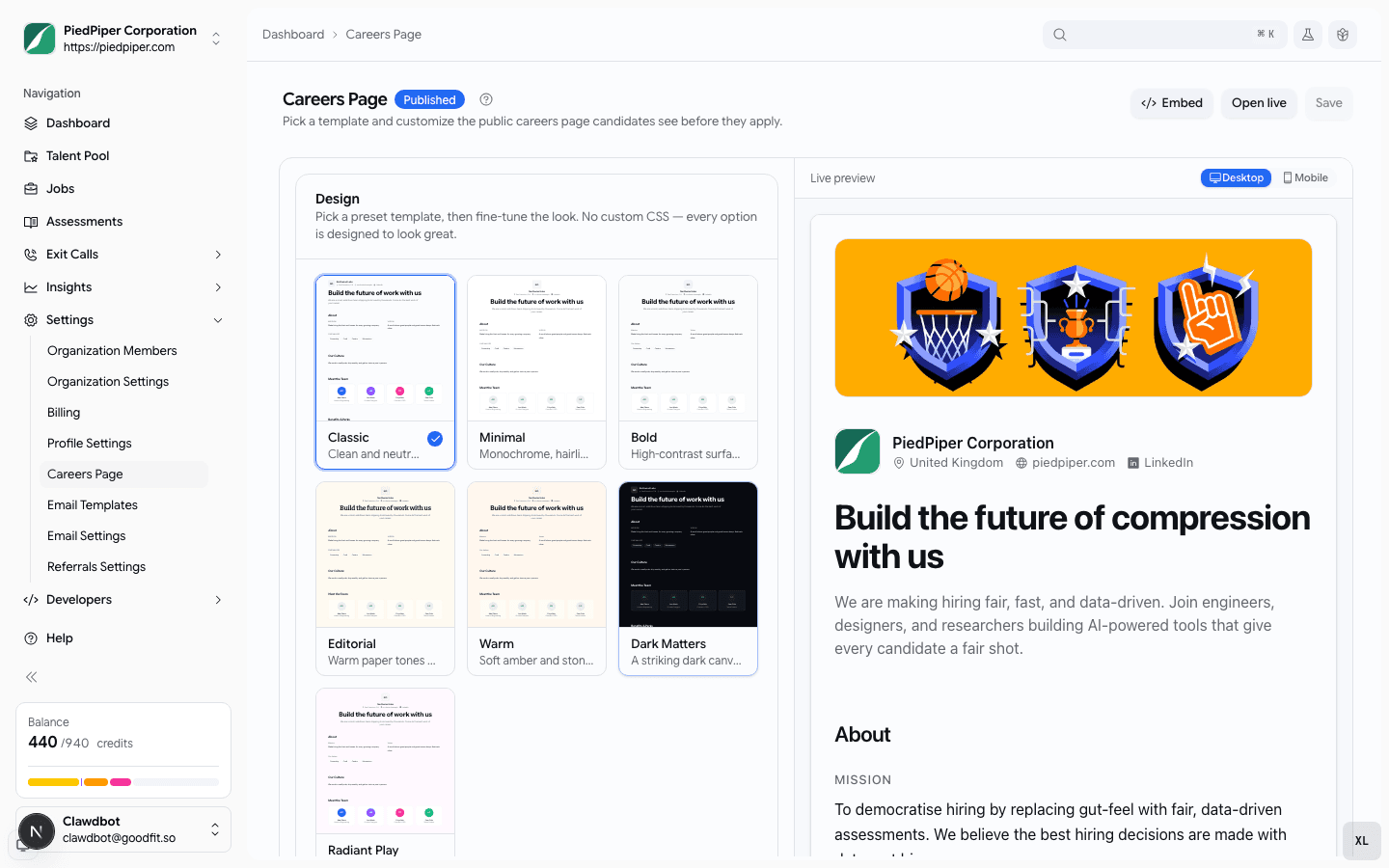
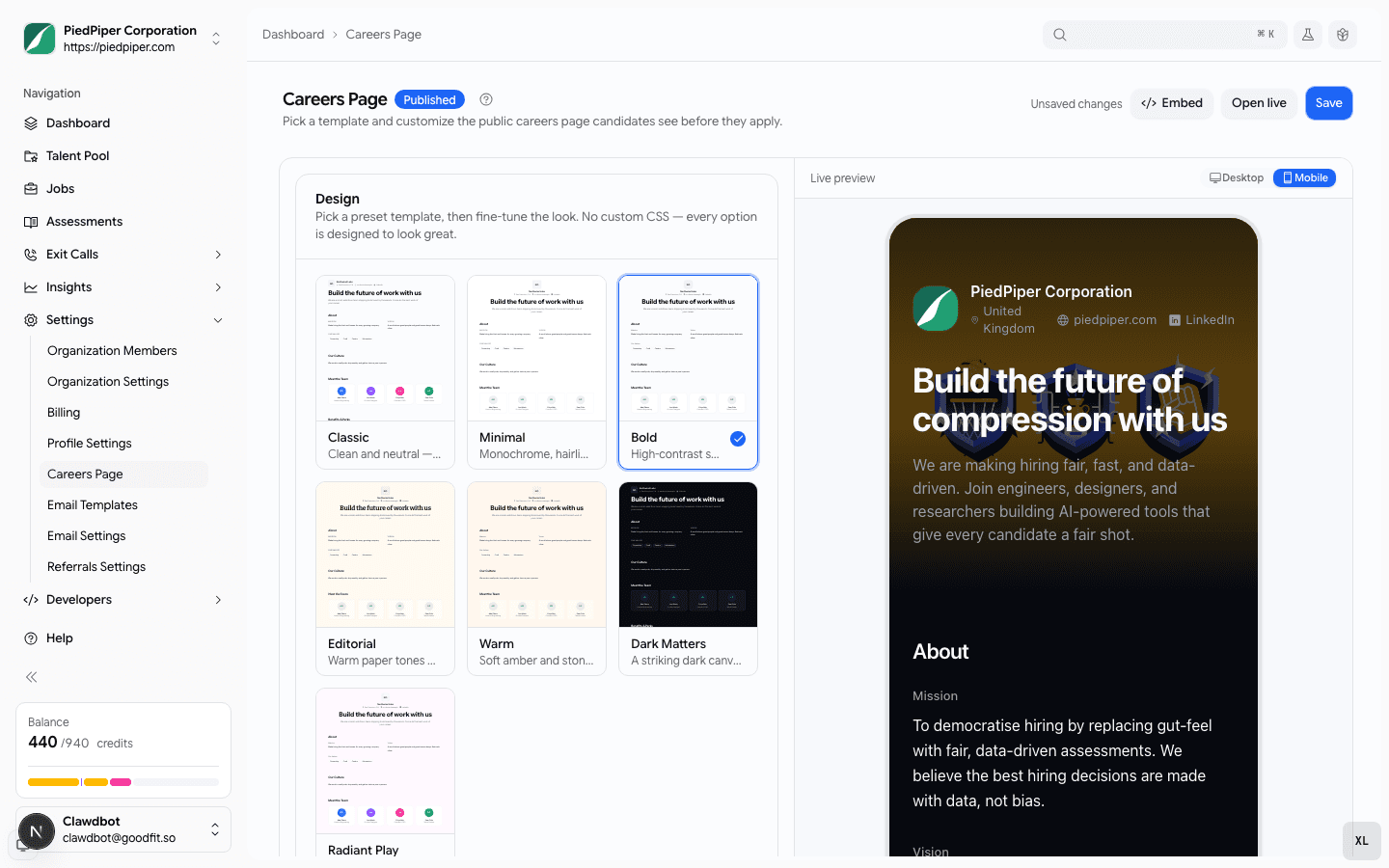
Slice the talent pool by every signal you collect — assessment scores, language levels, resume details, and quality flags — or just describe who you want in plain English and let AI build the filters, style your public careers page from a gallery of templates with a live desktop-and-mobile preview, and hand a hiring manager a shareable walkthrough of every screen a candidate will see.

  • talent-pool
  • careers
  • hiring
  • jobs
  • assessments

Talent pool

Filter the talent pool the way you actually think about candidates

Last month the talent pool let you narrow on three things. Now it answers the questions you actually have — "who scored at least B2 on our English test, passed the JavaScript assessment, has React on their resume, and applied in the last month" — as one search.

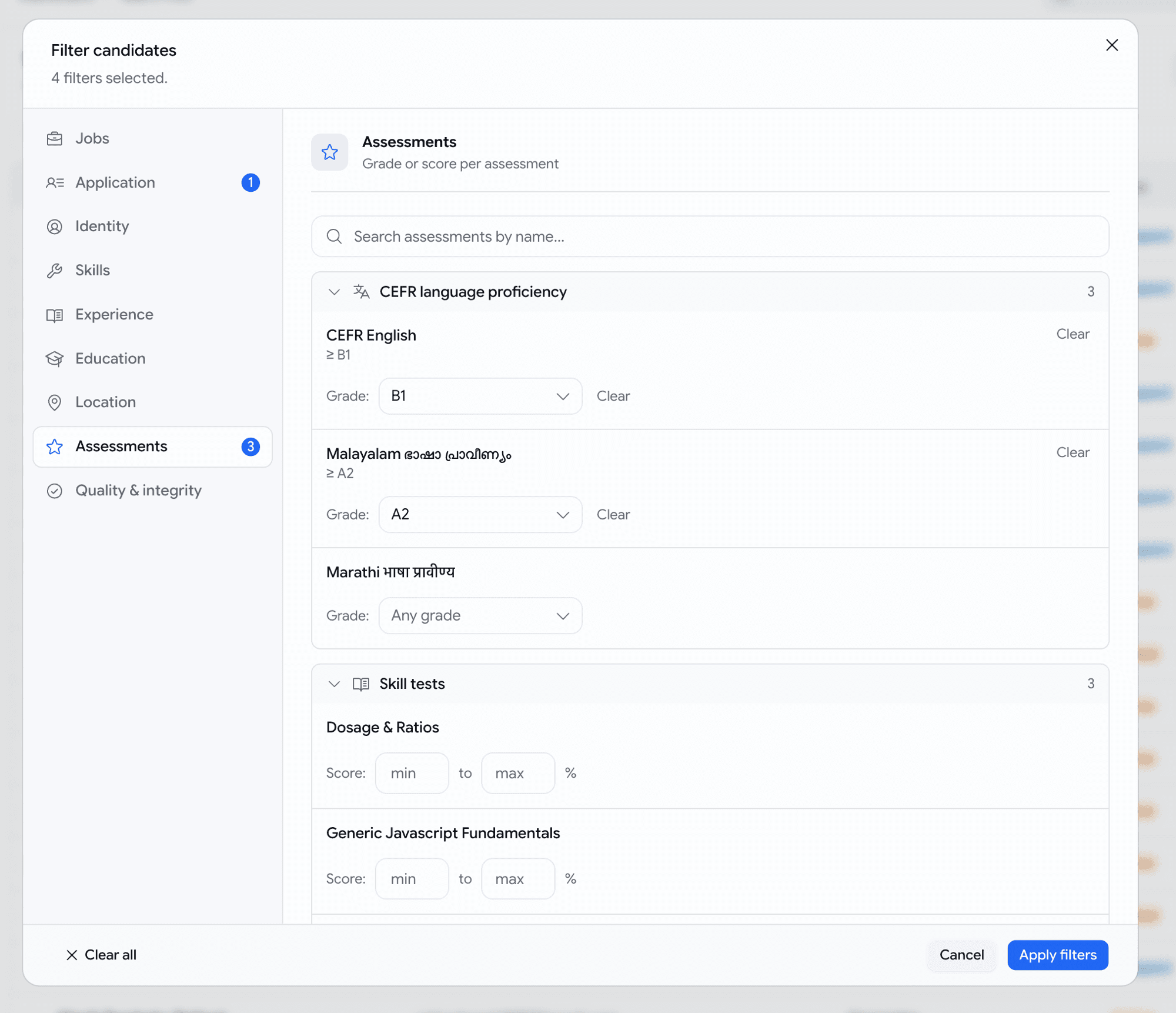
  • A new Filters dialog with sections down the side — Jobs, Application, Identity, Skills, Experience, Education, Location, Assessments, and Quality — each showing how many filters you've set so you never lose your place.
  • Filter on every assessment you run, by name: set a score range (70–100%), or for language tests a minimum level (English at least B2). The list grows with your assessment library — language tests included, which the old filter couldn't even show.
  • Slice by what's genuinely on a resume — a specific skill, the candidate's current employer, a past role, school, degree, city, country, years of experience — matched against the real details, not a stray word buried in a job description.
  • Add quality and integrity signals: resume score, AI-writing percentage, and proctoring flags. Or paste a list of emails to pull up exactly those people.
  • Stack as many as you like and we get the logic right — "B2 English and 70% coding" means one candidate who did both on the same application, never two unrelated results stitched together.
Filters dialog over the talent pool — a sectioned left rail with per-section counts, the Assessments section open showing language tests with minimum-level dropdowns and skill tests with score ranges
Every signal you collect, in one place — set a score range or a minimum language level per assessment.
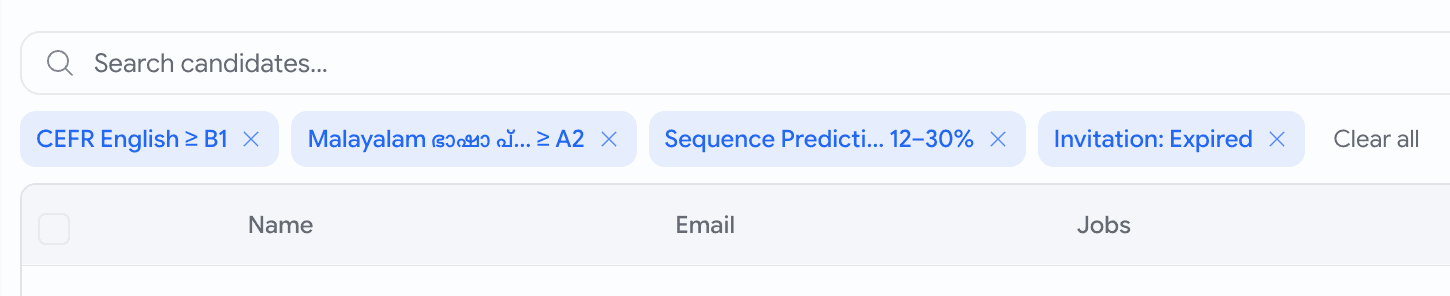
Active filter chips above the talent pool table — CEFR English at least B1, a Malayalam level, a score range, an expired-invitation chip, and a Clear all action
Every active filter shows as a chip above the table — click one to jump back to it, or clear them all at once.
Talent pool

Describe who you want in plain English

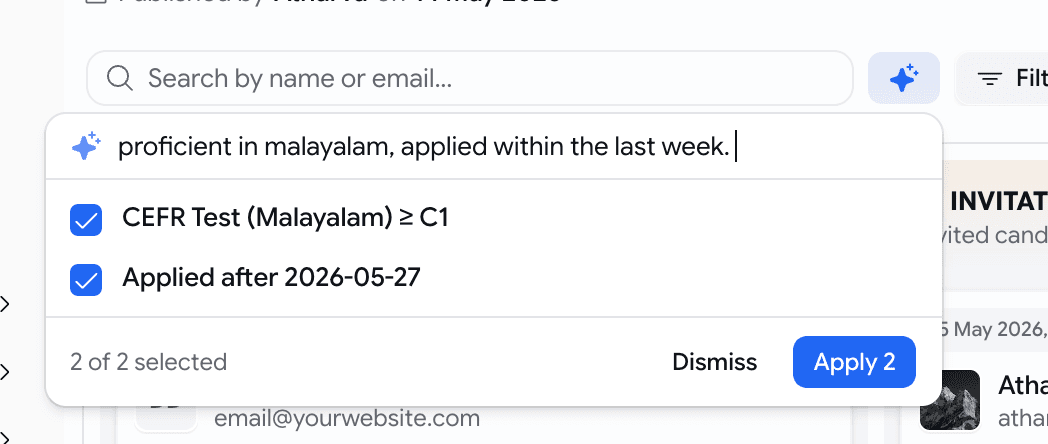
Not sure which filter says what you mean? Type it as a sentence and let Goodfit set the filters for you.

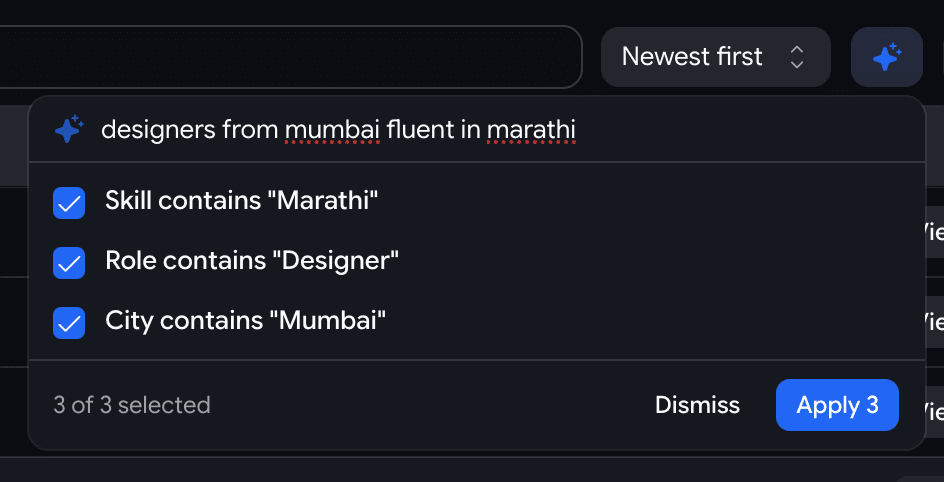
  • Click the ✨ AI button next to Filters and type something like designers from Mumbai fluent in Marathi.
  • It proposes the matching filters — Role contains "Designer", City contains "Mumbai", Skill contains "Marathi" — and you tick the ones that are right before applying.
  • It never guesses silently: anything it can't translate lands in a Couldn't handle list with a plain reason, so your results always mean exactly what you asked.
  • Confident matches come pre-ticked; the iffy ones — a state typed where we only have a city field, say — come unticked, so you stay in control.
The AI search popover over the talent pool — the query 'designers from mumbai fluent in marathi' resolved to three ticked suggestions with a Dismiss and Apply 3 footer
Type a sentence, review the filters it suggests, apply the ones you want.
Hiring

Let a hiring manager walk your pipeline before you turn it on

Built a job's hiring stages and need a manager's sign-off? Send them a link that walks every screen a candidate will see — no screenshare, no taking the assessments themselves.
  • A new Preview as candidate button in the pipeline editor — and Preview before publishing on the publish step — opens a read-only walkthrough.
  • Step through the whole flow in order: the application form, each assessment, the voice interview, the coding problems — exactly as a candidate would, with nothing submittable.
  • Every stage carries a Recruiter settings strip — pass score, what happens automatically, whether the stage is mandatory — so the manager can vet the questions and the thresholds in one place.
  • Hit Share to copy a link; teammates land on the saved pipeline, making for a clean Slack handoff.
  • Reorder or tweak stages without saving and the preview reflects your unsaved draft.
The pipeline editor save bar with a new Preview as candidate button next to Reset and Update Hiring Stages
One button in the editor opens the candidate's-eye walkthrough in a new tab.
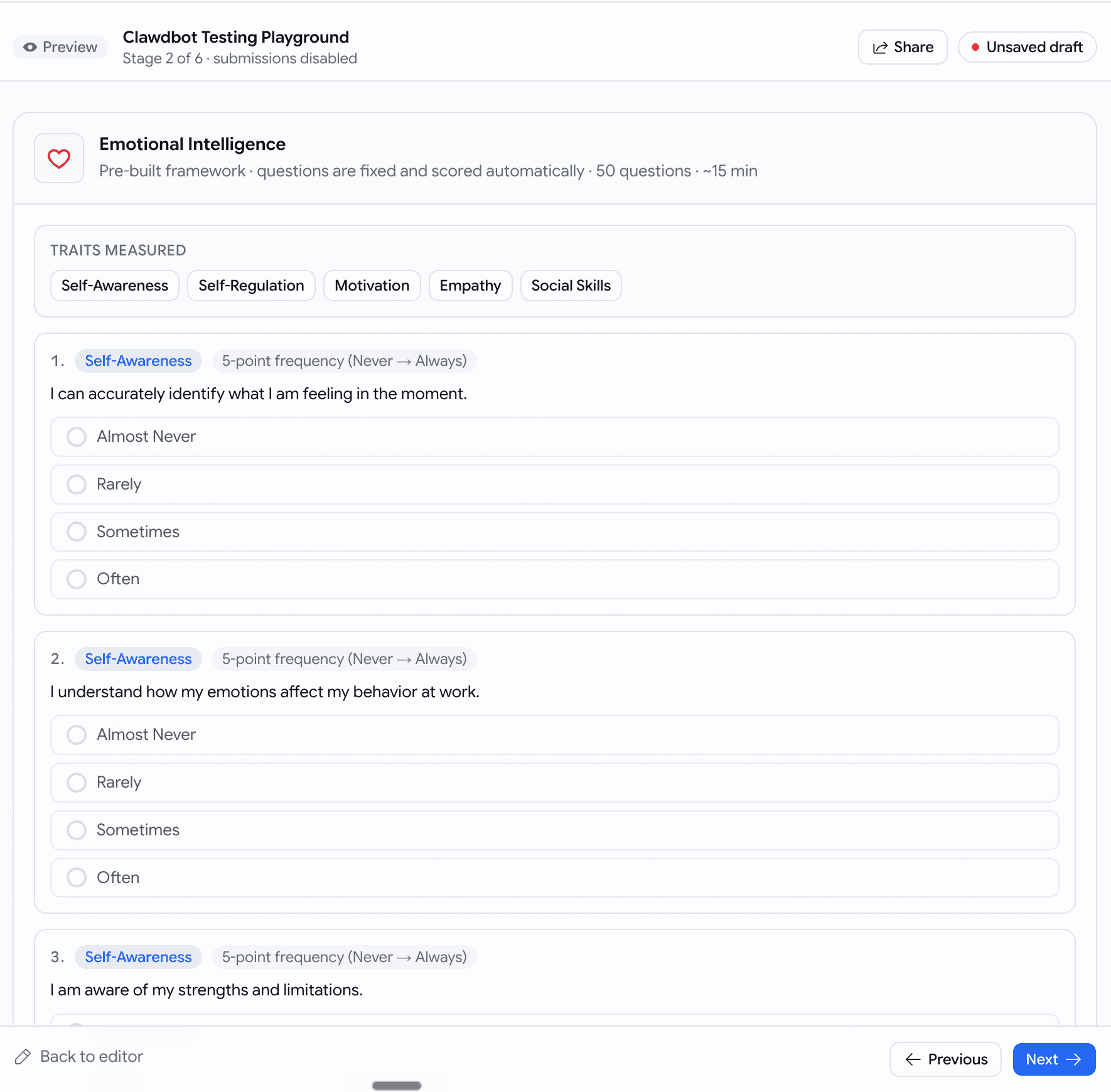
A read-only preview of a psychometric stage — traits and answer options shown but disabled, a top banner reading Preview, Stage 2 of 6, submissions disabled, with Share and Previous/Next controls
Every screen the candidate meets, stage by stage — nothing can be submitted.

May Week 4

Accept applications by email, write your own branded email templates with file attachments and send them straight from a job's pipeline, see a candidate's face and their work side by side, brief the AI interviewer with each candidate's resume, evaluate against the same rubric the interview used, slice the talent pool by resume keyword and assessments completed, and download just the slice the kanban shows.

  • email
  • prescreening
  • voice
  • talent-pool
  • recordings
  • scorecards
  • insights
  • jobs

Prescreening

Accept applications by email

Every job now has its own intake email address — candidates apply just by emailing their resume.

  • Turn the address on for a job and share it on LinkedIn, X, WhatsApp, or anywhere else.
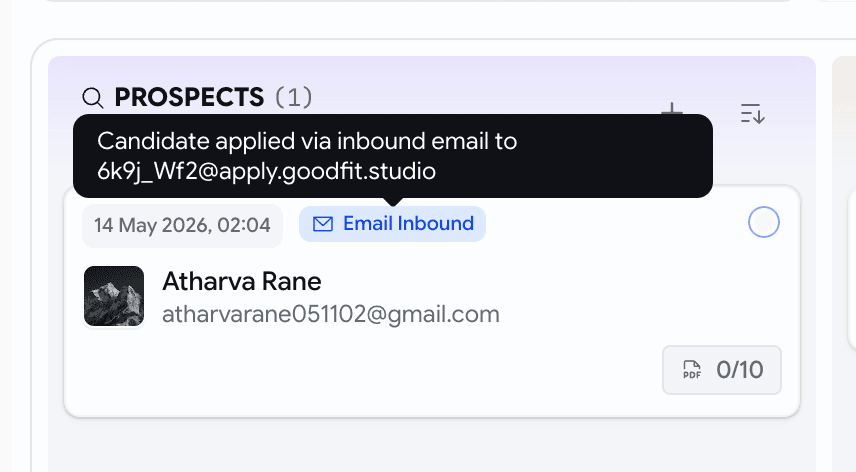
  • A candidate emails their CV from anywhere; we parse the resume, score it against the JD, and create a prospect card with a 📧 Email Inbound badge.
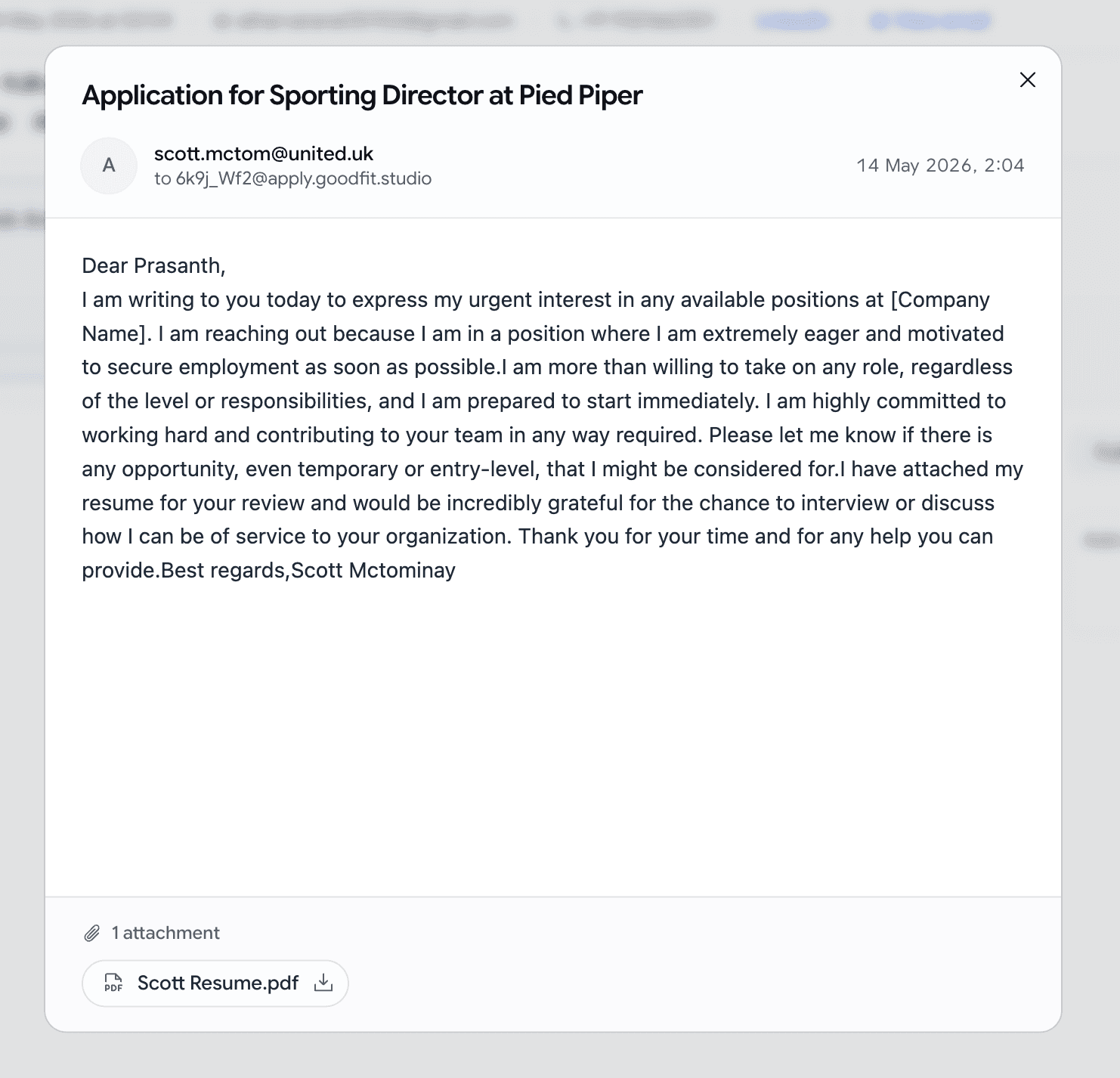
  • Click View email on the application to read the original message and download every attachment.
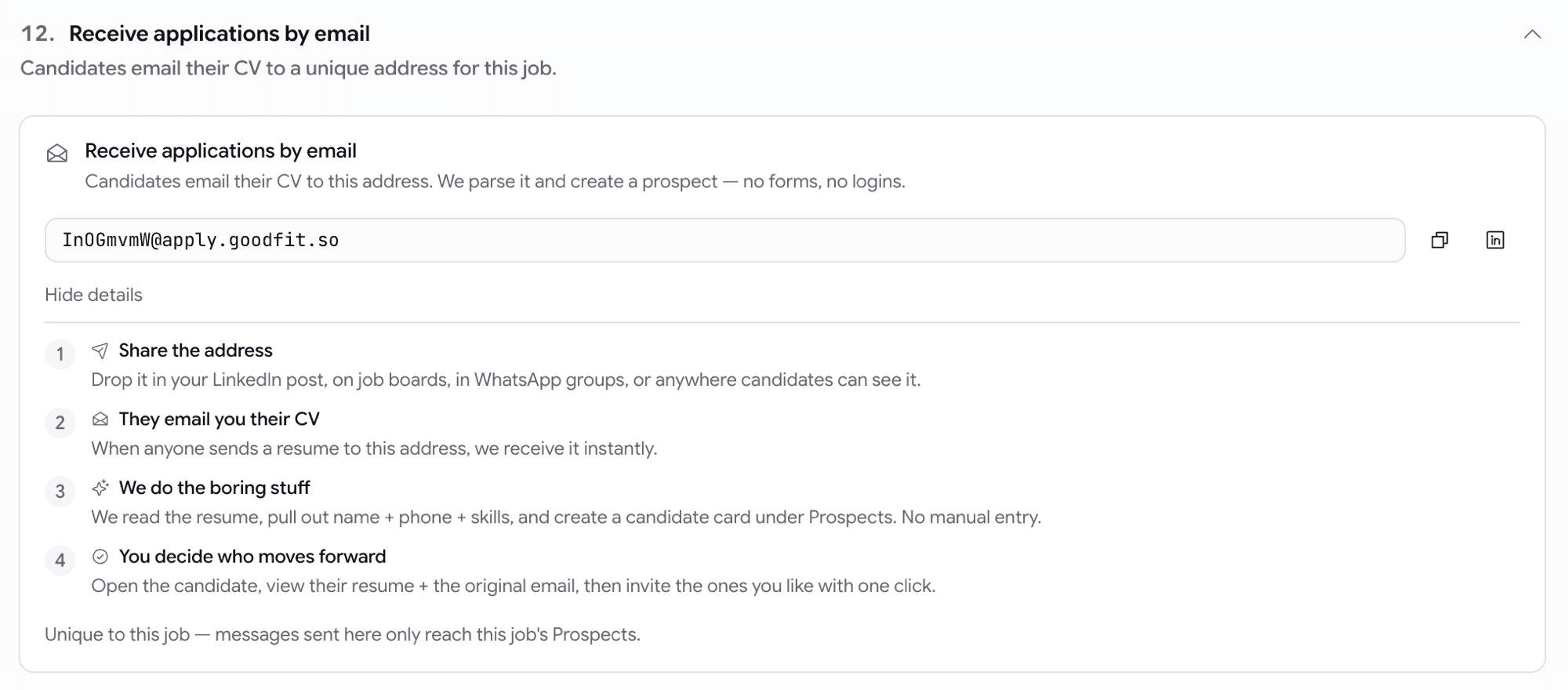
Inbound email intake card on the job settings page with copy-to-clipboard address and 'Share on LinkedIn' shortcut
Give a job an address — applications arrive as scored prospects.
Prospect card with an Email Inbound badge on the pipeline board
Emailed applications land on the board, clearly tagged.
View email dialog showing the candidate's message, headers, and attachments with download buttons
Open the original email and attachments straight from the application.

Email

Custom email templates, now with attachments

Until now you had four built-in emails (invitation, assessment, rejection, hired) and nothing else. You can now write your own — interview confirmations, take-home briefs, offer letters, polite nudges, reference-check requests — and send them straight from a job's pipeline.

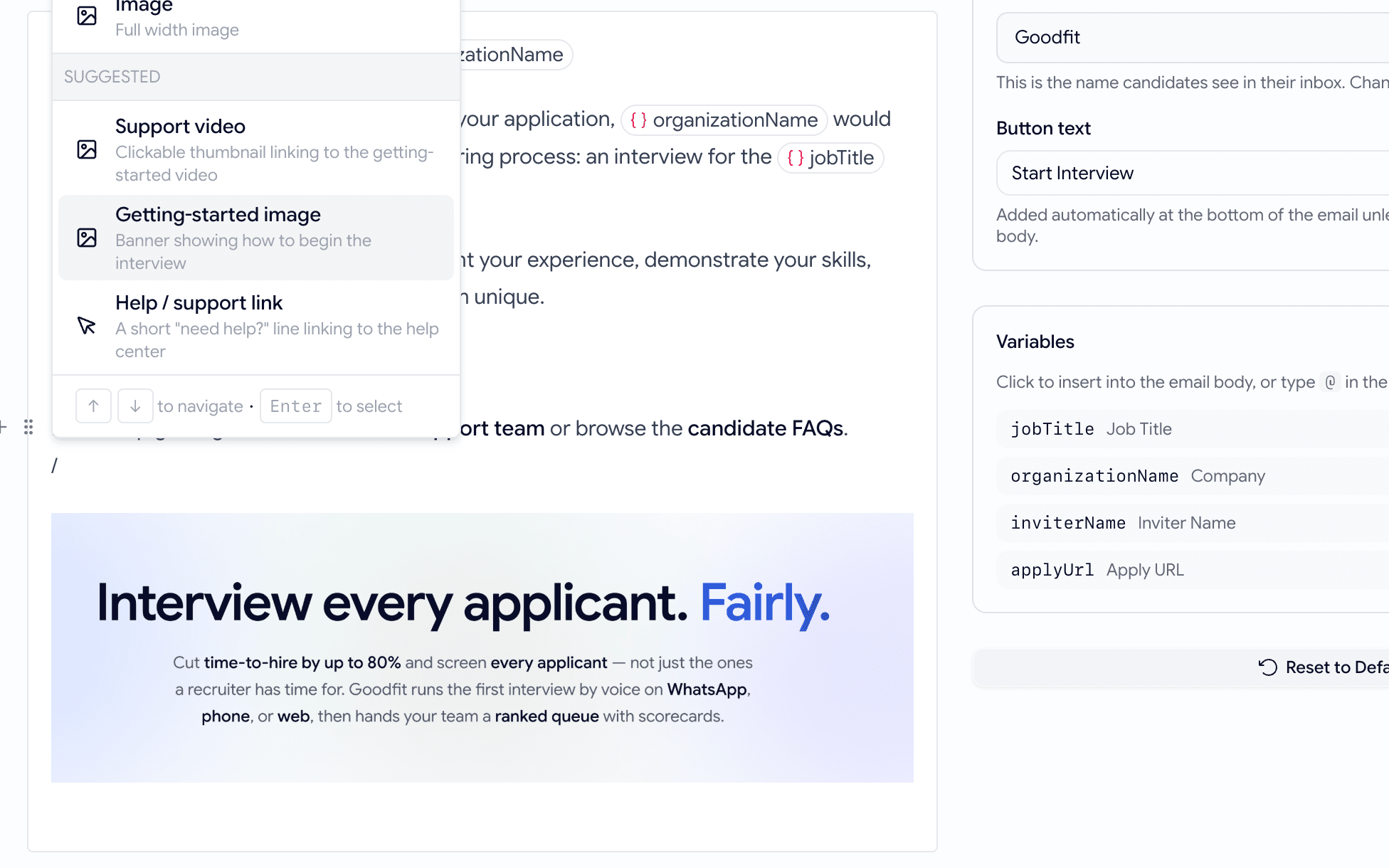
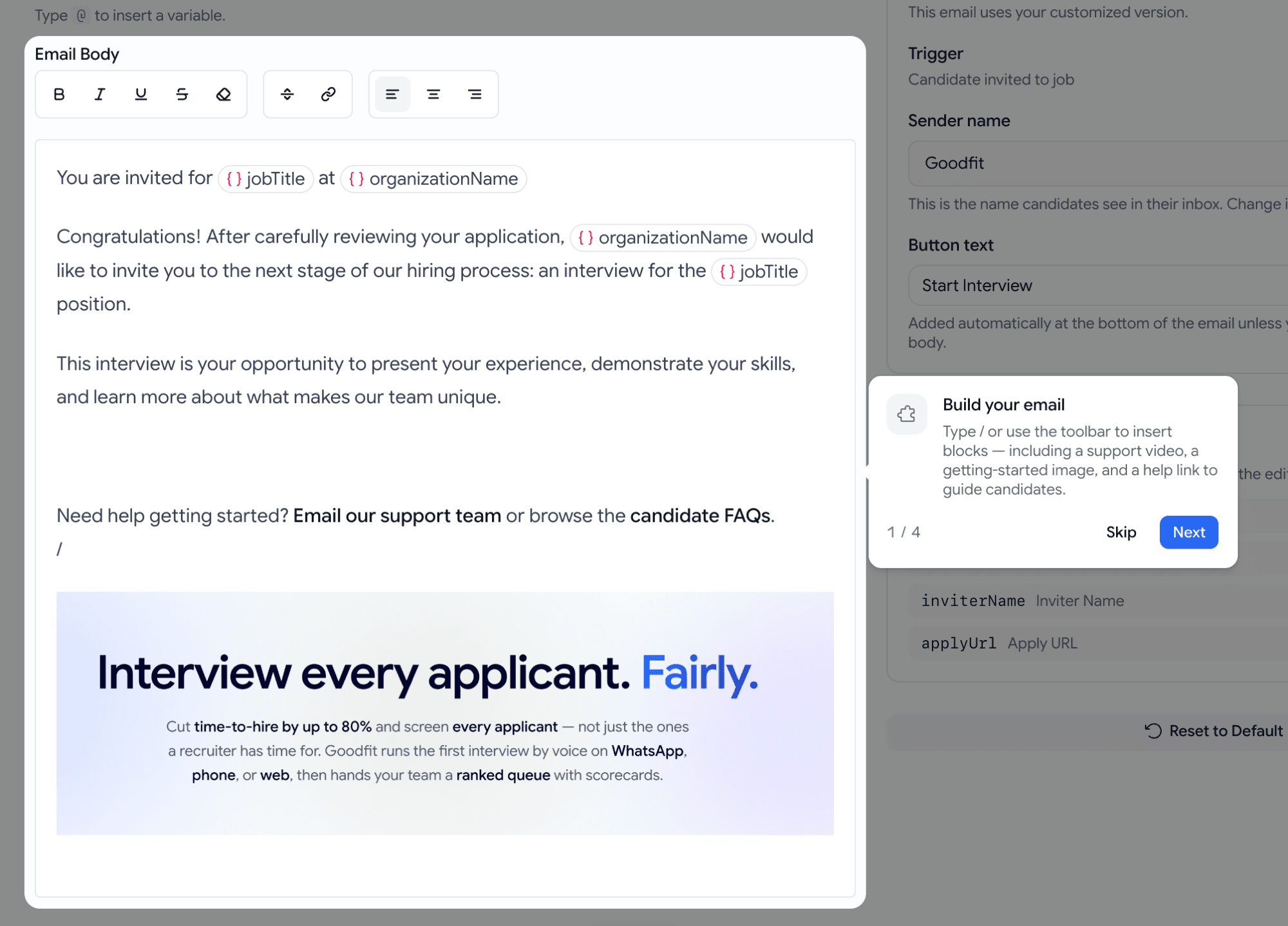
  • Settings → Email Templates → + New template. Author a subject and body with click-to-insert variables for candidate name, job title, company, and the sender.
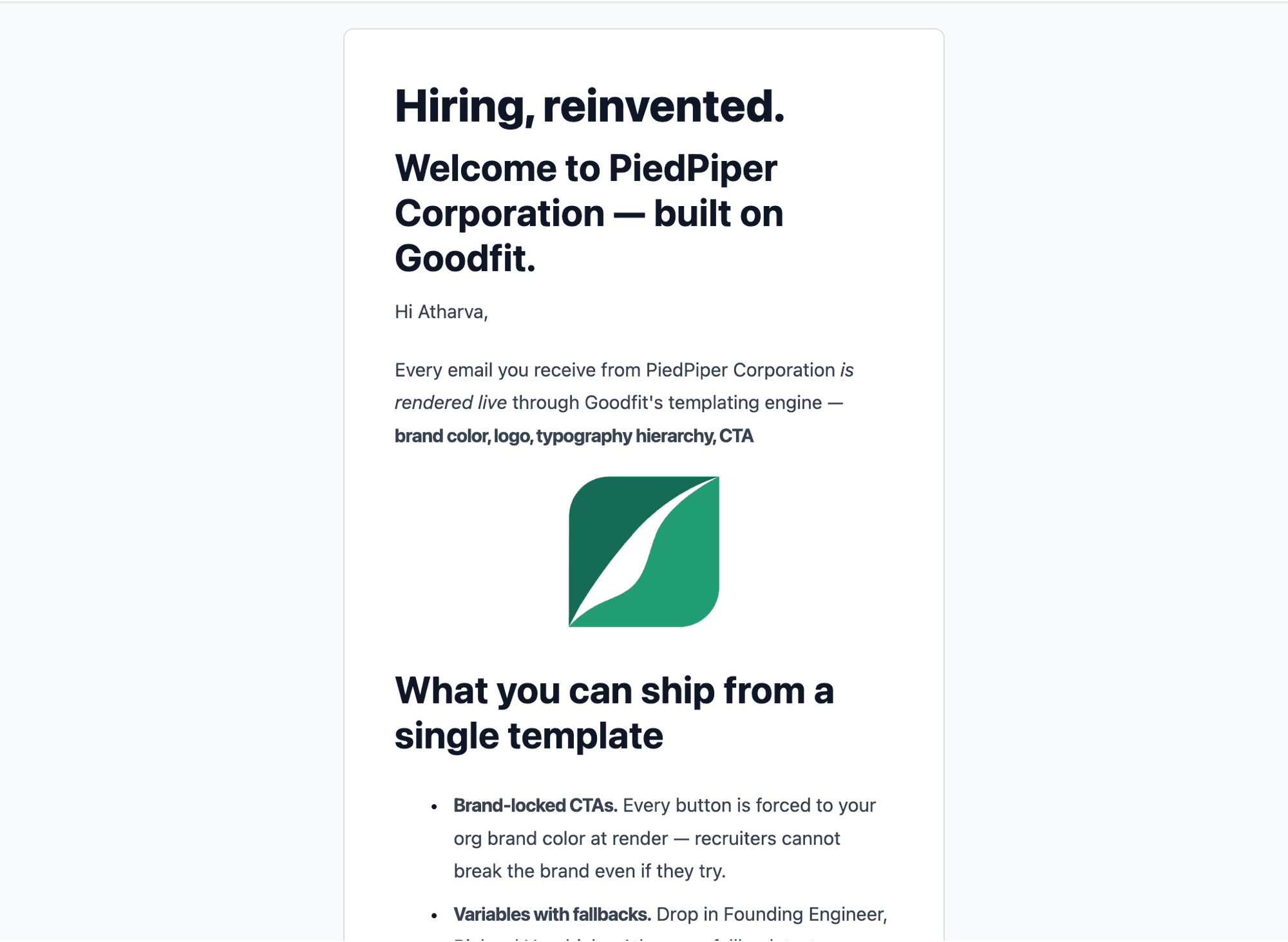
  • Every template renders inside your branded layout — your logo on top, your brand color on every button — so what you preview in-product is exactly what the candidate sees in their inbox.
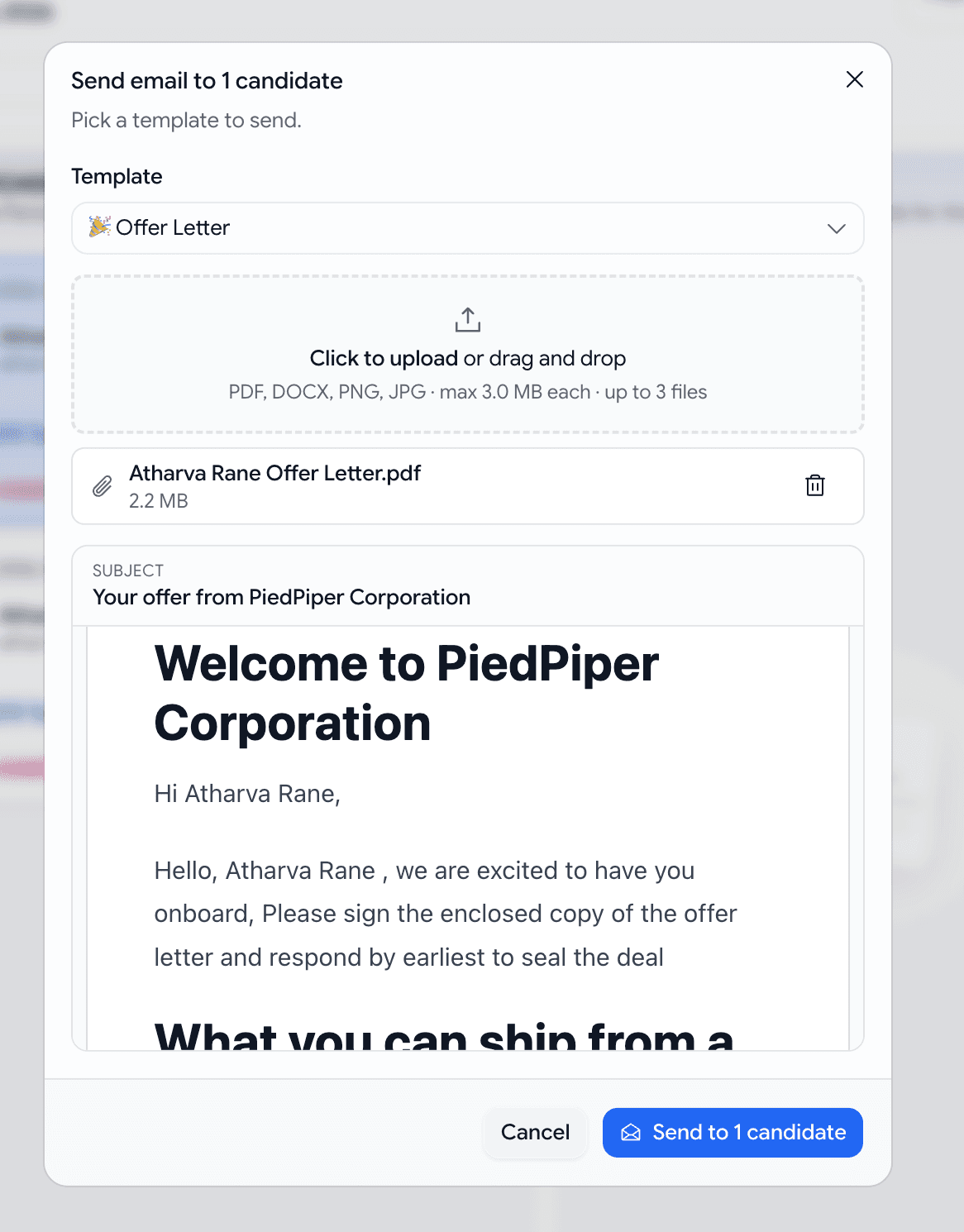
  • Send from the kanban: select candidates on a job's board, open the Send email dialog, pick a template, hit send. One email, branded, audit-logged, done — no copy-paste from Gmail.
  • Attach real files to any template. Flip Requires attachment on (e.g. "Offer Letter" or "Take-home brief"), and the kanban will only let you send it to one candidate at a time up to 3 files, 3 MB each: PDF, DOCX, PNG, JPG.
  • The candidate gets a branded email with a real paperclip. The application's activity timeline records the template name and the files that went out — so "what did we send Bob three months ago?" stops being a mystery.
Custom template rendered in Gmail — org logo header, headings, bold marks, centered image, bullet list, brand-colored CTA button, all inside the branded layout
Same brand wrap as the built-ins — your logo on top, your brand color on every button.
Bulk-send dialog with the Offer Letter template selected, a dashed dropzone holding a 2.2 MB PDF, and a branded preview rendering below
Pick the template, drop the file, send. Body copy can assume the attachment is there.

Email

Get emailed when a candidate finishes an assessment

Don't want to keep refreshing the pipeline? Let the job email you the moment a candidate completes.

  • On the job edit page, flip Settings → Email on assessment completion (off by default).
  • When on, the person who created the job gets an email per completed attempts. View full report button straight to the application.
Email on assessment completion toggle on the job Settings tab, with the recipient's address spelled out
One toggle per job — opt in to completion emails.
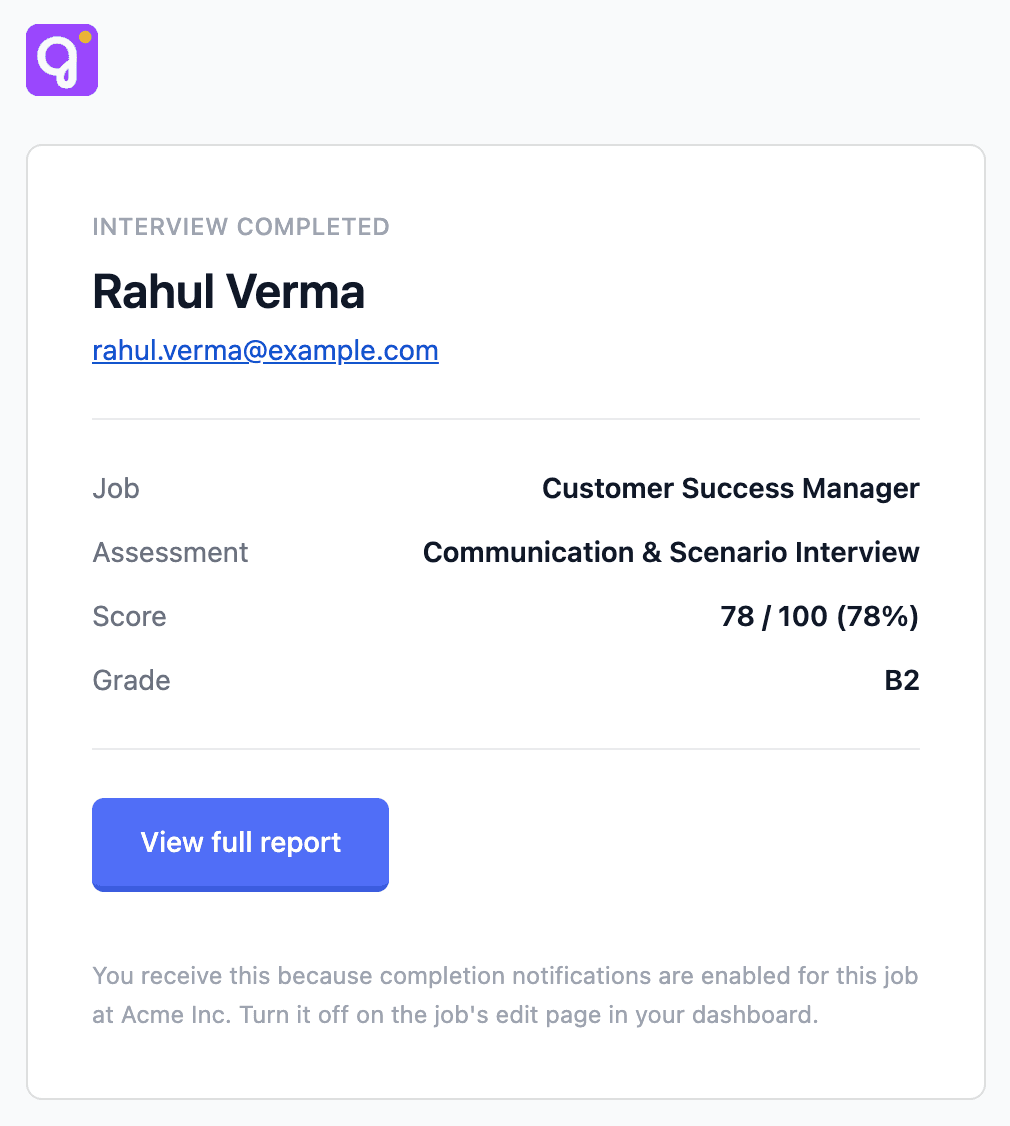
Branded assessment-completion email — INTERVIEW COMPLETED eyebrow, candidate name and email, a Job / Assessment / result block, View full report CTA
A clean summary with a direct link to the full report.

Voice

Give the AI interviewer your candidate's resume

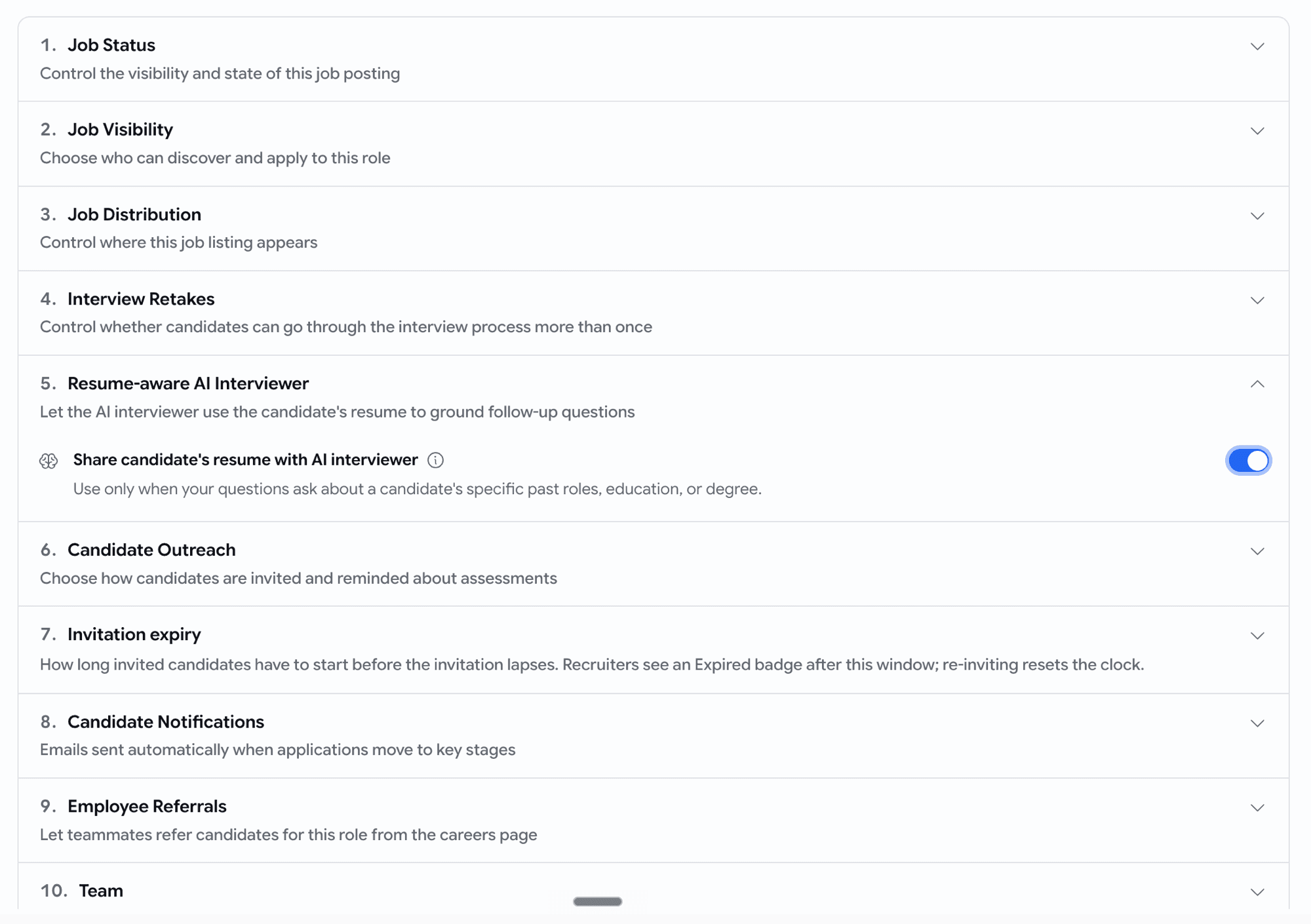
Turn on Resume-aware AI Interviewer on a job and the voice bot reads each candidate's resume before the call — then uses it during the interview.

  • It anchors on what's on the CV ("Your resume shows ~6y with React — how do you approach state management?")
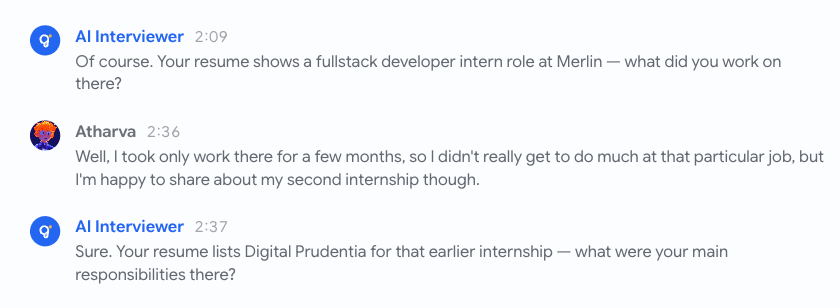
Mid-interview transcript — bot anchors on the first resume role, candidate redirects, bot re-anchors on the second resume role
When a candidate redirects, the bot follows their lead AND stays anchored to the resume.

Assessments

See the candidate's face and their work, together

Reviewing a proctored attempt used to mean flipping between two separate recordings — one of the candidate, one of what they were doing — and trying to line up the timing by eye. Now they play together.

  • When a candidate pauses for forty seconds, you can see at a glance whether they were thinking, looking away, or no longer at their desk — without ever leaving the page.
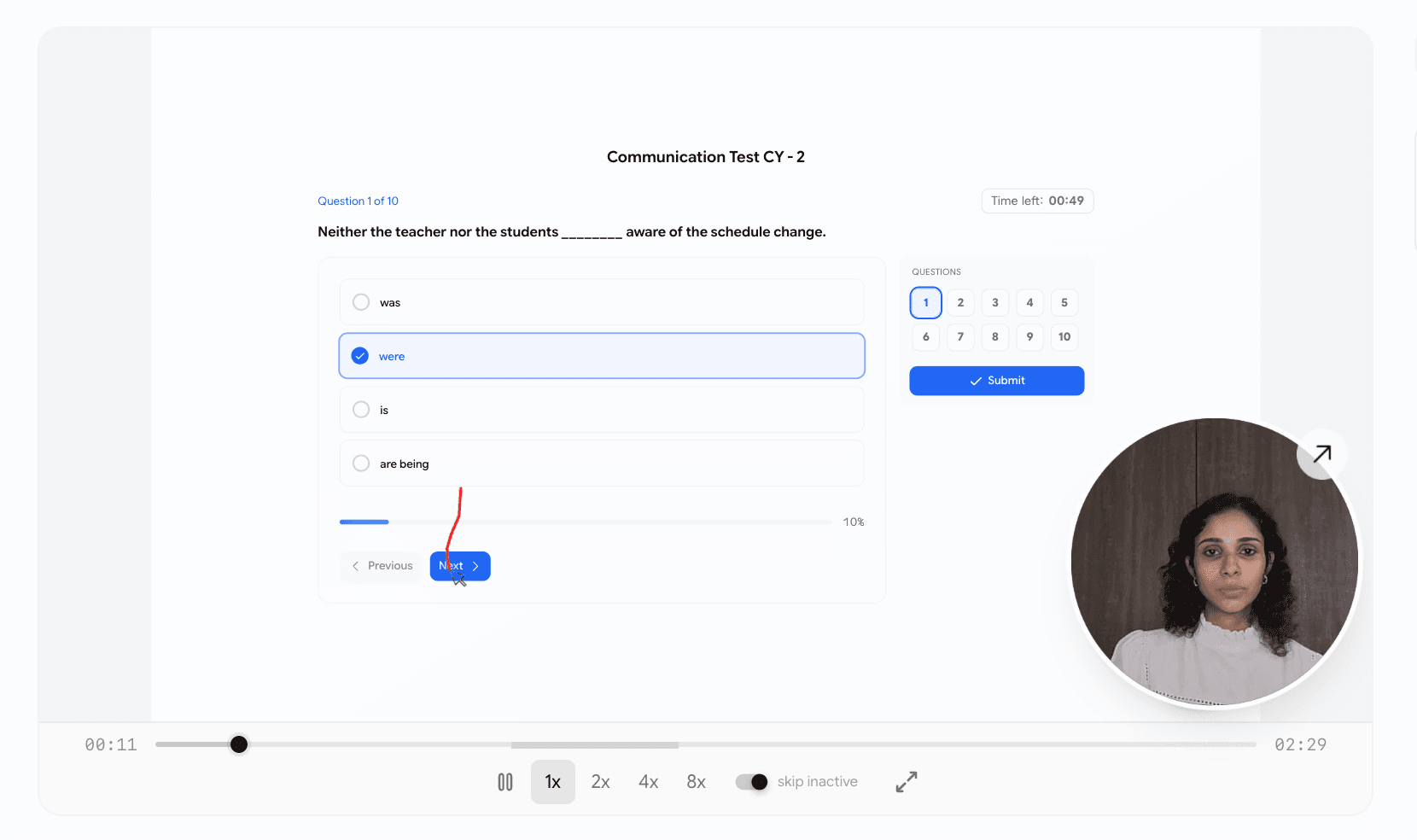
  • The candidate's video sits as a small circle in the corner of their work. Hover it to enlarge; click it to open in a new tab.
A candidate's work on screen with their video as a small circle in the corner, both playing in sync
One playback. The candidate's face and their work, always at the same moment.

Hiring

Scorecards now follow the voice interview rubric

Evaluations on the application's Evaluation tab used to rate against the job-level skill list — which often drifted from what the voice interview actually assessed. Now the scorecard mirrors the interview.

  • The skills you see on the scorecard are pulled straight from your voice interview skills for that stage. If the job has more than one voice round, we combine them and drop duplicates.
  • When there's no voice round, the scorecard falls back to the job's skill list and lets you add a custom skill row.
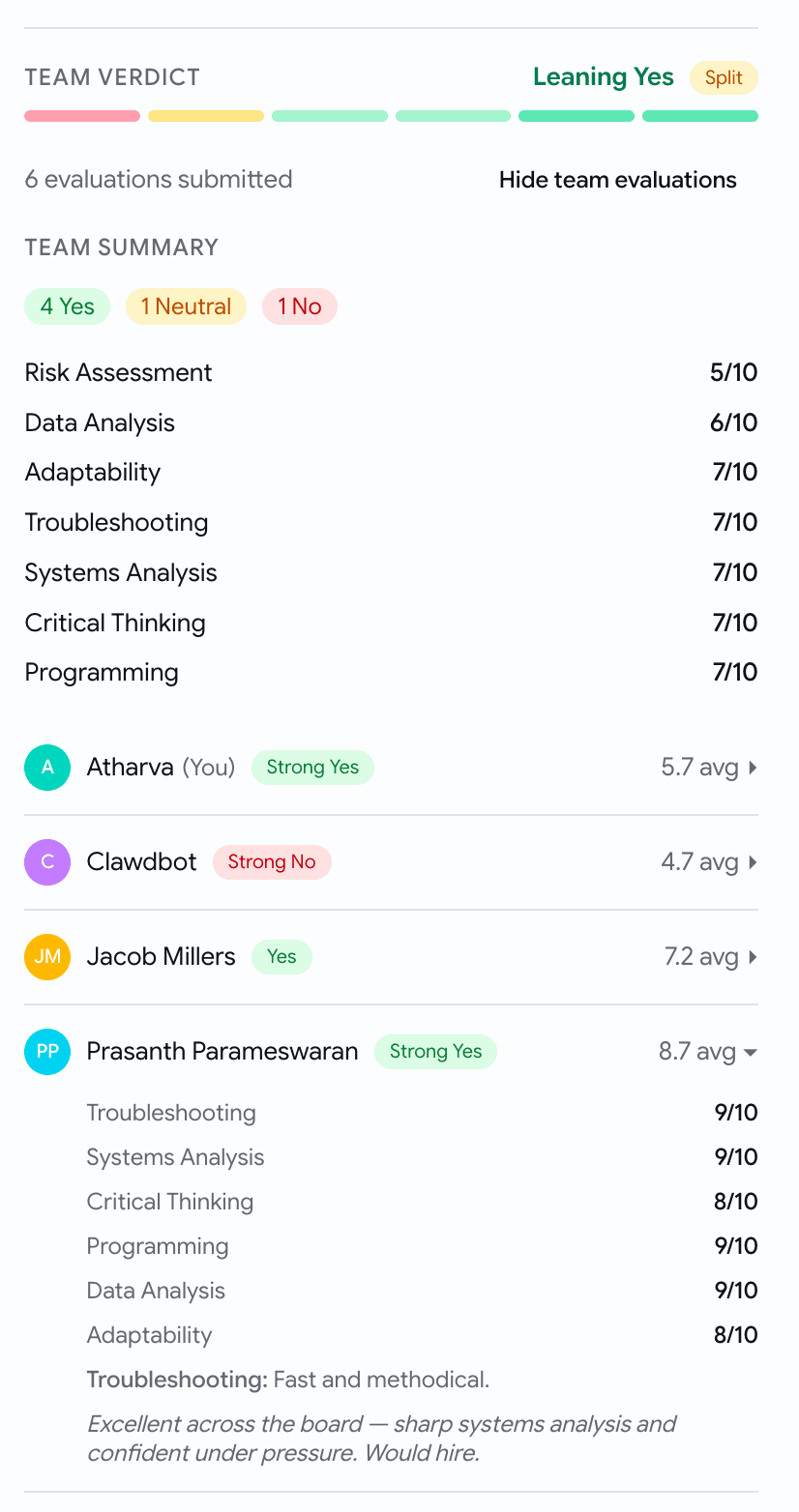
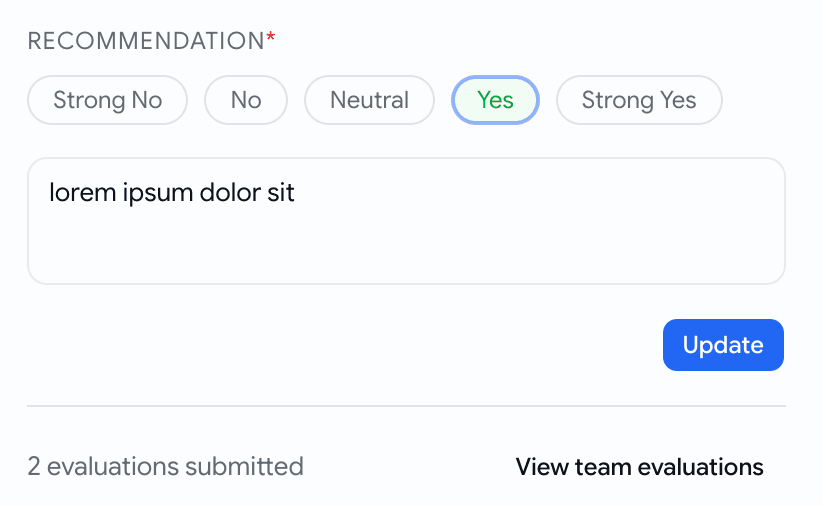
  • Your teammates' scores are hidden by default — no more anchoring on "2 Yes, 1 No" before you've written your own. Click View team evaluations when you're ready, Hide team evaluations to collapse them again.
  • Forget to rate a skill or pick a recommendation? You get a clear message saying what's missing, instead of a silently disabled button.
Evaluation tab — recommendation scale with Yes selected, overall notes textarea, Update button, and a collapsed team summary footer showing 2 evaluations submitted
Same rubric the interview used. Teammates' scores stay hidden until you ask for them.

Talent pool

Advanced filters on the candidate pool

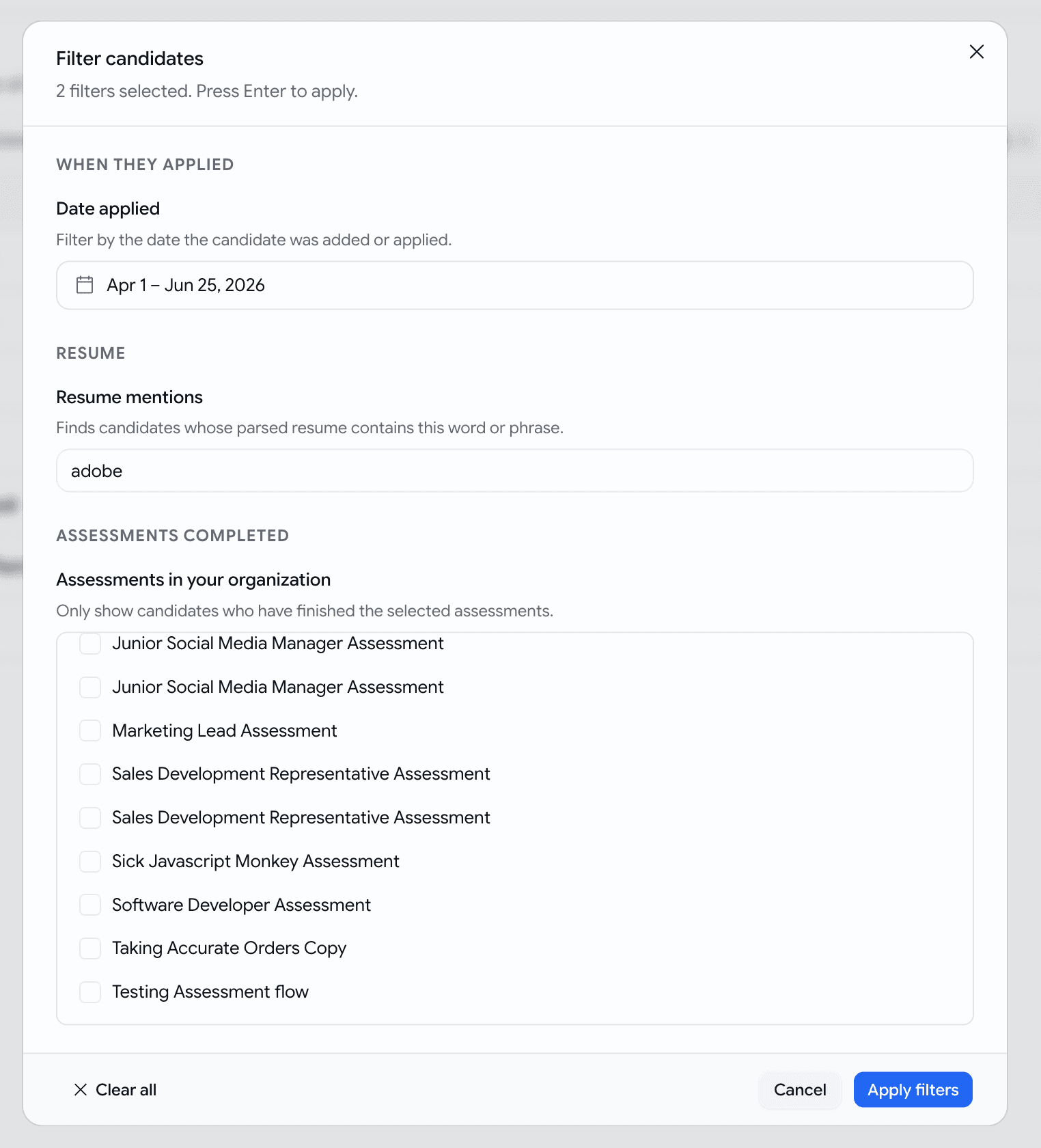
The Talent Pool gets a new Filters button next to the search / job / status / sort row, with three deeper ways to narrow down candidates.

  • When they applied — pick a date range with the two-month calendar.
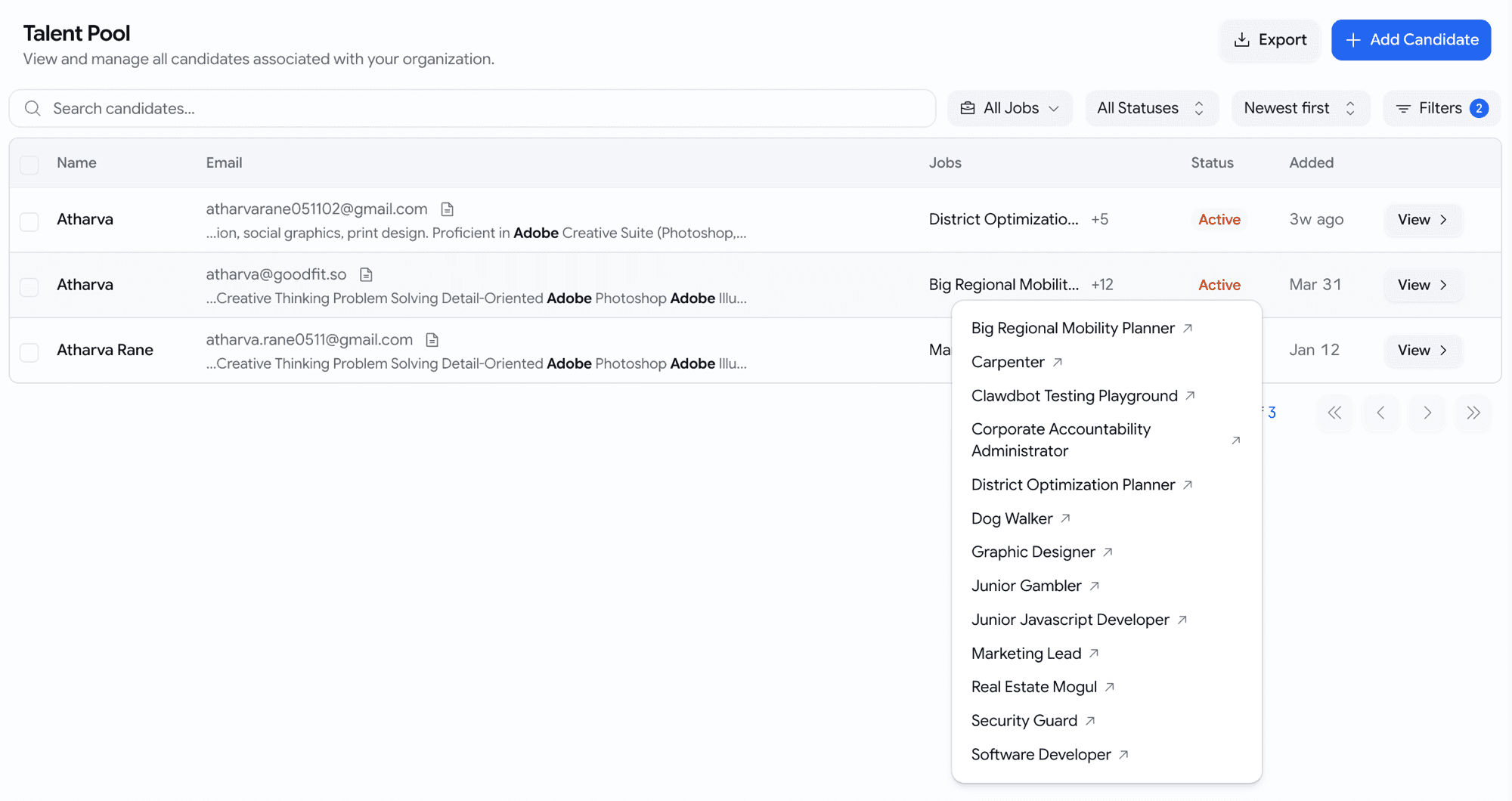
  • Resume mentions — type a keyword (e.g. react, adobe, gst). We search the parsed contents of every resume. Each matching candidate shows the surrounding snippet right under their email with the keyword bolded — so you can tell real Java from JavaScript-only at a glance.
  • Assessments completed — pick from a list of your organisation's actual assessments by name (not generic types). Selecting one means "this candidate has finished and been evaluated on this specific assessment."
  • Filters live in the page address — bookmark a useful slice, share it with a teammate, reload the page and it's still there.
Advanced Filters dialog open over the Talent Pool with a date range, a resume keyword 'adobe', and a list of the org's actual assessments by name
Three sections — date applied, resume mentions, assessments completed.
Talent Pool rows with inline resume-match snippets under each email, keyword bolded, snippet shown only when the resume filter is active
Resume snippet under each row — see why the keyword matched without opening the CV.

Hiring

Export only what the kanban shows

The Download Applications button on a job's kanban now respects your active filters. The CSV contains exactly what's on screen — not the whole job.

  • No filters active? You'll get the full applications list, as before.
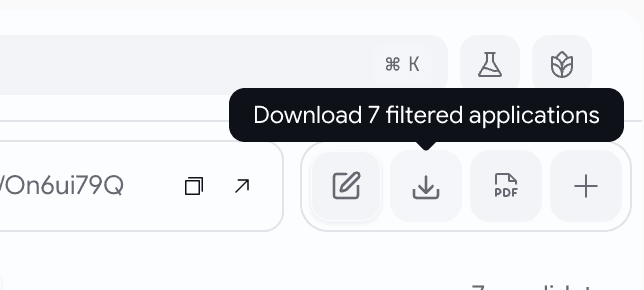
  • Filters active? Hover the download button and it tells you exactly how many applications are about to leave with you — Download 12 filtered applications — and the CSV mirrors that.
  • If your filters narrow the board to zero candidates, the button stays disabled — never a silent full-job export when you thought you were narrowing.
Download CSV button on the kanban showing 'Download 7 filtered applications' while filters are active
What you see on the kanban is what lands in the CSV.
  • Hover the Download CSV button on Overview, Pipeline Health, Sourcing Analytics, or Team Activity and you'll now see Download filtered data — a small, clear confirmation before you click.
  • Narrow to "Q1 2026, recruiter X" and the CSV is that slice, every time.

Jobs

A calmer job edit page

Creating or editing a job used to throw fourteen open cards at you in one wall — overwhelming, hard to scan, and easy to lose your place in. We've cleaned that up.

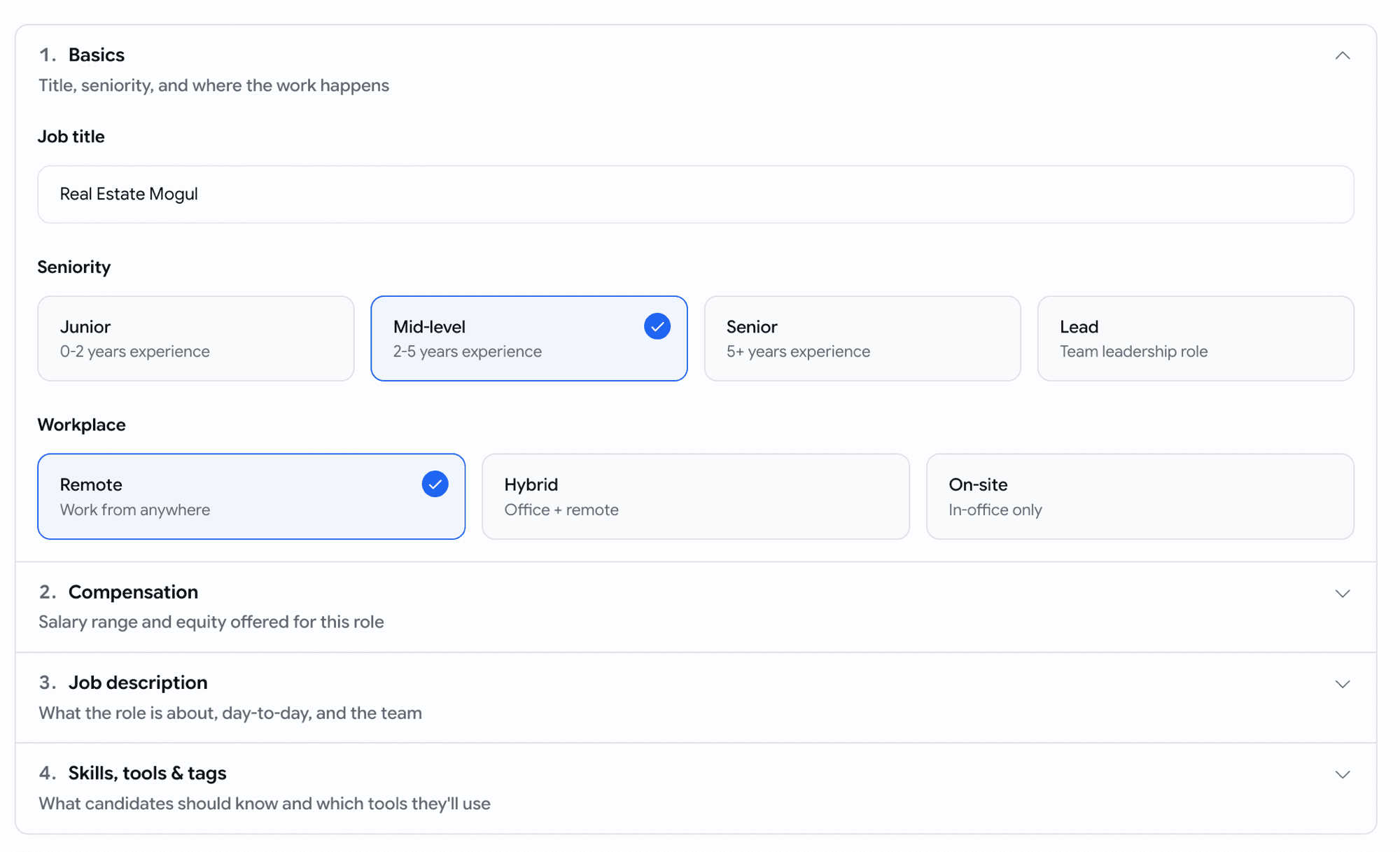
  • The most important sections are open when you arrive — job status, visibility, basics, job description — and everything else sits one click away, in order, ready when you need it.
  • No more scrolling through settings you don't care about to reach the one you do.
Job settings page — collapsed sections in order, with status and visibility open by default
The settings you reach for first are already open. The rest stay tidy until you need them.
Job details page — basics and job description open by default
Same on the Details tab — Basics and Job description ready to go.

May Week 3

Accept applications by email, pick from a 500+ verified coding bank and ~10k reusable skill questions, personalise voice scripts, run language tests in 10+ languages, send mail through Microsoft 365, and stop silently losing emails.

  • voice
  • assessments
  • question-bank
  • cefr
  • prescreening
  • email
  • comms

Voice

Personalise the greeting and the sign-off

The voice interview's opening and closing lines can now address each candidate by name.

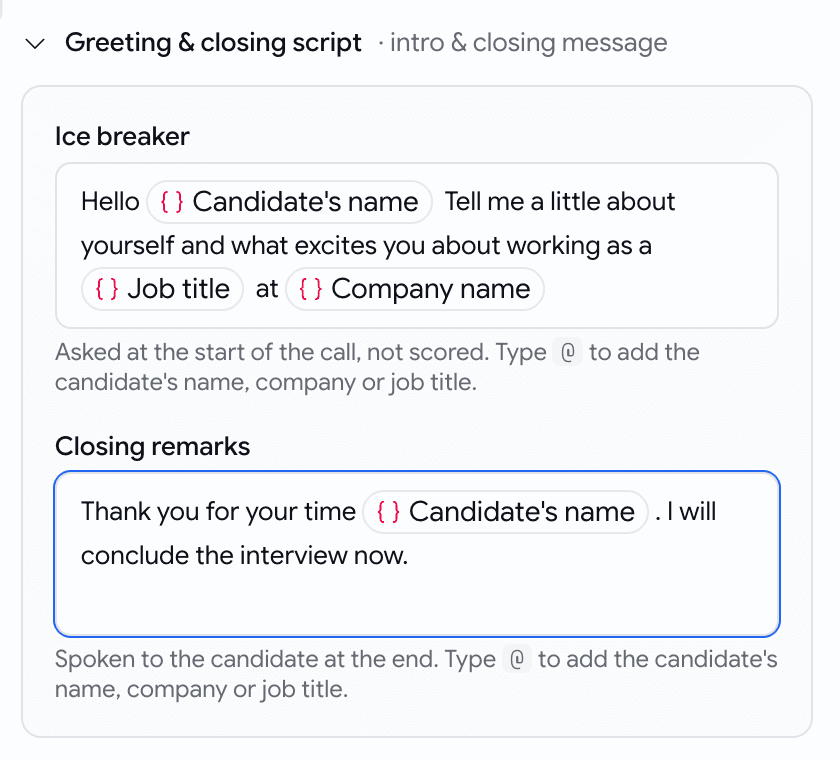
  • In the Ice breaker and Closing remarks fields, type @ to insert a chip: Candidate's name, Company name, or Job title.

  • At call time the bot speaks the finished line — "Hello Alice, thanks for your time interviewing for the Senior Engineer role at Acme."

    Greeting and closing script editor with name, company and job-title chips
    Type @, pick a chip

Assessments

A larger, smarter, and more usable coding bank

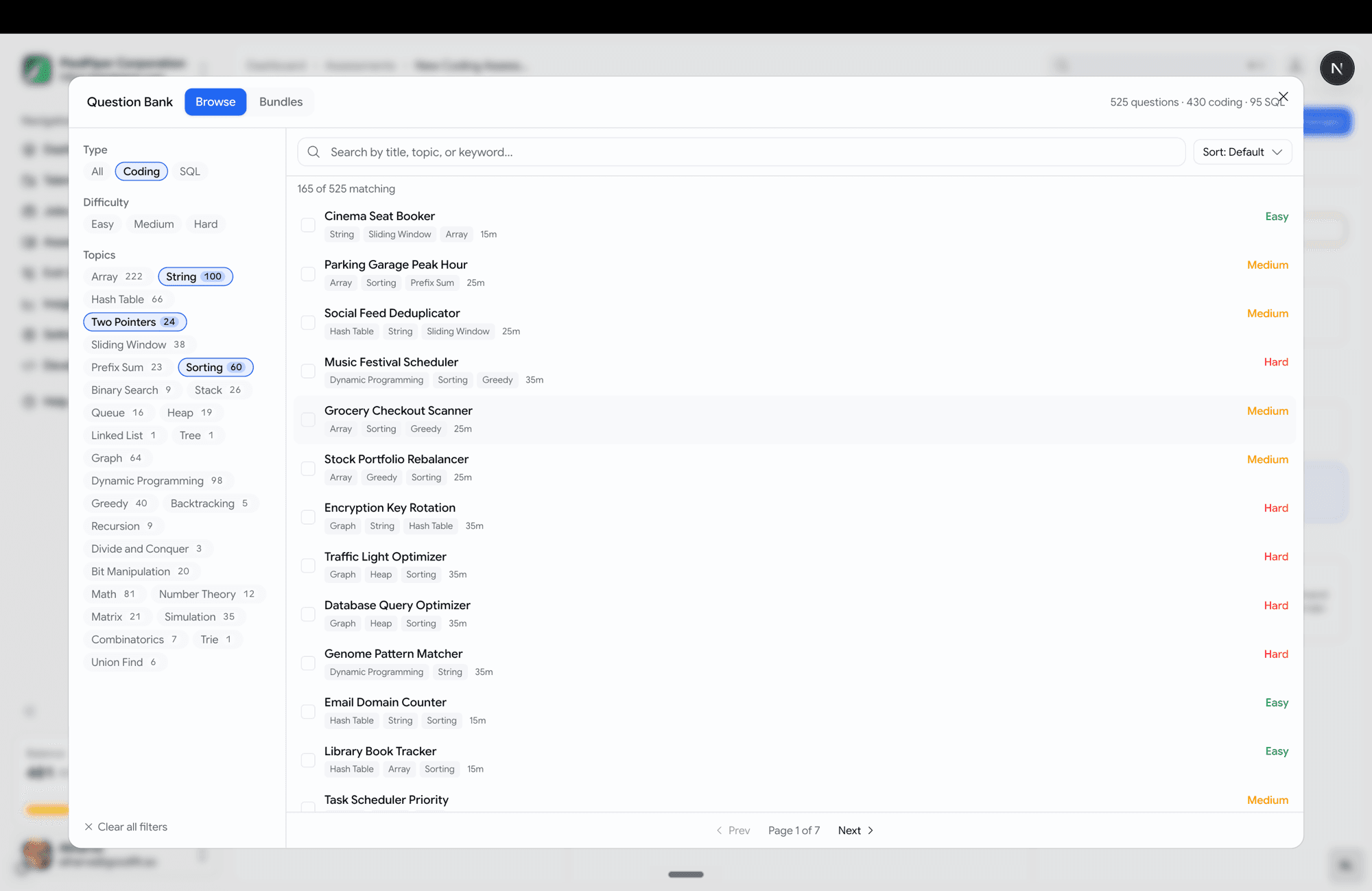
Choosing coding questions is now a full-screen, browse-and-filter experience. The prebuilt coding bank is now 430 coding problems across 10 languages and 95 SQL problems.

  • Topics span data structures, algorithms, backend logic, and real SQL analytics (revenue deltas, org hierarchy, quartile buckets).
  • Filter rail down the left — Type, Difficulty, and Topics, each with a live count.
  • Search, sort (default / title / easy→hard / shortest).
  • Click a question to preview it in a side pane before adding.
  • Multi-select with a review strip at the bottom — see everything queued, remove any, then "Add N questions".
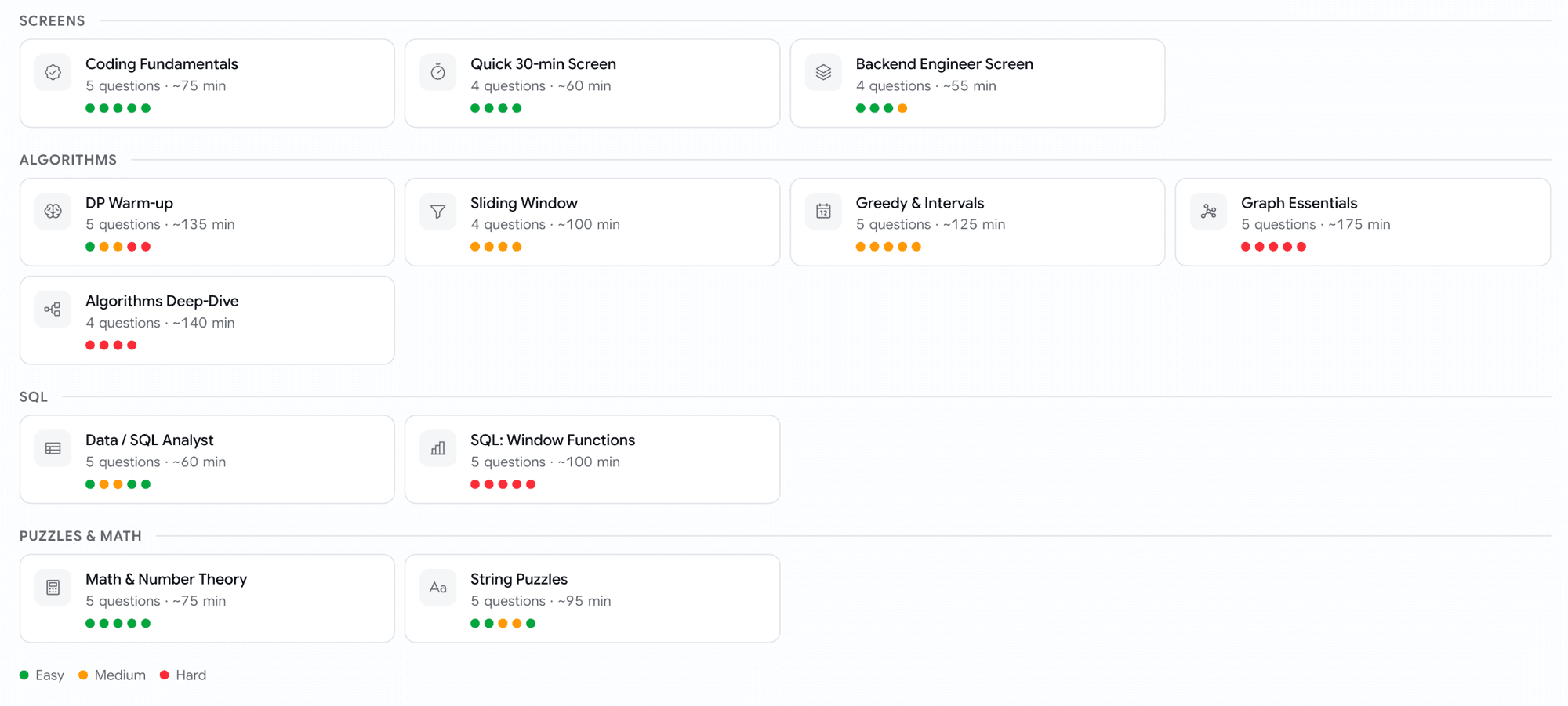
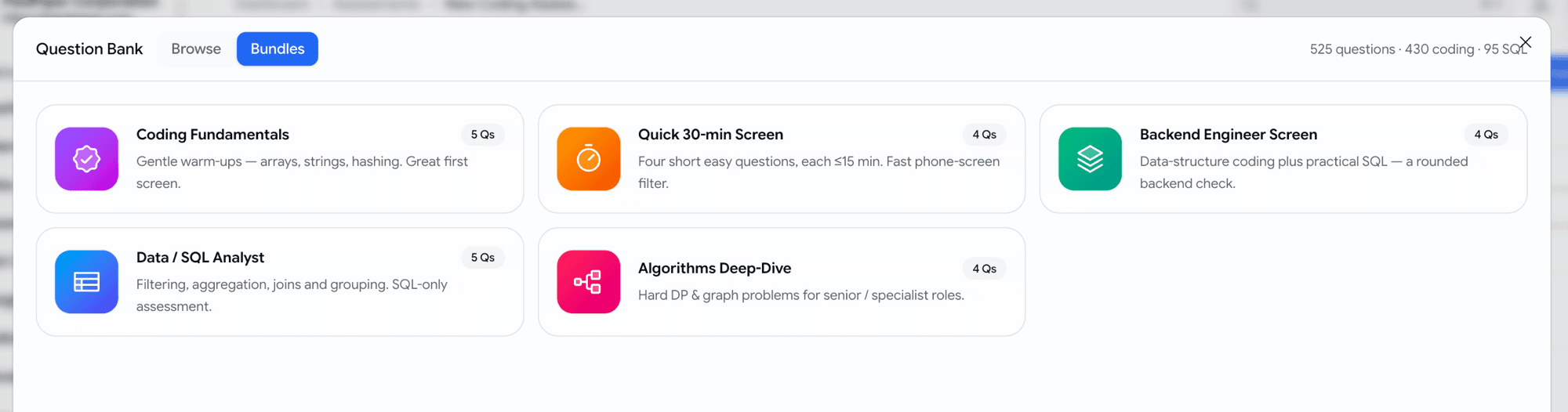
  • Curated bundles — five ready-made starter packs (Coding Fundamentals, Quick 30-min Screen, Backend Engineer Screen, Data / SQL Analyst, Algorithms Deep-Dive) as one-click cards.
Wide question-bank picker with filter rail, search, sort and preview pane
Filter, search, preview — then add in bulk.
Curated bundle cards: Coding Fundamentals, Quick 30-min Screen, Backend Engineer Screen, Data/SQL Analyst, Algorithms Deep-Dive
Don't want to hand-pick? Start from a curated bundle.
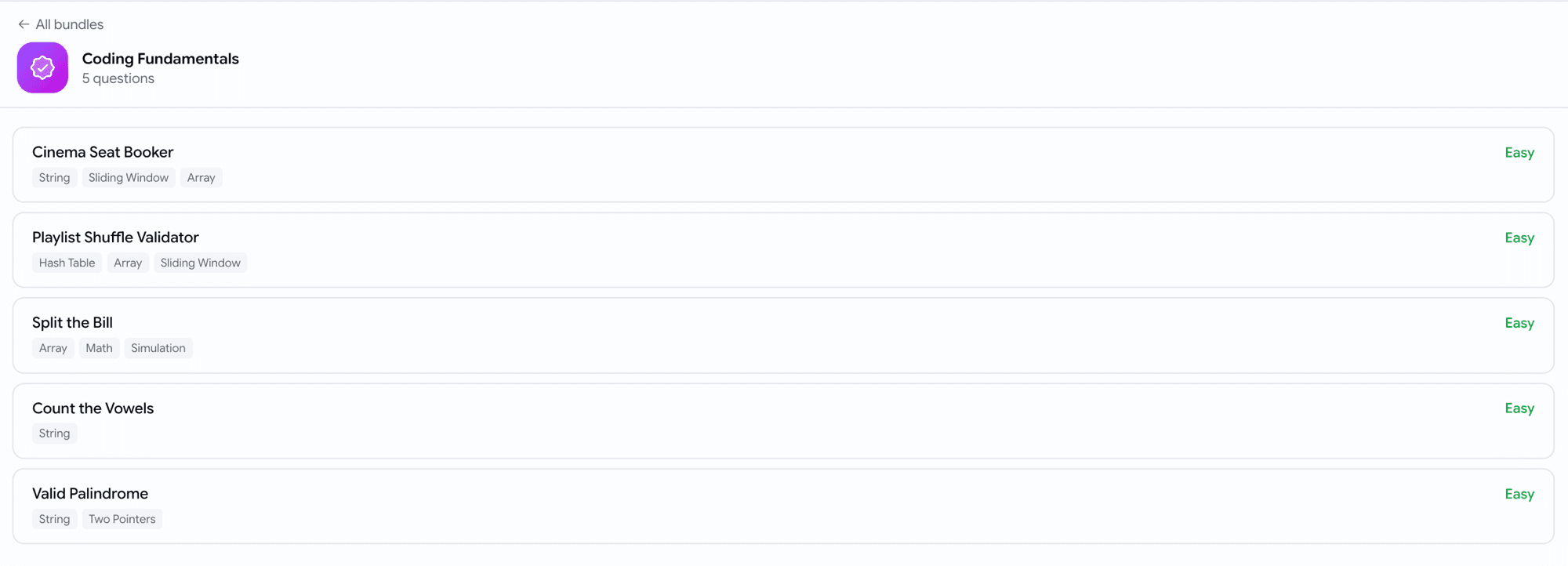
Coding Fundamentals bundle detail with numbered questions, topic tags and difficulty
Open a bundle to see exactly what's in it before you add it.

Assessments

Reuse individual skill-assessment questions

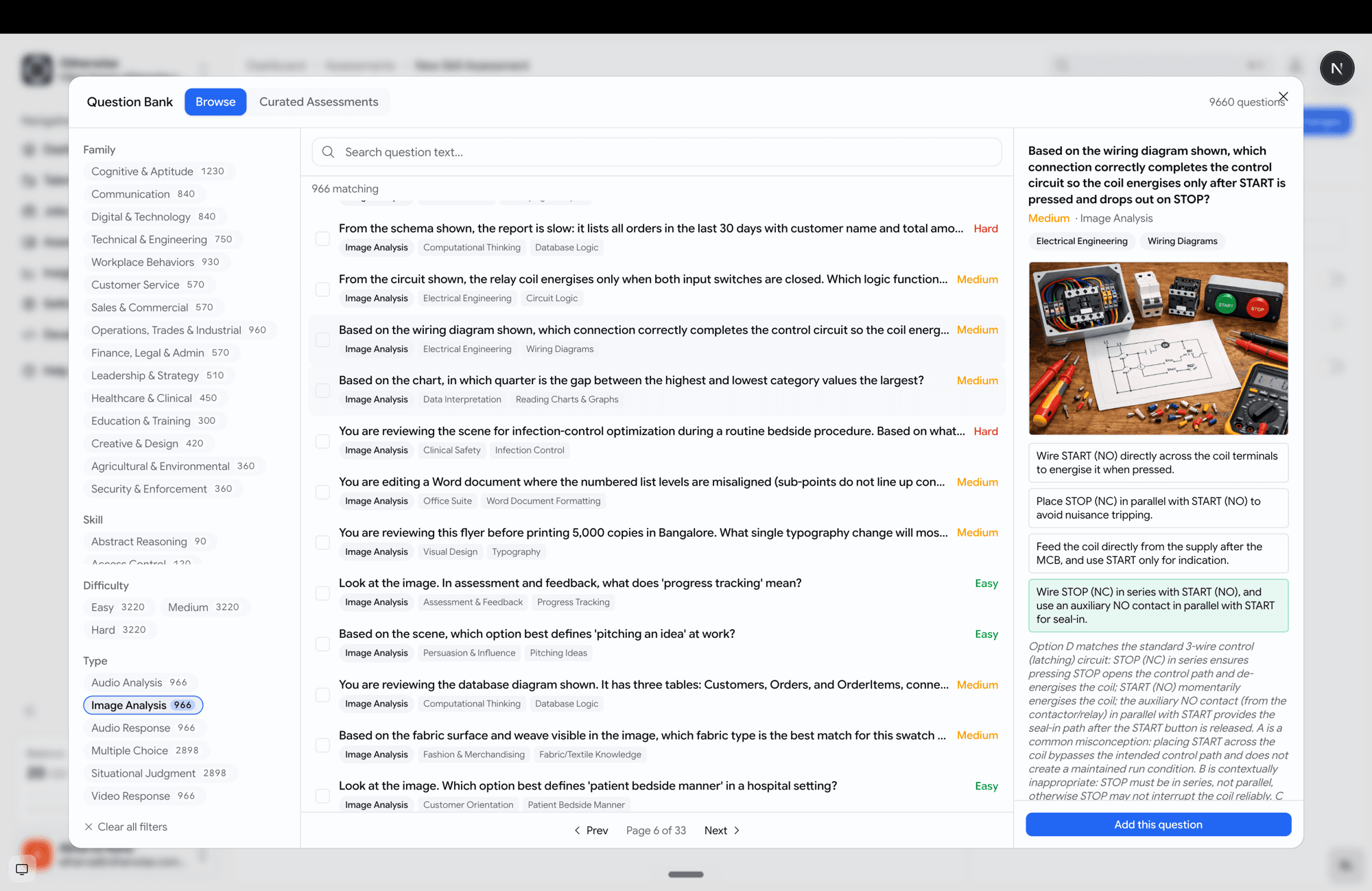
You can now pull single questions from a library of ~10k prebuilt skill questions — not just adopt a whole assessment.

  • Browse and filter by family, skill, difficulty and type, with full-text search.
  • Preview each question — including its image or audio media — with the options and the rationale.
  • Pick questions one at a time and mix them with your own, or add a curated pack (organised into 16 family categories → packs → questions).
Generic question-bank browser with filter rail and an image-based question preview
Browse almost 10,000 questions, preview the media, pick exactly the ones you want.
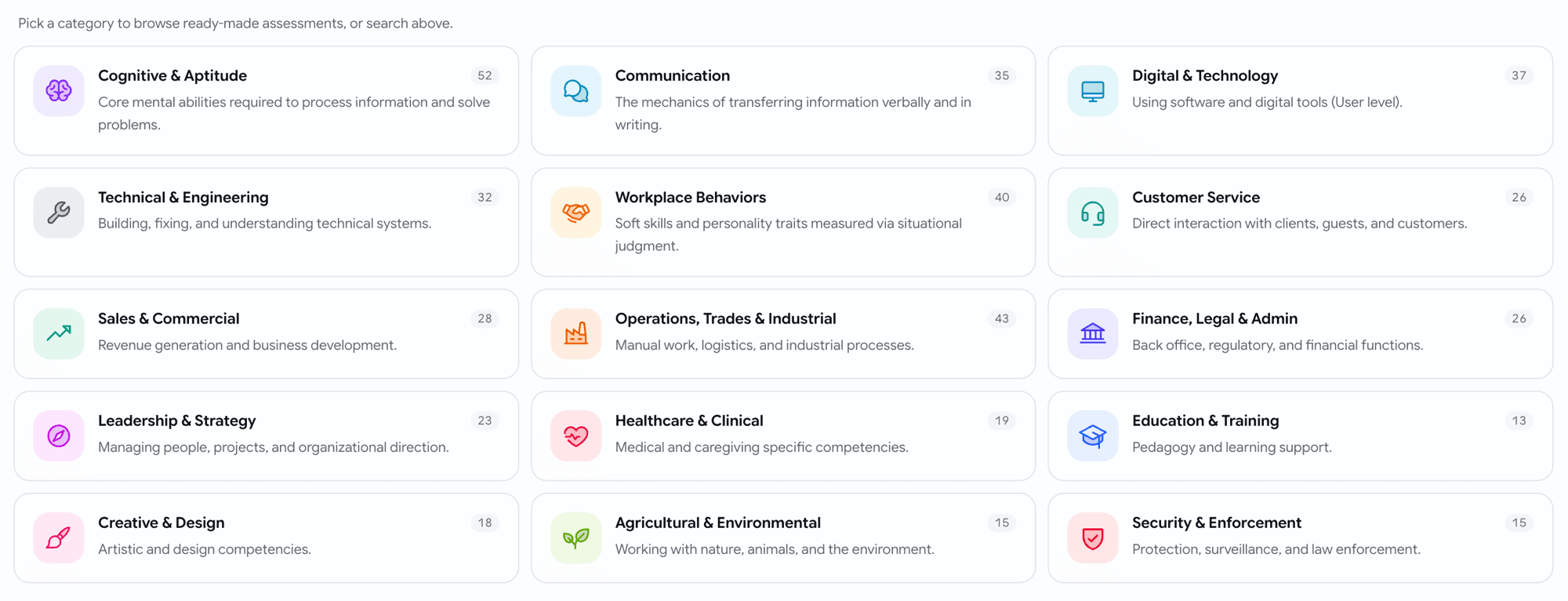
Curated assessment categories shown as 16 family tiles with icons and counts
Or start from a curated pack, grouped by skill family.

Assessments

Show each candidate a random subset

A skill assessment can now serve a random handful of its questions to each candidate — so the same questions don't leak between candidates.

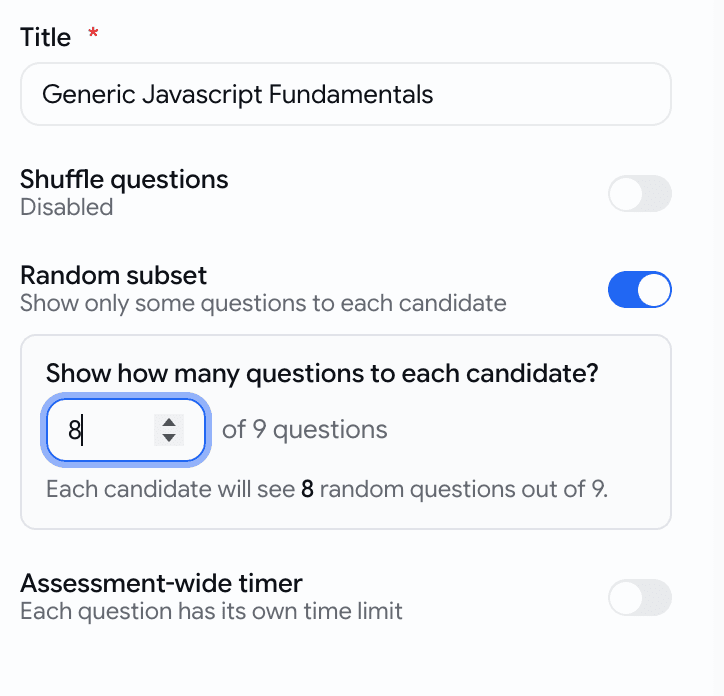
  • Turn on Random subset in the assessment settings and set how many questions to show.
Random subset toggle in the assessment settings with a live count preview
Pick how many each candidate sees — the rest stay unseen.

Assessments

Language tests, now in 9 languages — with a preview

Language-proficiency tests are no longer English-only, and you can read every question before you assign one.

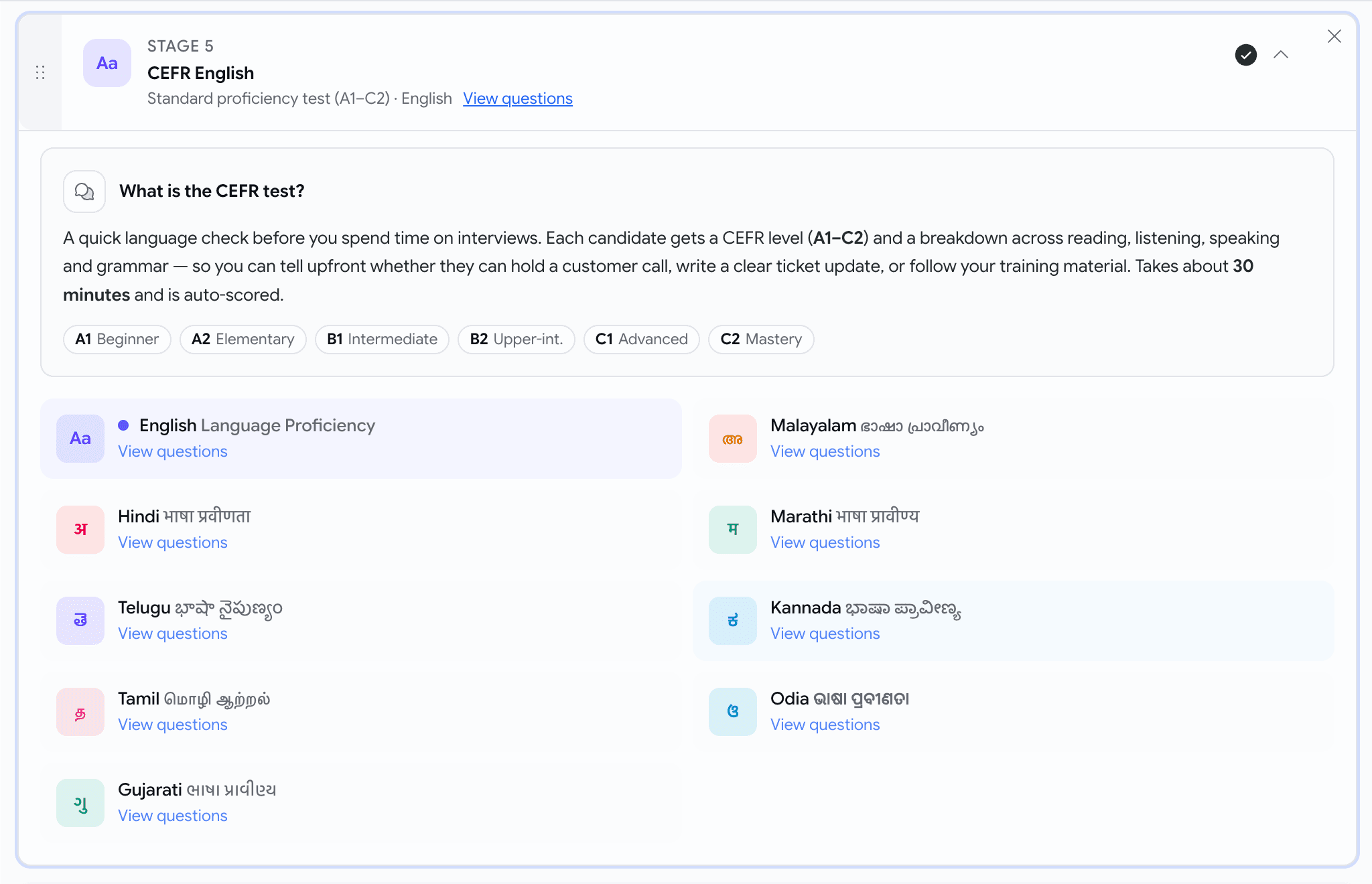
  • Available languages now include:
    • English
    • Hindi (हिंदी)
    • Telugu (తెలుగు)
    • Tamil (தமிழ்)
    • Gujarati (ગુજરાતી)
    • Malayalam (മലയാളം)
    • Marathi (मराठी)
    • Kannada (ಕನ್ನಡ)
    • Odia (ଓଡ଼ିଆ)
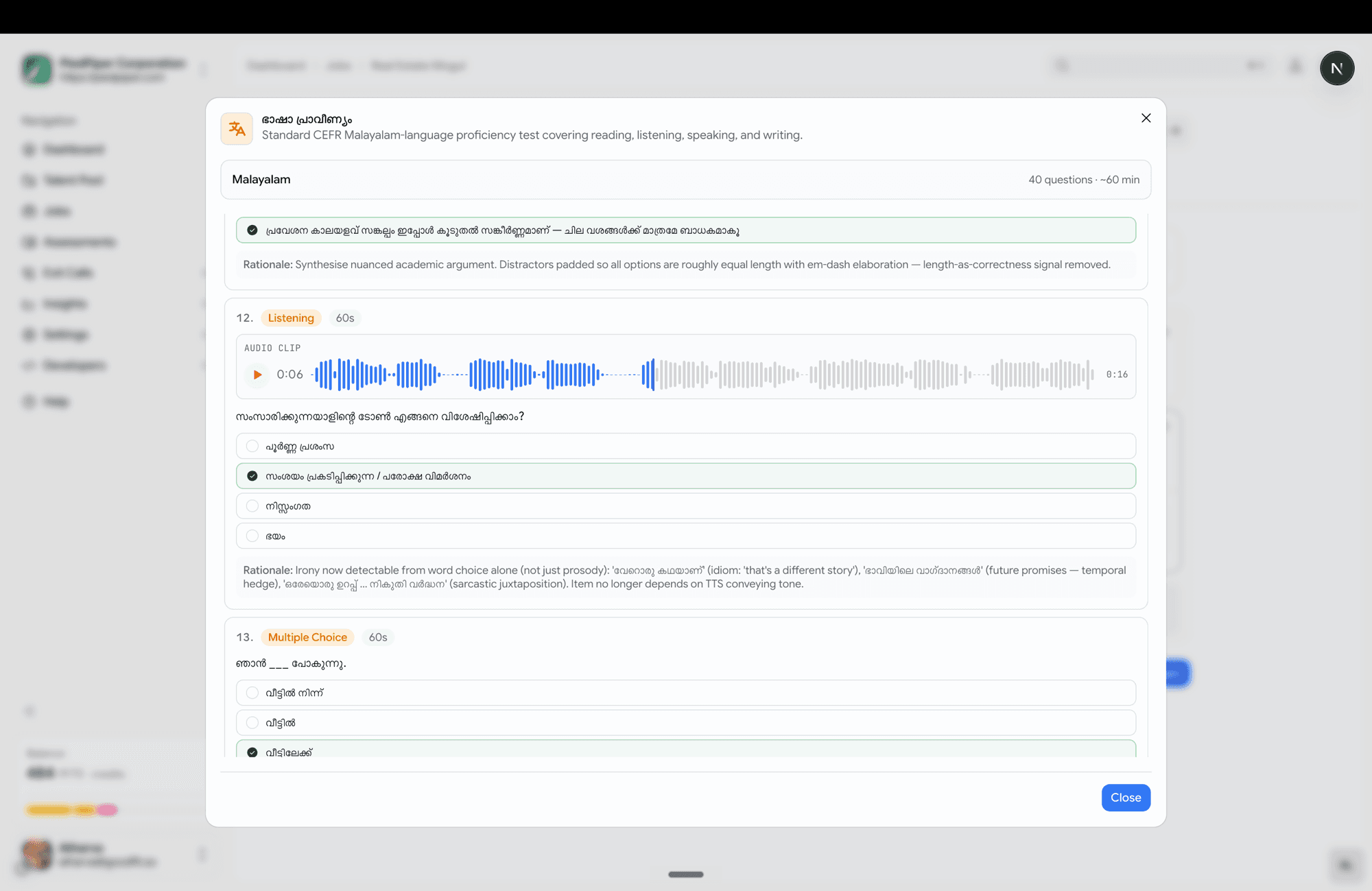
  • Hit View questions on any language to open a full read-only preview — reading passages, audio clips, every option, and the answer key — exactly what the candidate will see.
CEFR stage card with an inline language picker showing localised language tiles
One stage, every supported language — each in its own script.
CEFR preview dialog for Malayalam showing questions, audio, passages and the answer key
Read the whole test — passages, audio, answer key — before you assign it.

Voice

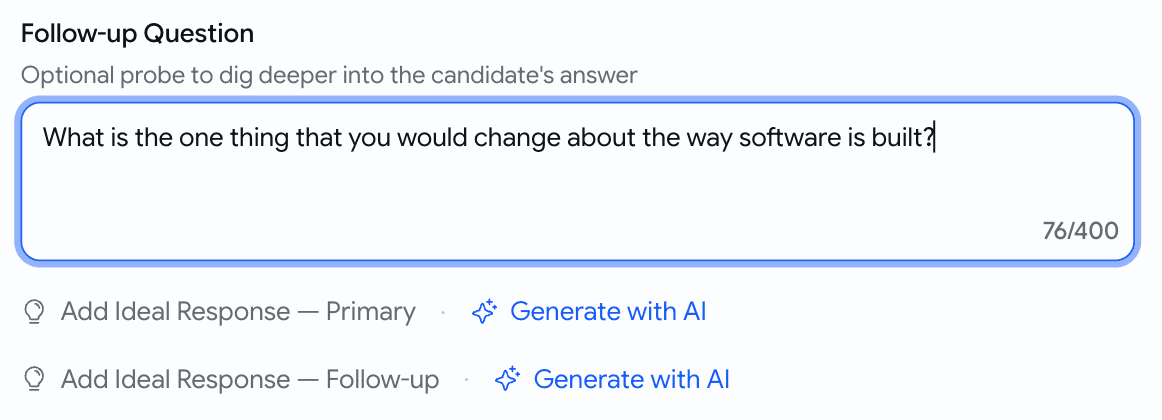
Generate the ideal answer for a custom question

When you write your own voice question, you no longer have to hand-write the scoring guide.

  • A Generate with AI button now sits next to each ideal-response slot — both the primary question and the follow-up.
Generate with AI buttons next to the primary and follow-up ideal-response slots
Type the question, click Generate

Prescreening

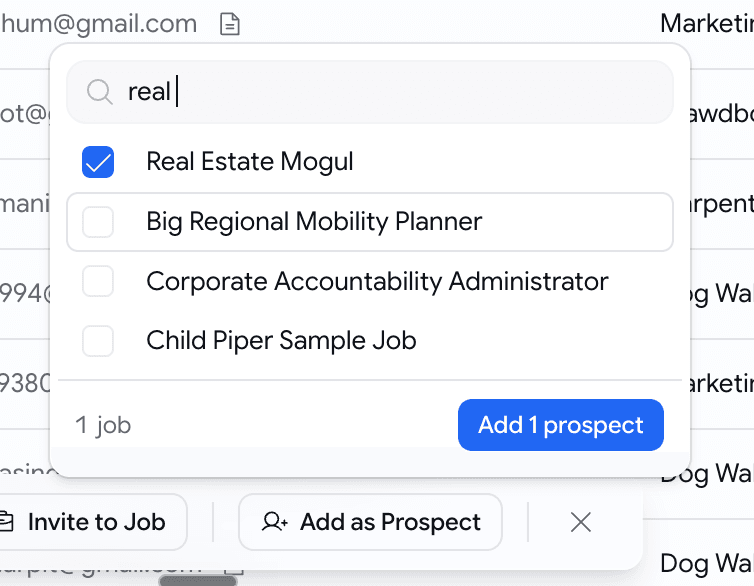
Add talent-pool candidates as prospects, in bulk

Found good people in your talent pool? Drop a batch straight onto a job — already scored.

  • Select candidates, click Add as Prospect, pick one target job.
  • Each candidate is scored against that job's description and added as a prospect with the score visible.
  • A summary toast tells you what happened — "3 added, 1 already on this job, 1 skipped (no resume)".
Add as Prospect popover with a job picker in the candidates bulk bar
Pick a job, add up to 10 talent-pool candidates as scored prospects.

Behind the scenes

Stop silently losing candidate emails

Candidate email is now durable and observable — and you find out fast when your mail is misconfigured.

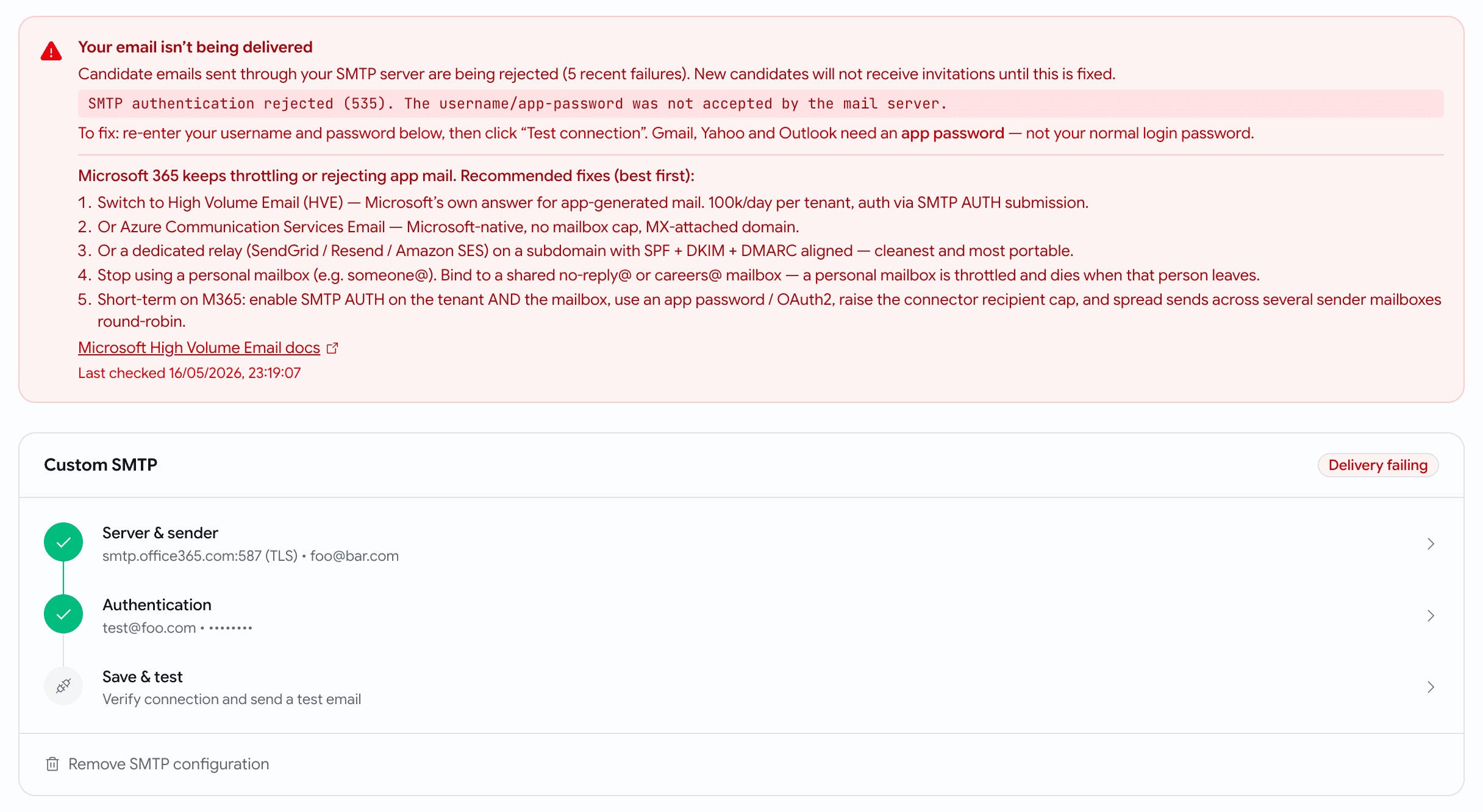
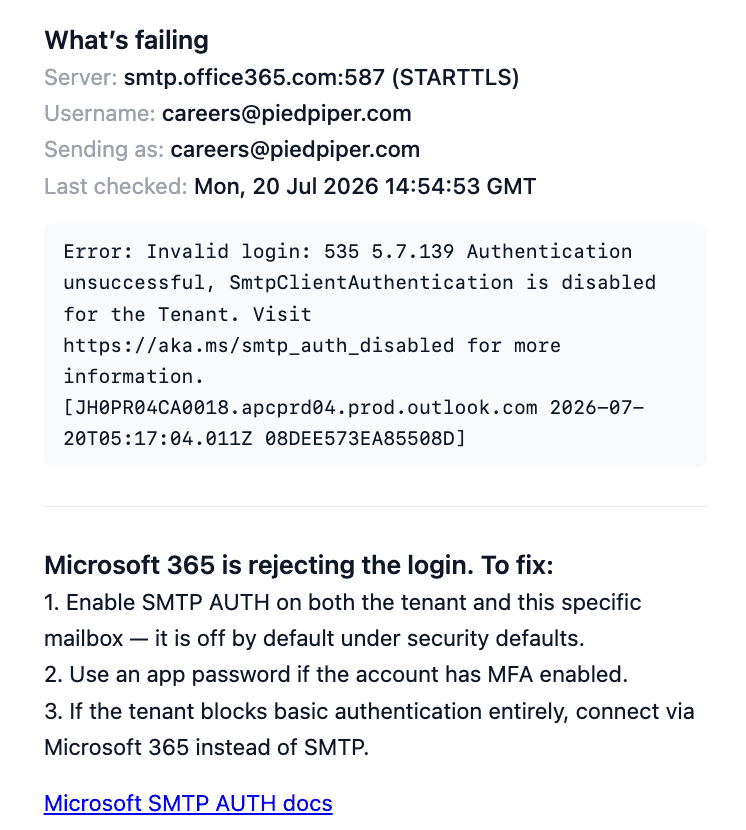
  • If your custom SMTP is broken, Email Settings shows a red "Delivery failing" banner with the exact provider error and provider-specific fixes (including Microsoft 365).
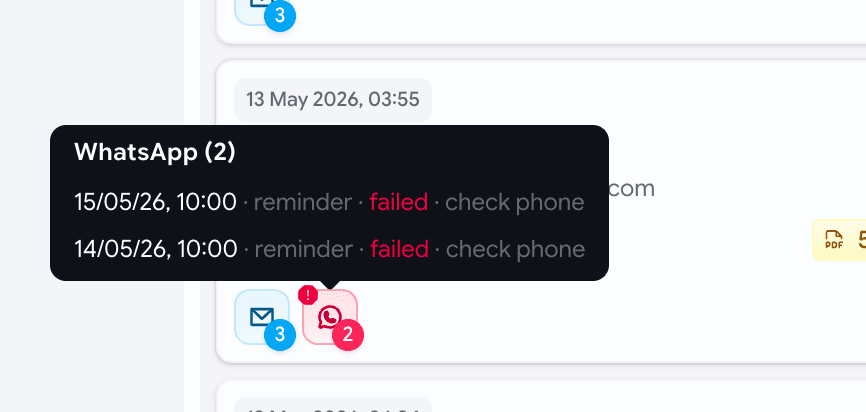
  • Application cards and the activity timeline now show per-message delivery status alongside stage moves.
Red Delivery failing banner in Email Settings with a plain-language reason and fixes
Broken mail config? You see it here — with the fix — instead of losing emails.
Application card showing per-message delivery status
See whether each candidate email actually went out.
Activity timeline interleaving comms delivery status with stage moves
Delivery status sits right in the activity timeline.

May Week 2

Score candidates inside application forms, branch questions based on earlier answers, preview psychometric frameworks before assigning them, see if a bad voice interview was a bad connection, flag suspicious reports, and inline help on every page.

  • prescreening
  • scored-mcq
  • conditional-logic
  • psychometric
  • voice
  • help
  • flags

Prescreening

Score answers inside the application form

Application forms can now grade candidates with points — not just pass / reject.

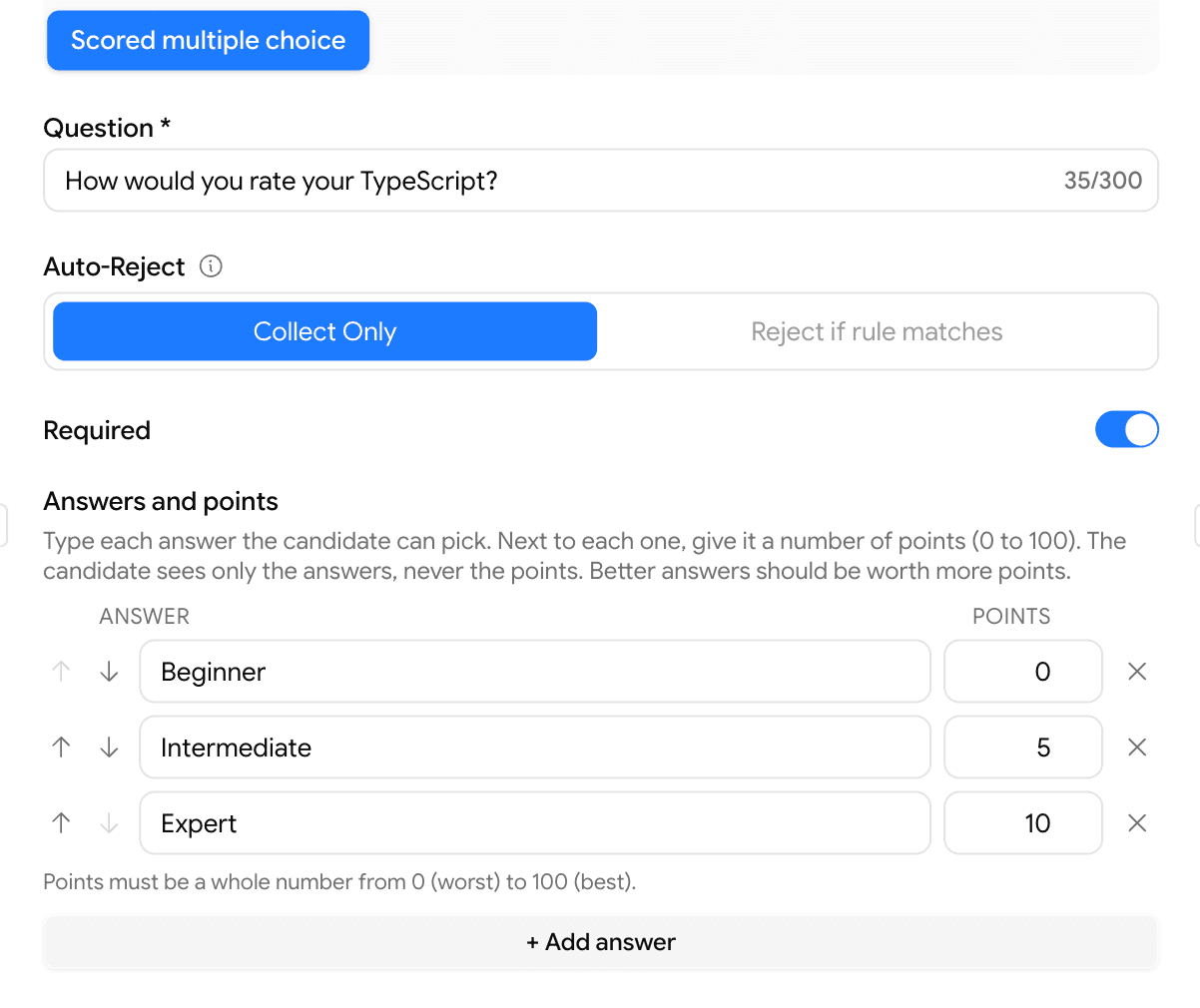
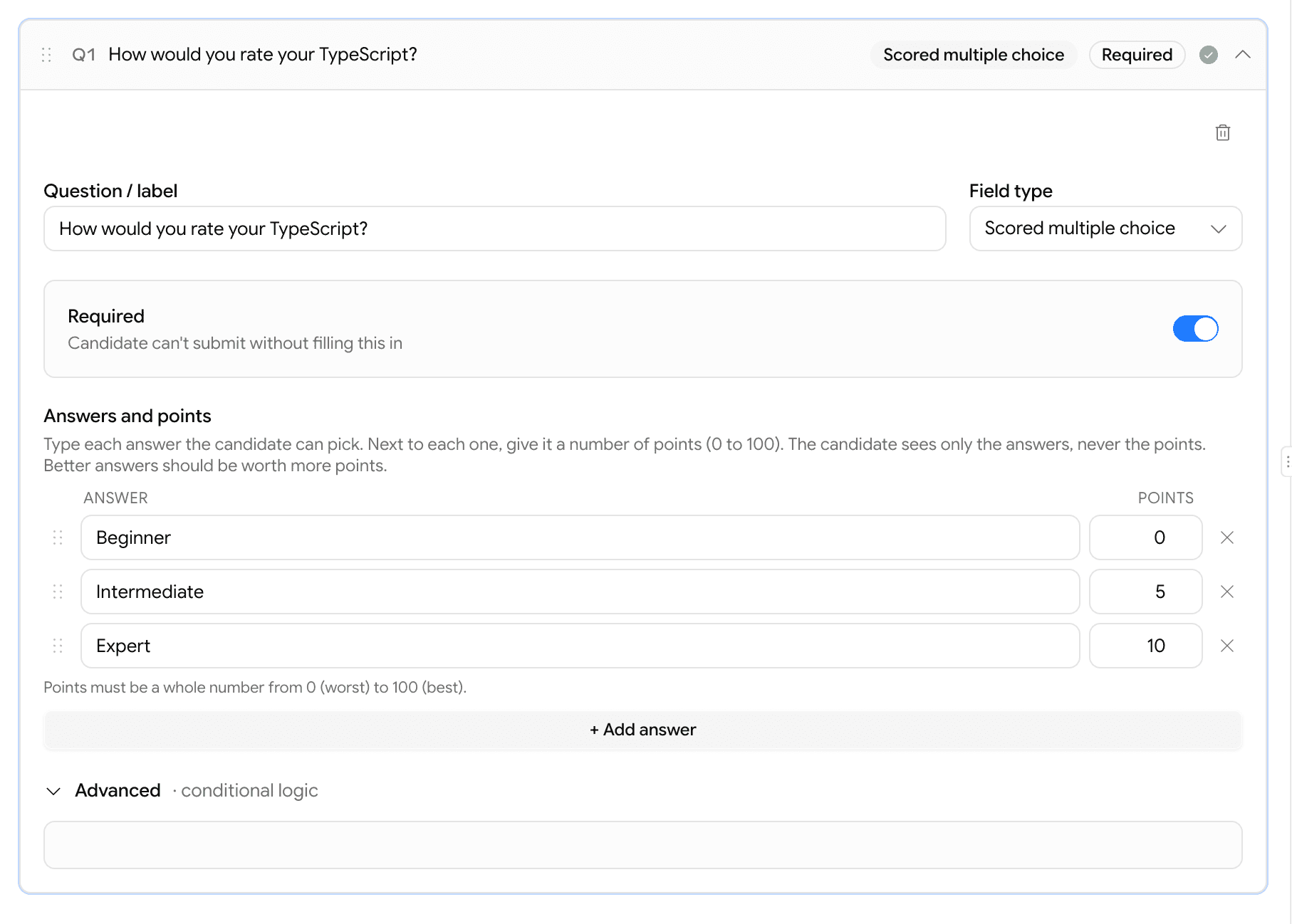
  • New question type: Scored multiple choice. Each answer carries 0–100 points (better answers = more points).
  • Set a Minimum total points under the form's settings — anyone below it is auto-rejected, the same way knockout questions already work.
  • Live helper shows the best possible total as you build, so the minimum is never set higher than what's achievable.
  • Candidates only see the answers — never the points.
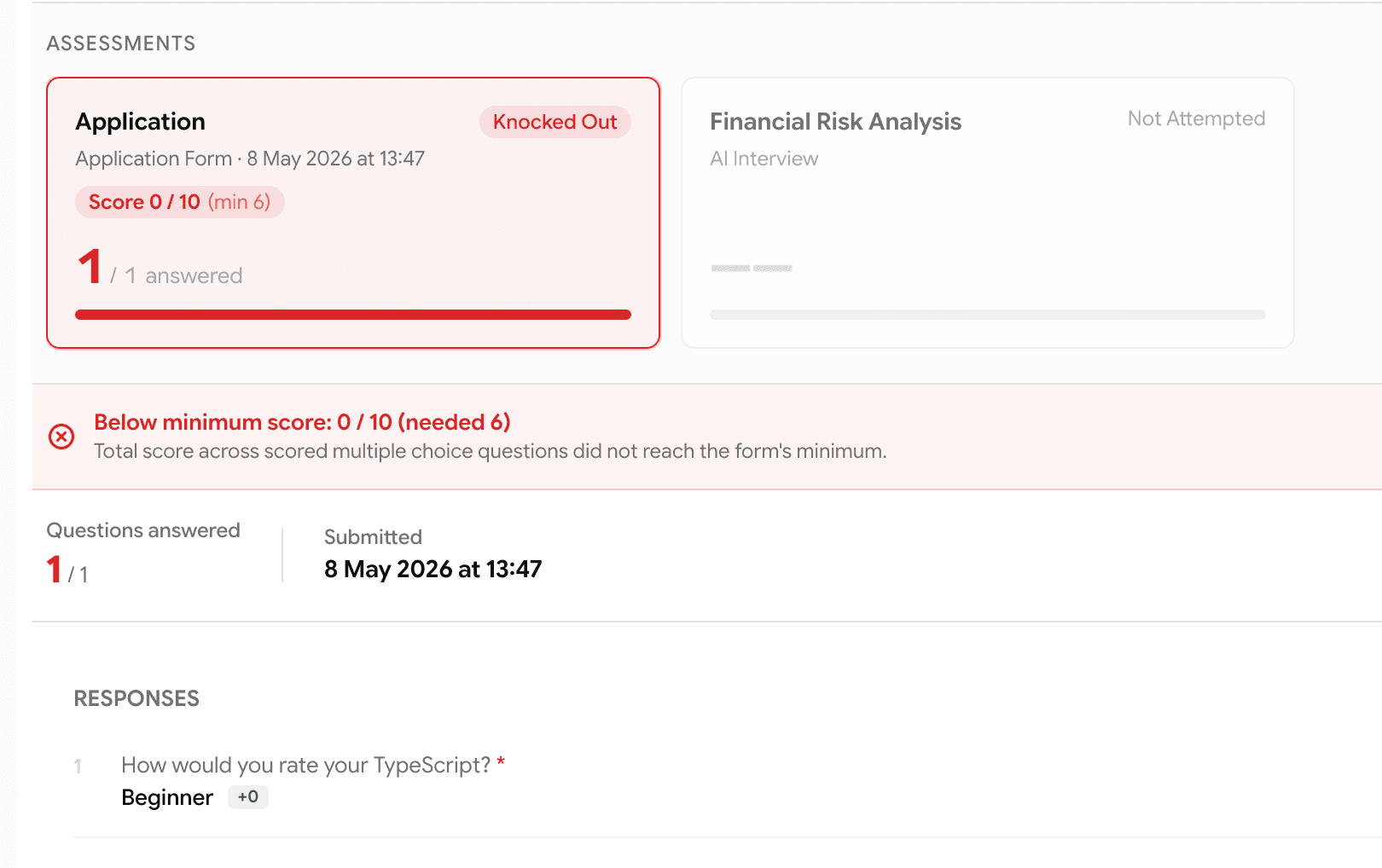
  • Recruiters see the score on the report — total, max, and a green +points chip next to the answer the candidate picked.
Scored multiple choice editor with Answer and Points columns
Build a scored question — type the answer, give it points. Candidates see only the answer.
Admin report showing score badge, below-minimum banner, and +points chip on each answer
On the report — total score, the minimum needed, and the points earned on every answer.

Prescreening

Show a question only when it actually matters

Application forms can now branch — a question can be set to appear only when an earlier answer matches.

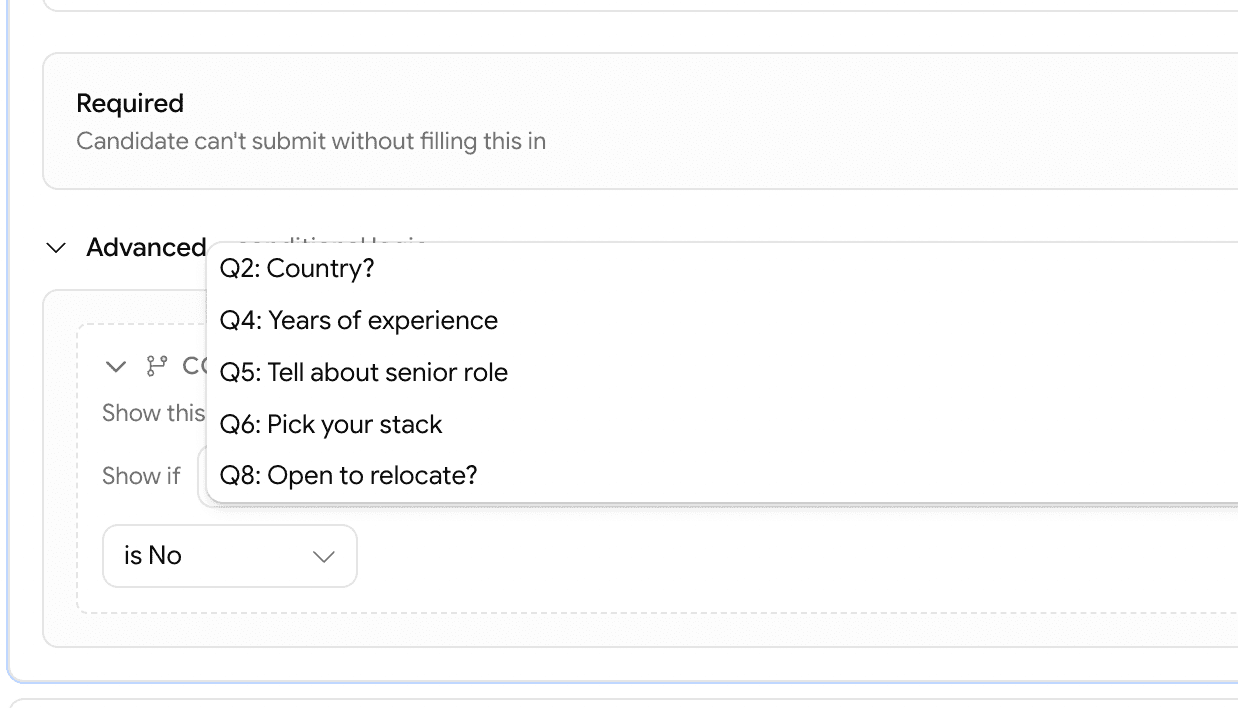
  • On any question, open Advanced → Conditional logic and pick an earlier question + the answer that should trigger it.
  • Works with: yes/no, dropdown, scored multiple choice, multi-select, number, and date questions.
  • Hidden questions are completely ignored — not asked, not required, and they can't reject anyone.
  • Candidates see a clean, shorter form tailored to their earlier answers.
Picking the parent question for a conditional rule inside the Advanced panel
Pick the earlier question and the answer that should make this one appear.
Advanced panel showing conditional logic on a Scored multiple choice question
Conditional logic sits inside the Advanced panel — alongside auto-reject — on every editable question.

Assessments

Preview the psychometric test before you assign it

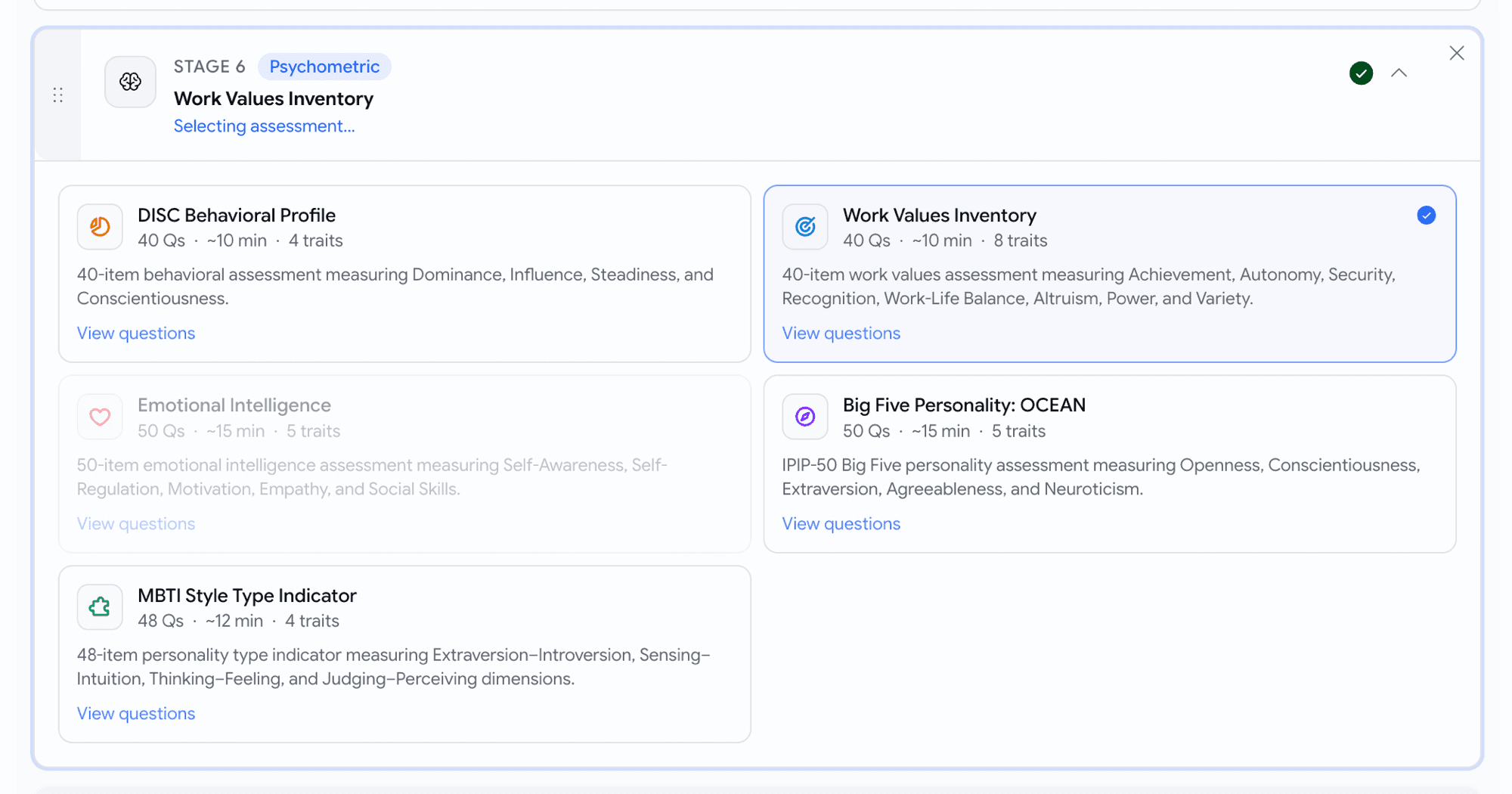
Picking a psychometric stage is now a visual choice — and you can read every question before committing.

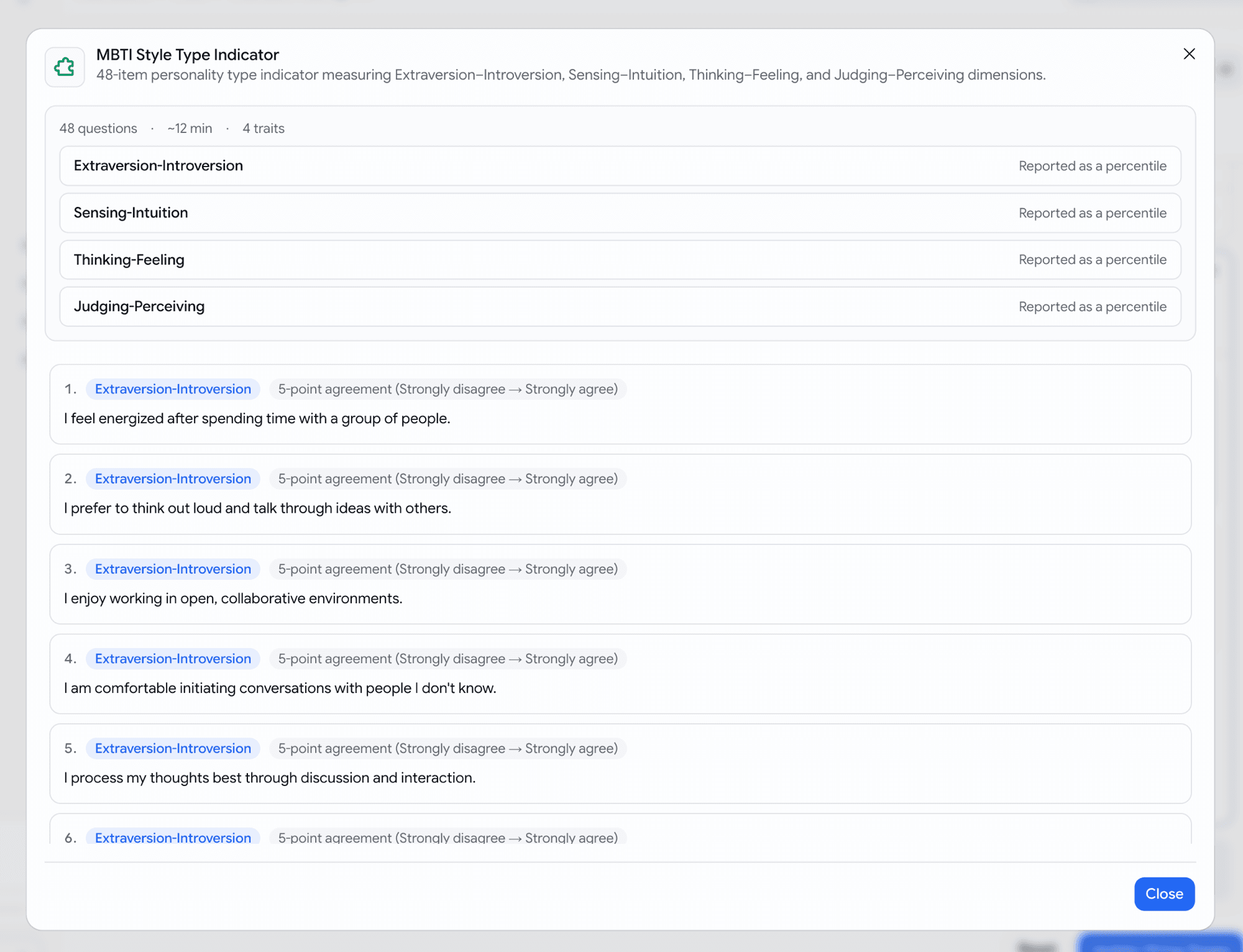
  • All 5 frameworks now appear as cards with number of traits measured and a description. With an ability to view every question, the trait it measures, and the response scale used
Psychometric framework picker as a 2-column card grid with icons and metadata
The five frameworks side by side — Big Five, MBTI, DISC, Work Values, Emotional Intelligence.
Preview dialog showing traits summary and full ordered question list
Click View questions on any card to see every prompt, its trait, and the response scale.

Voice

Was it the candidate — or their internet?

Voice interview reports now tell you, whether the candidate's connection held up during the call.

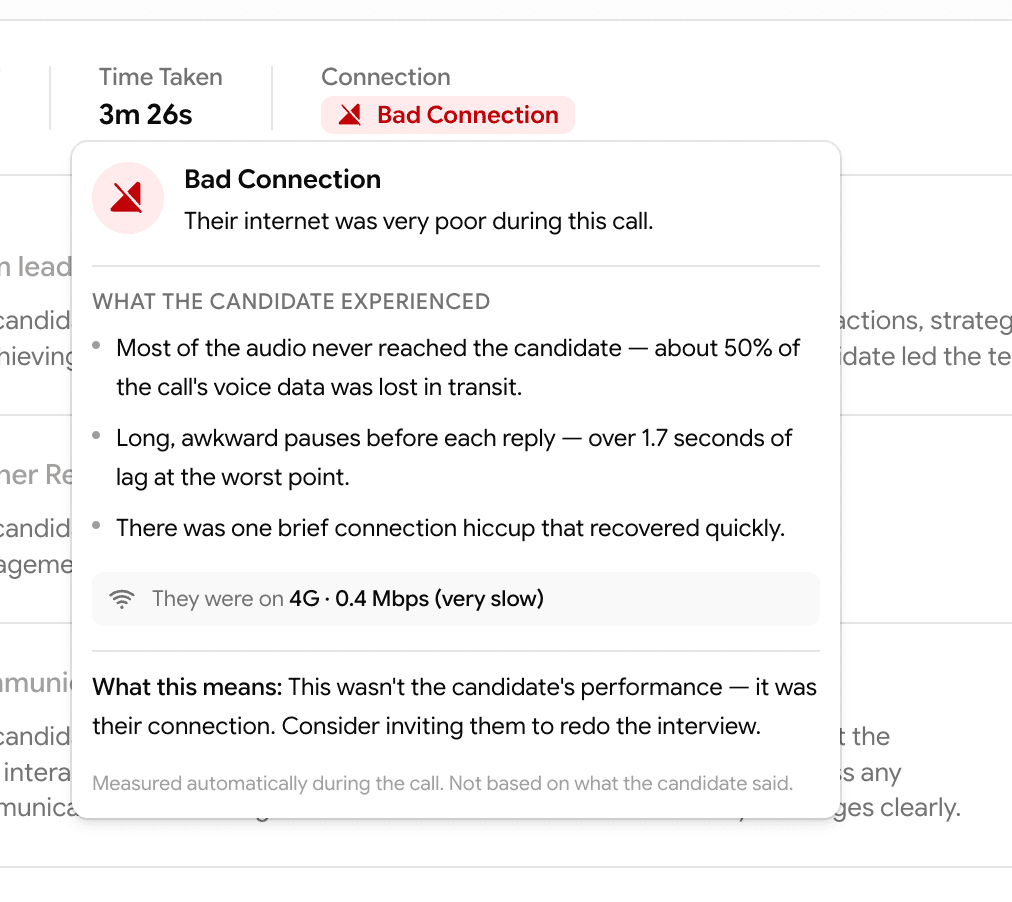
  • A small Connection tag appears next to "Time Taken" on every voice attempt — Spotty Connection (amber) or Bad Connection (red).
  • Hover the tag for a narrative explanation: what the candidate experienced ("about half the call's voice data was lost in transit"), what network they were on, and — for bad connections — a clear recommendation.
  • Clean calls show nothing — the tag only appears when it's worth your attention.
Connection health hover on the assessment results bar showing a narrative breakdown
Hover the tag — get a plain-English breakdown, not a technical dashboard.

Reports

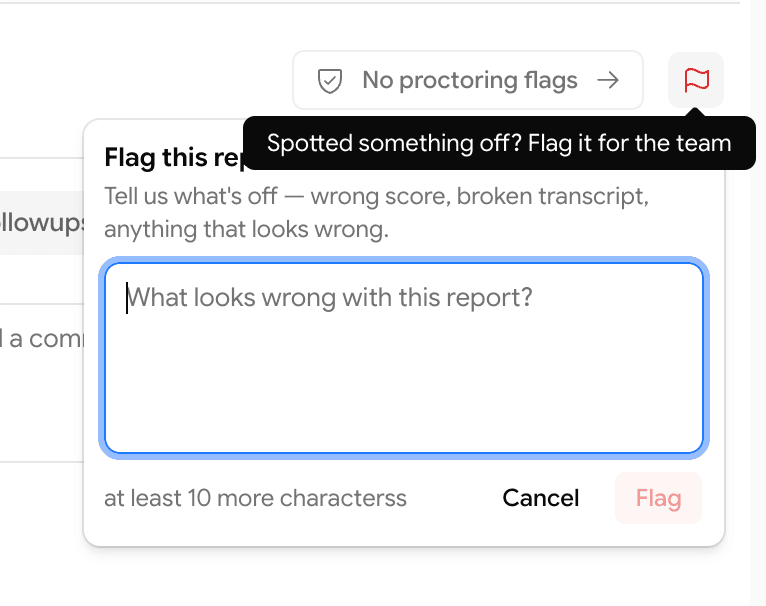
Flag a report when something looks off

Spotted a wrong score, a broken transcript, a missing recording, or anything that doesn't add up? Flag it in one click.

  • New 🚩 Flag icon at the right of the report's results strip — on both assessment and prescreening reports.
  • Click it, type a short note, hit Flag.
  • The flag goes straight to the GoodFit team's internal channel — so we can investigate without going back and forth.
Flag report popover on the candidate report page with a textarea and Flag button
One button, one short note — straight to the team for triage.

Help

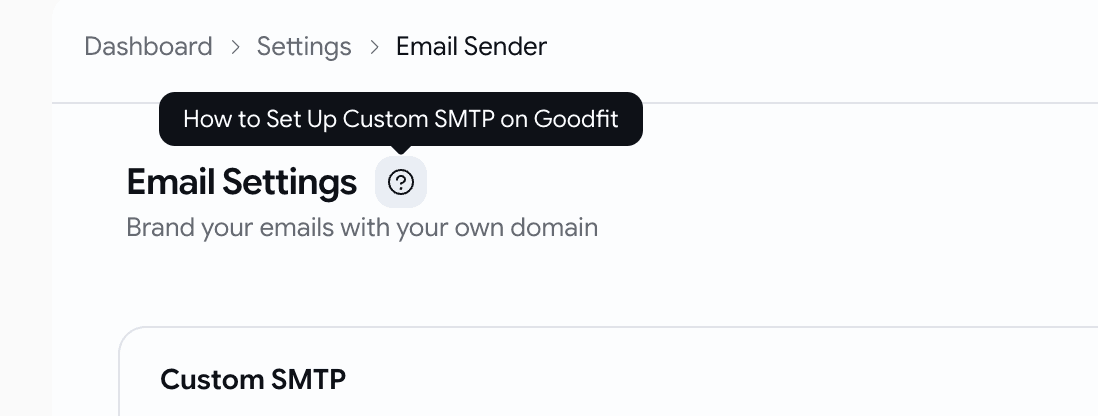
Help articles, right where you need them

Every important page now has a question-mark icon next to its title — click it to open the matching help article.

  • Icon appears on Create Job, Email Settings, Careers Page, Members & Permissions, Employee Referrals, and more (we'll keep adding).
Help button tooltip on the Email Settings page header
Stuck on a setting? The icon next to the page title takes you straight to the right article.

May Week 1

Metered billing goes live, pipeline health waterfall, invitation expiry per job, AI Phone Interview as a standalone product, sharable reports, and more.

  • billing
  • insights
  • phone-interview
  • voice
  • reports
  • filters
  • proctoring

Billing

Metered billing is live for new customers

Pay-as-you-go billing now powers every new company on GoodFit.

  • Every organization created on or after Saturday, 25 April 2026 is on metered billing
  • 20 free credits to start with — no card required
  • One credit per assessment (coding, voice, phone, psychometric, skills)
  • Top-ups available at ₹100 + GST per credit, minimum 100 credits per purchase

Insights

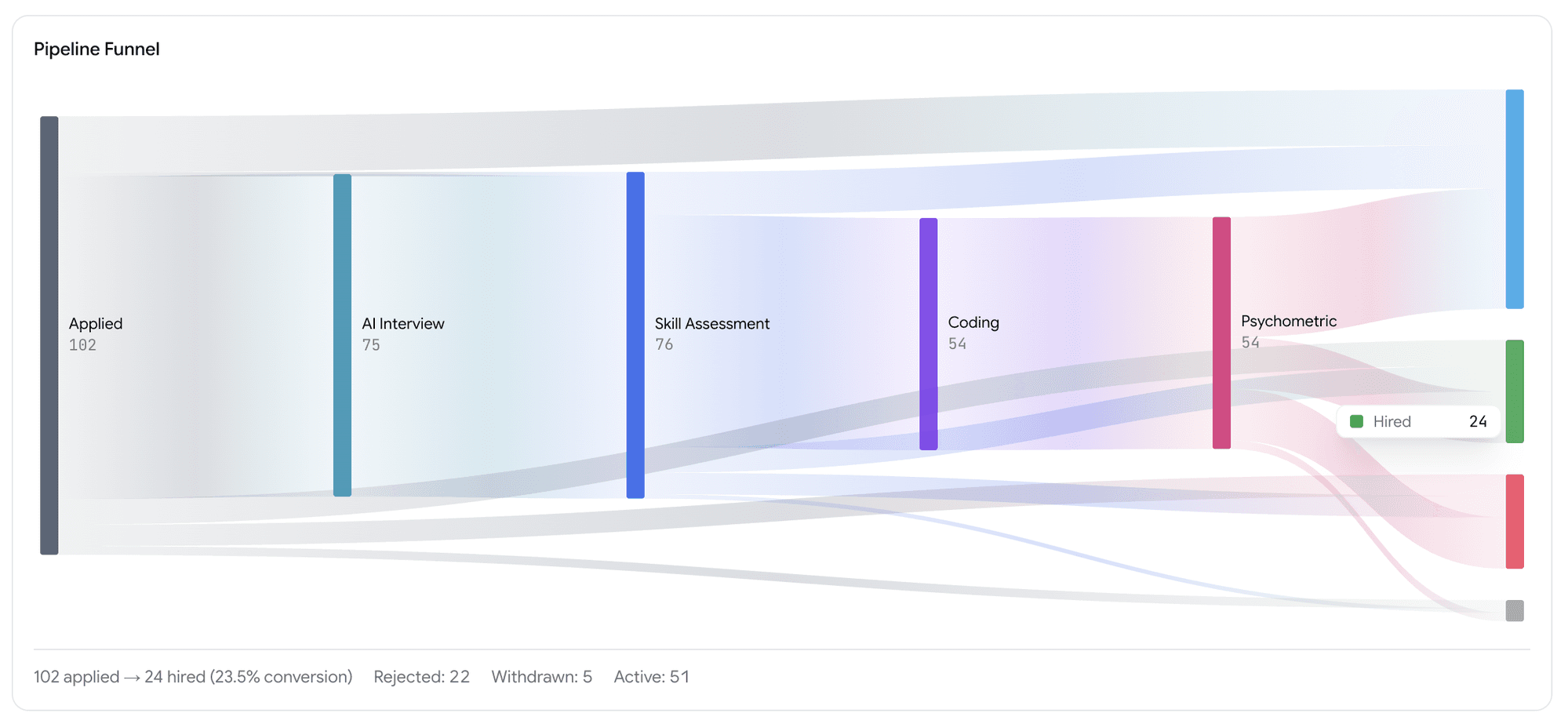
Pipeline Health — drop-off waterfall

See exactly where candidates drop off in your hiring funnel.

  • Pipeline Health view under Insights
  • Waterfall chart showing how many candidates moved from one stage to the next
  • Final conversion to Hired or Rejected at a glance
  • Spot the stage that's leaking the most candidates
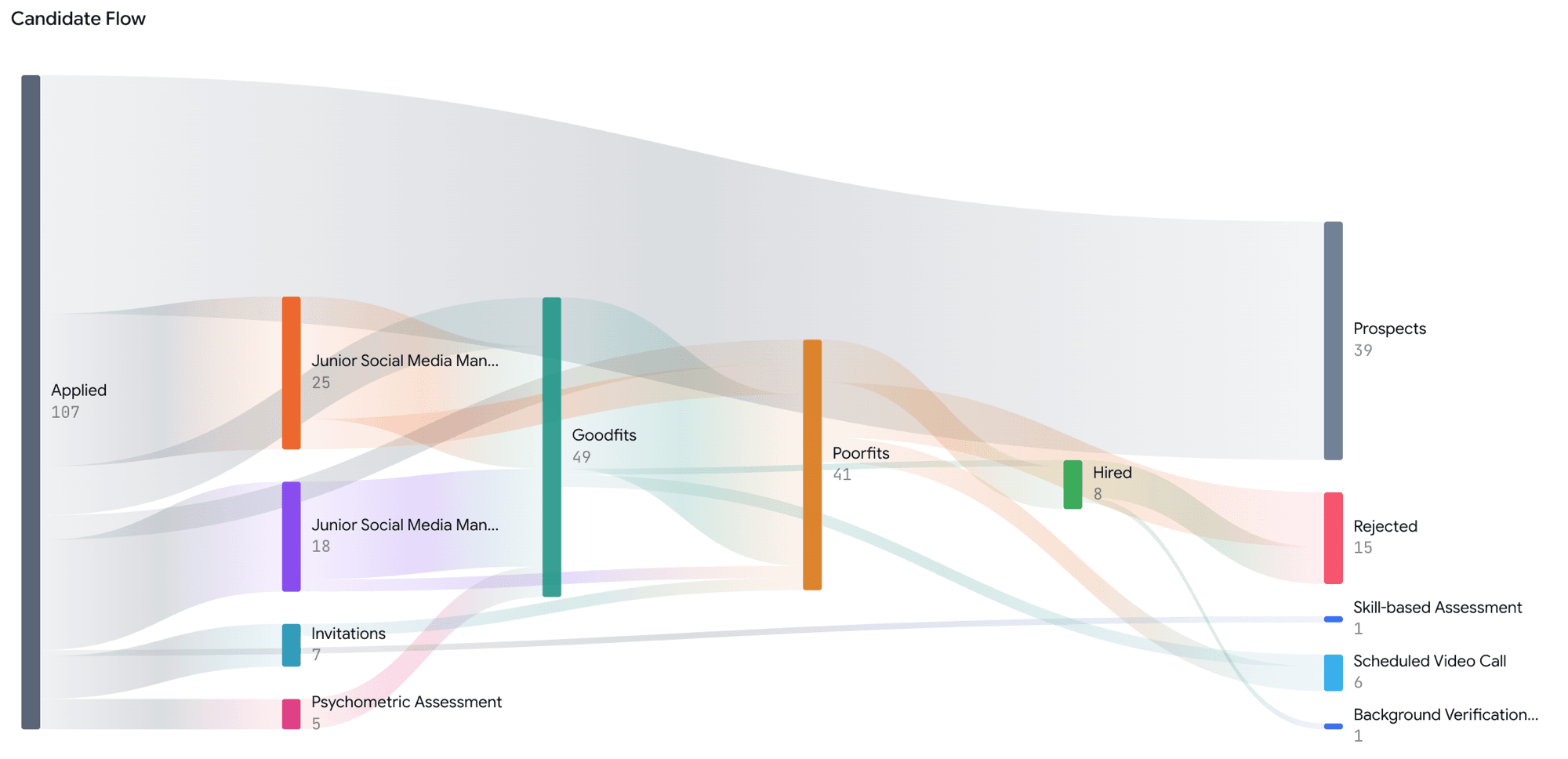
Pipeline Funnel waterfall chart showing candidate drop-off across stages
Pipeline Funnel — see exactly where candidates drop off and your overall conversion rate

Jobs

Invitation expiry per job

Invitations now have a shelf life.

  • Default expiry: 3 months from the day the invitation is sent
  • Configurable per job — minimum 1 hour, maximum 1 year
  • Once a candidate starts the interview, the expiry no longer applies — they can finish at their own pace
  • Invitation emails now show the deadline ("Please respond by DD MMM YYYY")
  • Expired invitations show a red Expired pill on the Kanban tile
  • Re-inviting a candidate resets the clock.

Assessments

AI Phone Interview is now a separate product

AI Interview is now split into two clear products at every step.

  • AI Web Interview — candidate joins from a browser link
  • AI Phone Interview — our bot calls the candidate directly on their phone

Phone interview rules

  • A phone-interview job can only have phone-interview stages — no other stages can be added before or after
  • No application form can be attached to a phone-interview job
  • For public jobs, candidates pick the date and time they want to be called — right on the job page

Voice

Multiple questions per competency

Voice interviews can now go deeper on each competency.

  • One voice interview can have multiple competencies
  • Each competency can have multiple primary questions plus their follow-up questions
  • Each primary and follow-up question carries its own ideal response for the AI to score against

Reports

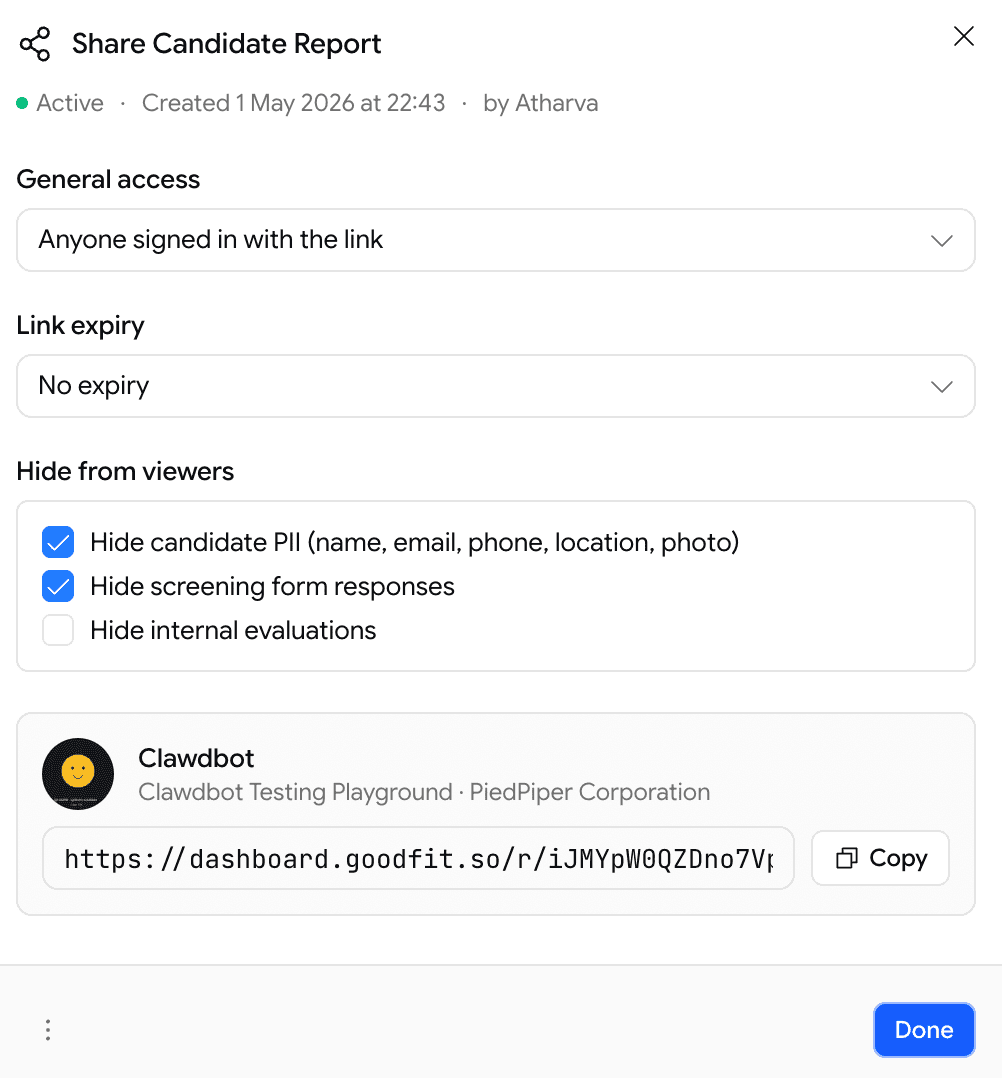
Sharable reports with privacy controls

Reports are now private by default. Share deliberately, share safely.

  • Reports can no longer be viewed publicly unless you generate a Share URL
  • Choose who can see a shared report:
    • Specific people by email
    • Specific company domains (e.g. anyone at @yourcompany.com)
    • Fully public link
  • Toggle visibility on or off any time

Per Share URL, you can configure:

  • General access — who's allowed to open the link
  • Link expiry — set a date when the link stops working (or "No expiry")
  • Hide from viewers — pick what to redact from the report:
    • Hide candidate PII — name, email, phone, location, photo
    • Hide screening form responses
    • Hide internal evaluations (scorecards, hiring-manager notes)
Share Candidate Report dialog — general access, link expiry, hide-from-viewers options, and the share URL with copy button
Share Candidate Report — control access, expiry, and what's hidden, all in one dialog

Useful for blind reviews, external interview panels, or sharing with clients without leaking your private notes.

Hiring

Softer rejection at the finish line

Candidates no longer see a harsh rejection screen when there's nothing left to evaluate.

  • If a candidate falls below the cutoff at the last stage — or if everything left is a psychometric, they finish the pipeline normally and see the same completion screen as anyone else
  • Recruiters still see the truth on the Kanban board — the candidate still lands in Poor Fits with the real score
  • No change for failures earlier in the job stages pipeline — those still show the rejection screen as before

Proctoring

Relax the coding editor for low-stakes runs

A new per-assessment toggle: Disable Editor Locking.

  • Off (default) — strict editor: no copy/paste, no right-click, no autocomplete. Same as before.
  • On — relaxed editor: copy/paste, IntelliSense, right-click, command palette all work normally

Useful for when the standard lockdown feels too aggressive.

April Week 4

Accent controls for voice interviews, unified application & pre-screening, salary and equity ranges, resume evaluation filters, and onboarding.

  • voice
  • jobs
  • applications
  • onboarding
  • filters
  • kanban

Voice

Per-language interviewer voice

Recruiters can now pick the voice (and accent) the AI voice interviewer uses, per interview language — giving teams finer control over how interviews sound for different candidate cohorts.

  • English — 12 voice options across US / UK / India / AU
  • Indic languages — 6 voice options per language

Jobs

Salary and equity ranges

Jobs can now carry structured compensation ranges at create or edit time.

  • Salary range with minimum and maximum values
  • Equity range with minimum and maximum values
  • Improves listing quality when Google Jobs distribution is enabled

Applications

Unified application & pre-screening flow

Application and pre-screening are now a single form flow. Candidates can submit the form even on a private job — including when they haven't been invited — as long as a form is attached.

Form outcome behavior hierarchy

Form outcome decision flow

Auto-Advance from Prospects

Prospects who completed the application form (passed or held for review, but not failed) now show an Auto Advance button on their Kanban card. One click skips the invitation stage and moves the candidate straight into the first assessment — assessment invites (email + WhatsApp if enabled) are sent automatically.

Onboarding

Optional onboarding flow

Recruiters who haven't completed onboarding now see a lightweight onboarding screen. The step is optional and can be skipped at any time.

Collects:

  • Name
  • Phone number
  • Designation
  • Team size
  • Goals

Applications

Revoke prospects and invitations from the Kanban board

Recruiters can now revoke a candidate from the Prospects or Invitation stage directly on the Kanban board.

  • For private jobs, a revoked candidate can no longer start the interview.
  • Revoking is a board-level action — it does not recall or delete any email or WhatsApp invitation already sent to the candidate.

Hiring

Resume evaluation filters on the Kanban board

Recruiters can filter applications on the Kanban board using structured resume-evaluation fields:

  • Worked At
  • Current Company
  • Past Role
  • Studied At
  • Degree
  • Field of Study
  • Skill
  • Certification
  • Language
  • Country
  • City
  • Years of Experience
  • Avg Years / Company
  • Frequent Job Hopper

March Week 3

Turbocharged candidate referrals, proctoring, one-click downloads, and a souped-up scorecard system.

  • proctoring
  • referrals
  • scorecards
  • careers

Hiring

Candidate referral system

End-to-end referral pipeline to streamline candidate sourcing through your team.

  • Whitelist specific company domains to allow internal referrals
  • Enable referrals at the job level
  • Employees can share and refer candidates through the Goodfit job board
  • Referred candidates automatically land in the Invitation stage on the Kanban board
  • Referral invitation emails are sent with an application link
  • Filter and track referred candidates directly on the Kanban board

Proctoring

Lip-sync detection

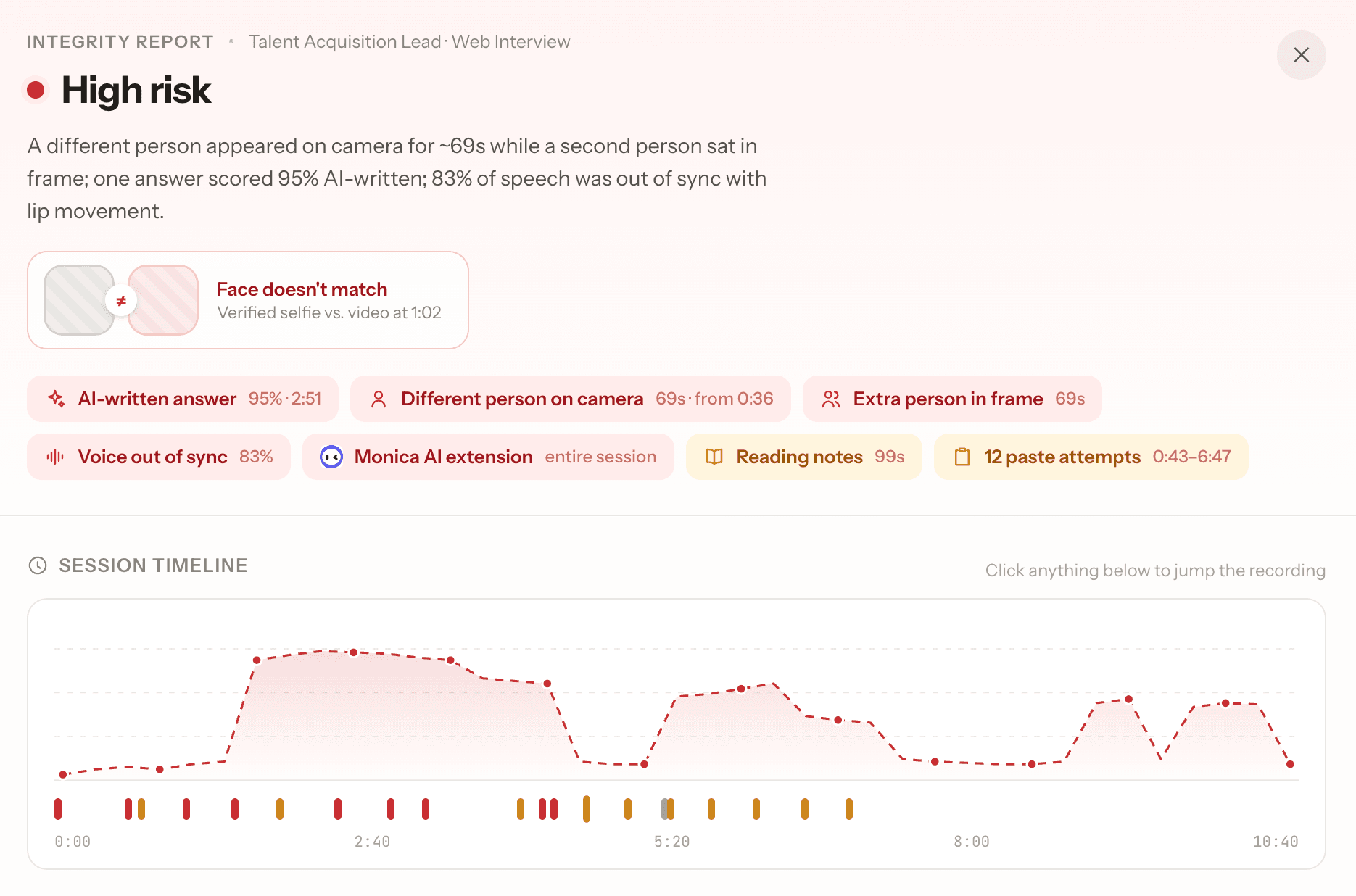
Helps spot if someone might not be honestly answering voice interview questions by checking if their spoken words match their lip movements in video recordings.

After you finish a voice interview, the tool reviews the recording, checks when the candidate is speaking, and makes sure their lips and voice match up.

  • Flags moments where something seems off between lips and voice
  • Shows if the candidate's video and audio are in sync for different parts of the interview
  • Gives a simple result: Genuine, Borderline, or Suspicious, so you know if you need to look closer

Reports

Bulk report export

  • Bulk download interview reports directly from the Kanban board
  • Reports are delivered via email as a ZIP of PDFs — no waiting on the UI

Evaluation

Scorecards (hiring-manager notes)

Structured evaluation system for hiring teams.

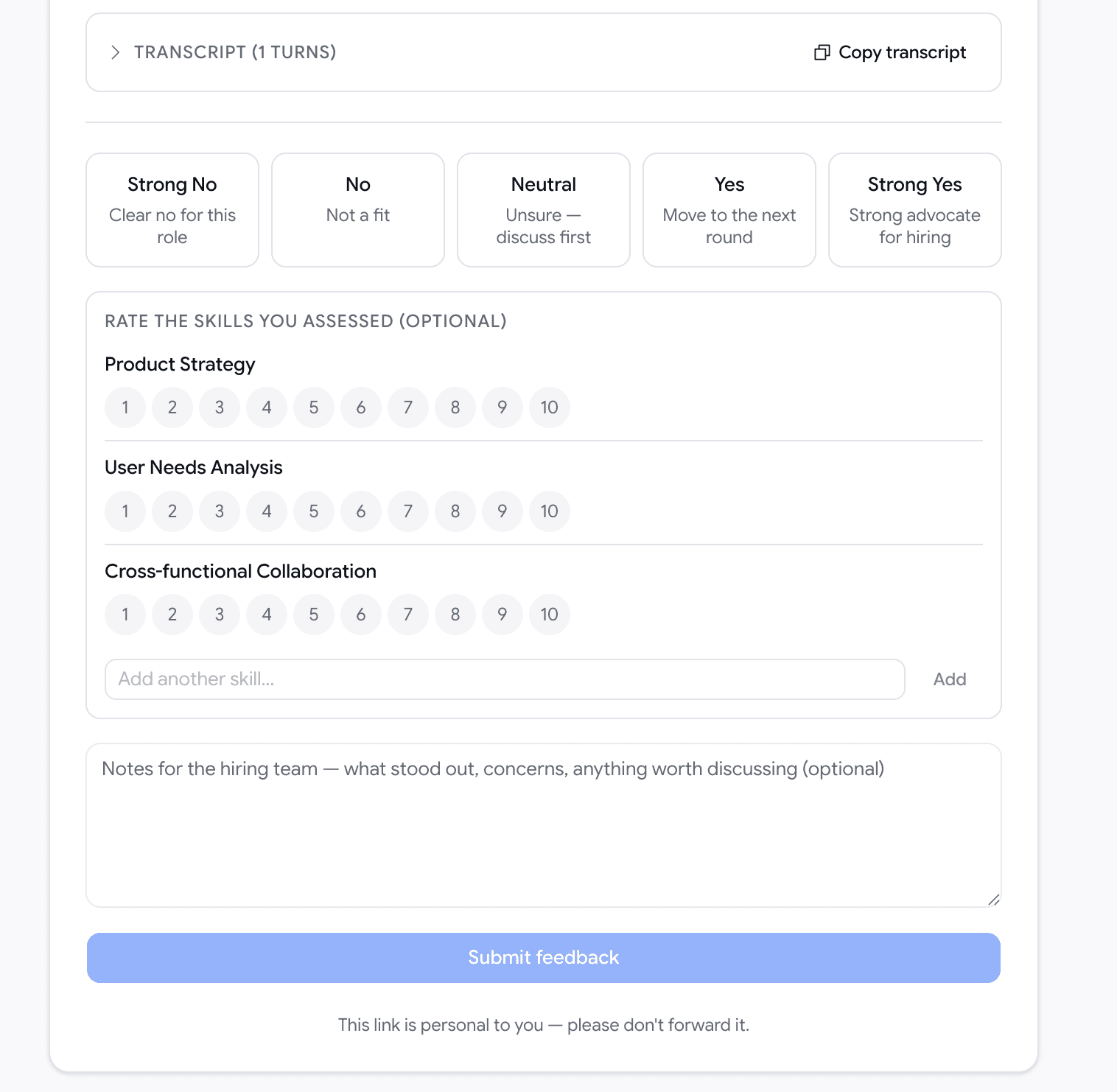
  • Rate candidates on a scale from Strong No → Strong Yes
  • Evaluate against job-specific skills
  • Add notes per skill
  • Add a final overall note for the candidate

Distribution

Careers page & job distribution

  • Embed jobs directly on external websites
  • Job distribution via Google Jobs (listings may take 2–3 days to appear after publishing)
  • Choose distribution targets per job: company careers page, Goodfit careers page, Google Jobs

Voice

Voice assessment improvements

AI now generates ideal responses (scored 1–10) during question creation for both primary and follow-up questions, giving evaluators a reference to compare against.

Auth

Microsoft (Outlook) sign-in

Microsoft Outlook authentication is now supported alongside existing providers.