Release notes
May Week 3
Accept applications by email, pick from a 500+ verified coding bank and ~10k reusable skill questions, personalise voice scripts, run language tests in 10+ languages, send mail through Microsoft 365, and stop silently losing emails.
Voice
Personalise the greeting and the sign-off
The voice interview's opening and closing lines can now address each candidate by name.
-
In the Ice breaker and Closing remarks fields, type
@to insert a chip: Candidate's name, Company name, or Job title. -
At call time the bot speaks the finished line — "Hello Alice, thanks for your time interviewing for the Senior Engineer role at Acme."
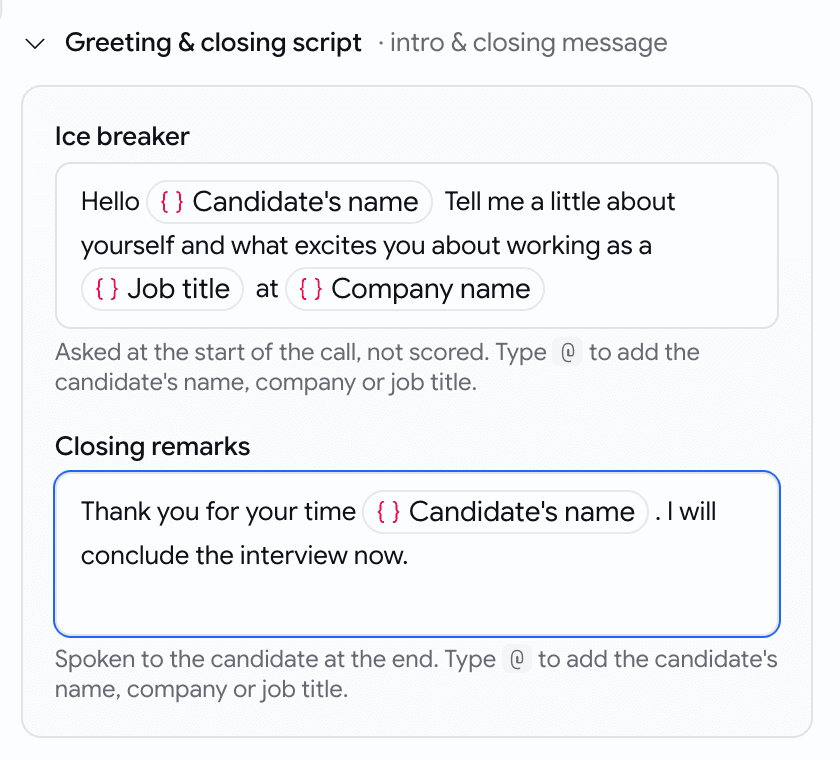
Type @, pick a chip
Assessments
A larger, smarter, and more usable coding bank
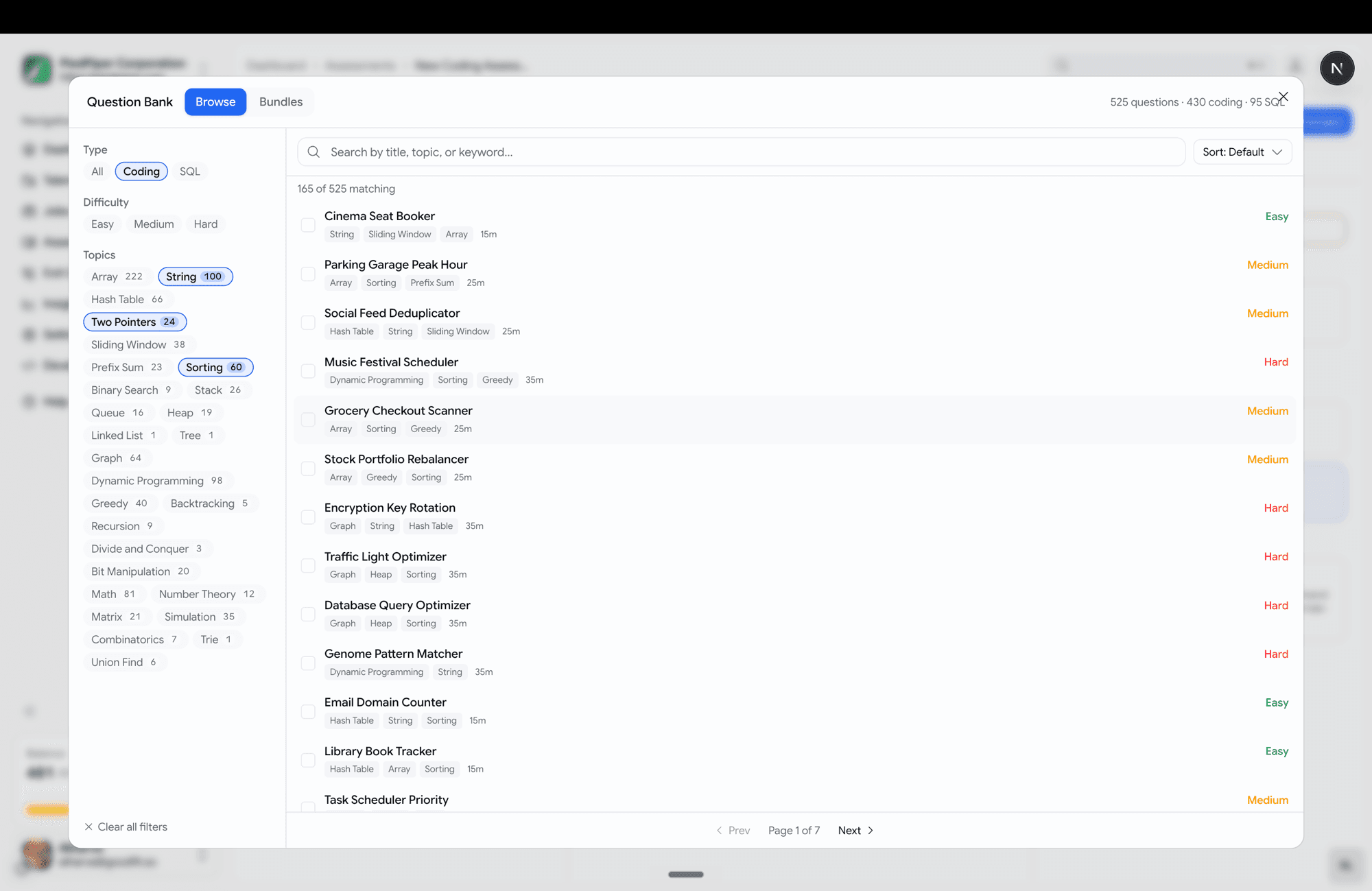
Choosing coding questions is now a full-screen, browse-and-filter experience. The prebuilt coding bank is now 430 coding problems across 10 languages and 95 SQL problems.
- Topics span data structures, algorithms, backend logic, and real SQL analytics (revenue deltas, org hierarchy, quartile buckets).
- Filter rail down the left — Type, Difficulty, and Topics, each with a live count.
- Search, sort (default / title / easy→hard / shortest).
- Click a question to preview it in a side pane before adding.
- Multi-select with a review strip at the bottom — see everything queued, remove any, then "Add N questions".
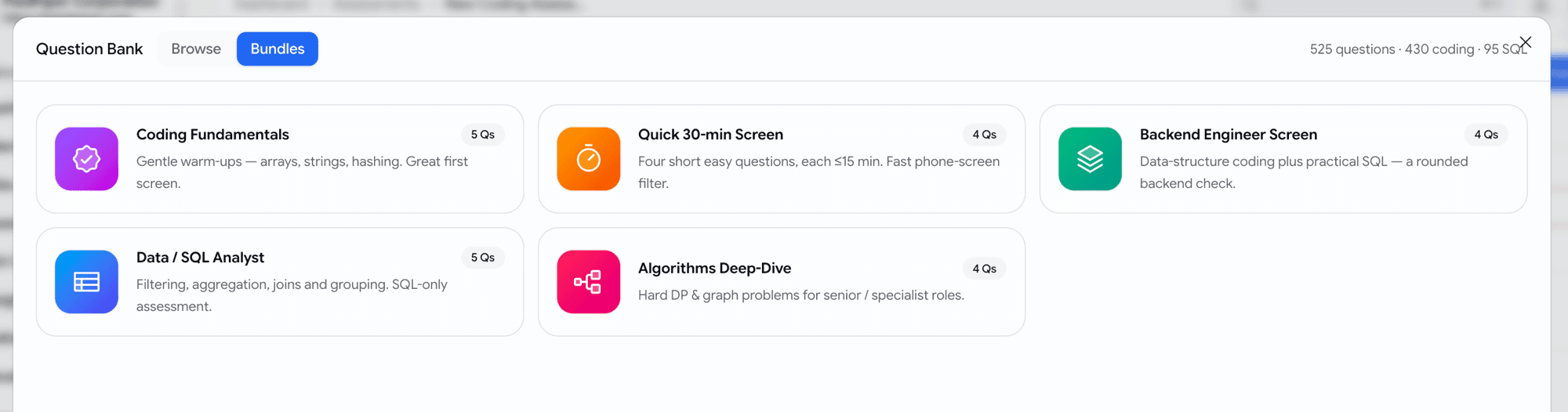
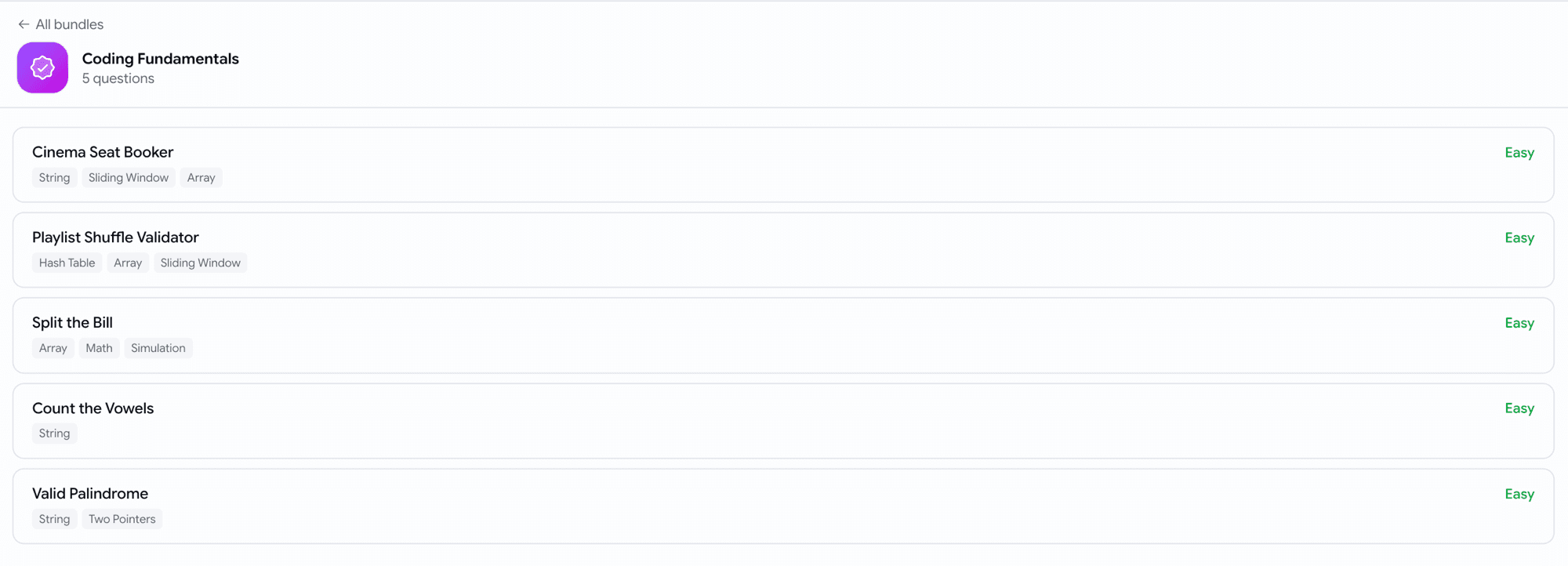
- Curated bundles — five ready-made starter packs (Coding Fundamentals, Quick 30-min Screen, Backend Engineer Screen, Data / SQL Analyst, Algorithms Deep-Dive) as one-click cards.
Assessments
Reuse individual skill-assessment questions
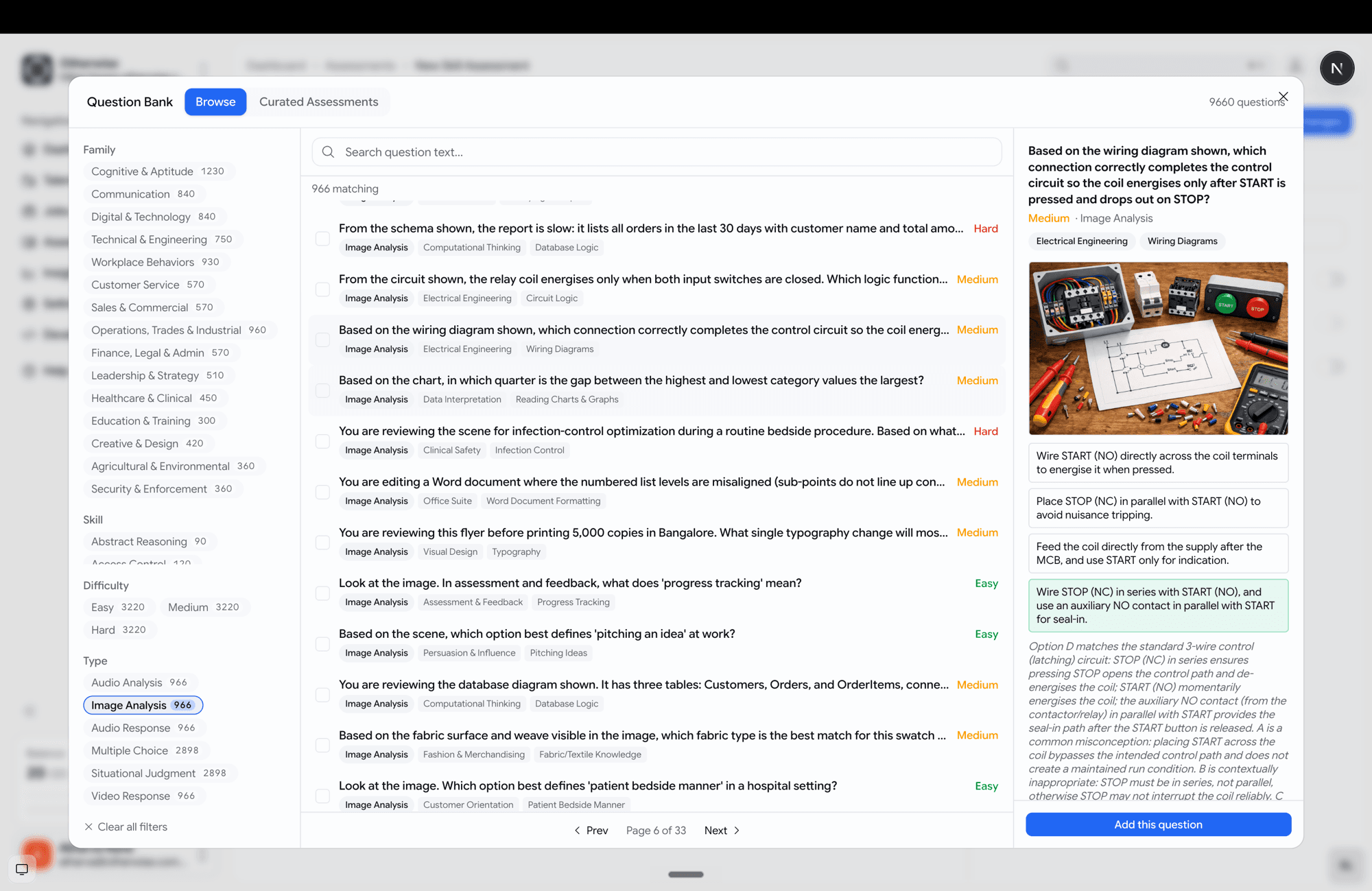
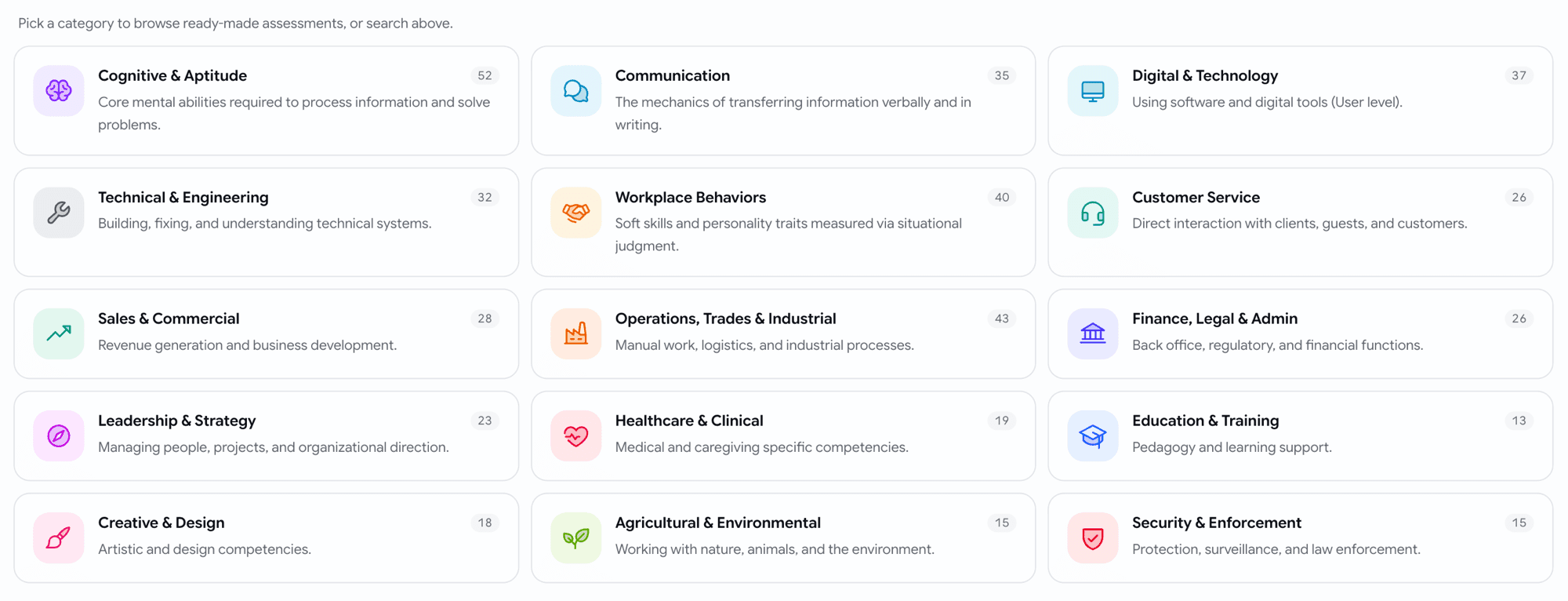
You can now pull single questions from a library of ~10k prebuilt skill questions — not just adopt a whole assessment.
- Browse and filter by family, skill, difficulty and type, with full-text search.
- Preview each question — including its image or audio media — with the options and the rationale.
- Pick questions one at a time and mix them with your own, or add a curated pack (organised into 16 family categories → packs → questions).
Assessments
Show each candidate a random subset
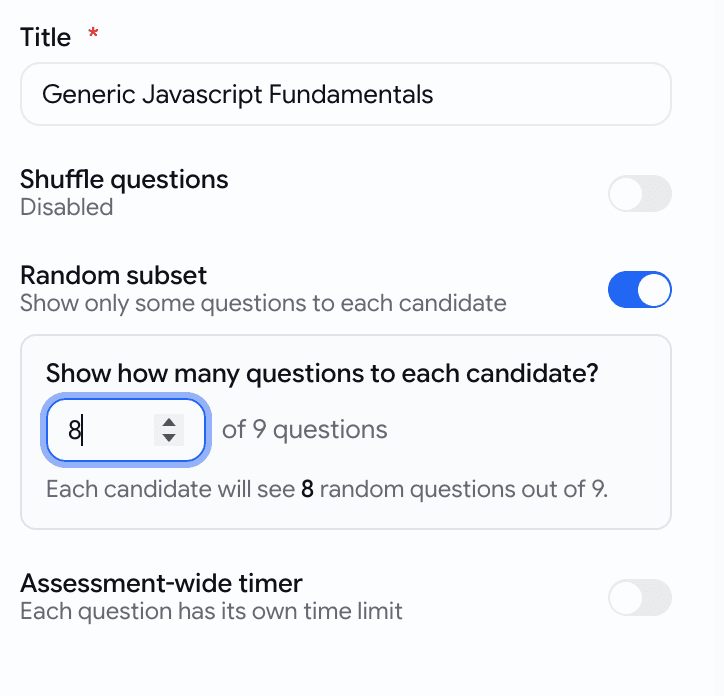
A skill assessment can now serve a random handful of its questions to each candidate — so the same questions don't leak between candidates.
- Turn on Random subset in the assessment settings and set how many questions to show.
Assessments
Language tests, now in 9 languages — with a preview
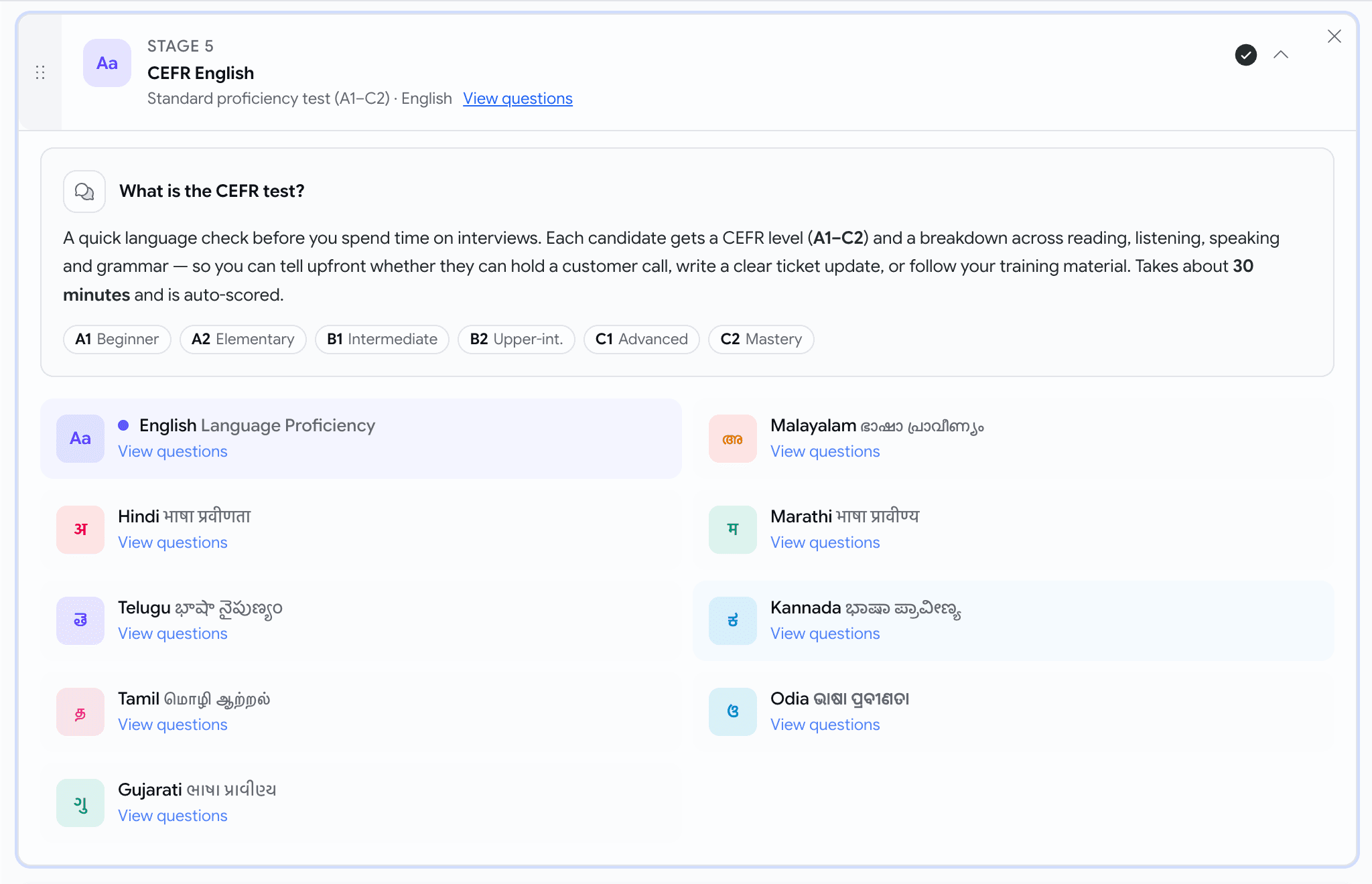
Language-proficiency tests are no longer English-only, and you can read every question before you assign one.
- Available languages now include:
- English
- Hindi (हिंदी)
- Telugu (తెలుగు)
- Tamil (தமிழ்)
- Gujarati (ગુજરાતી)
- Malayalam (മലയാളം)
- Marathi (मराठी)
- Kannada (ಕನ್ನಡ)
- Odia (ଓଡ଼ିଆ)
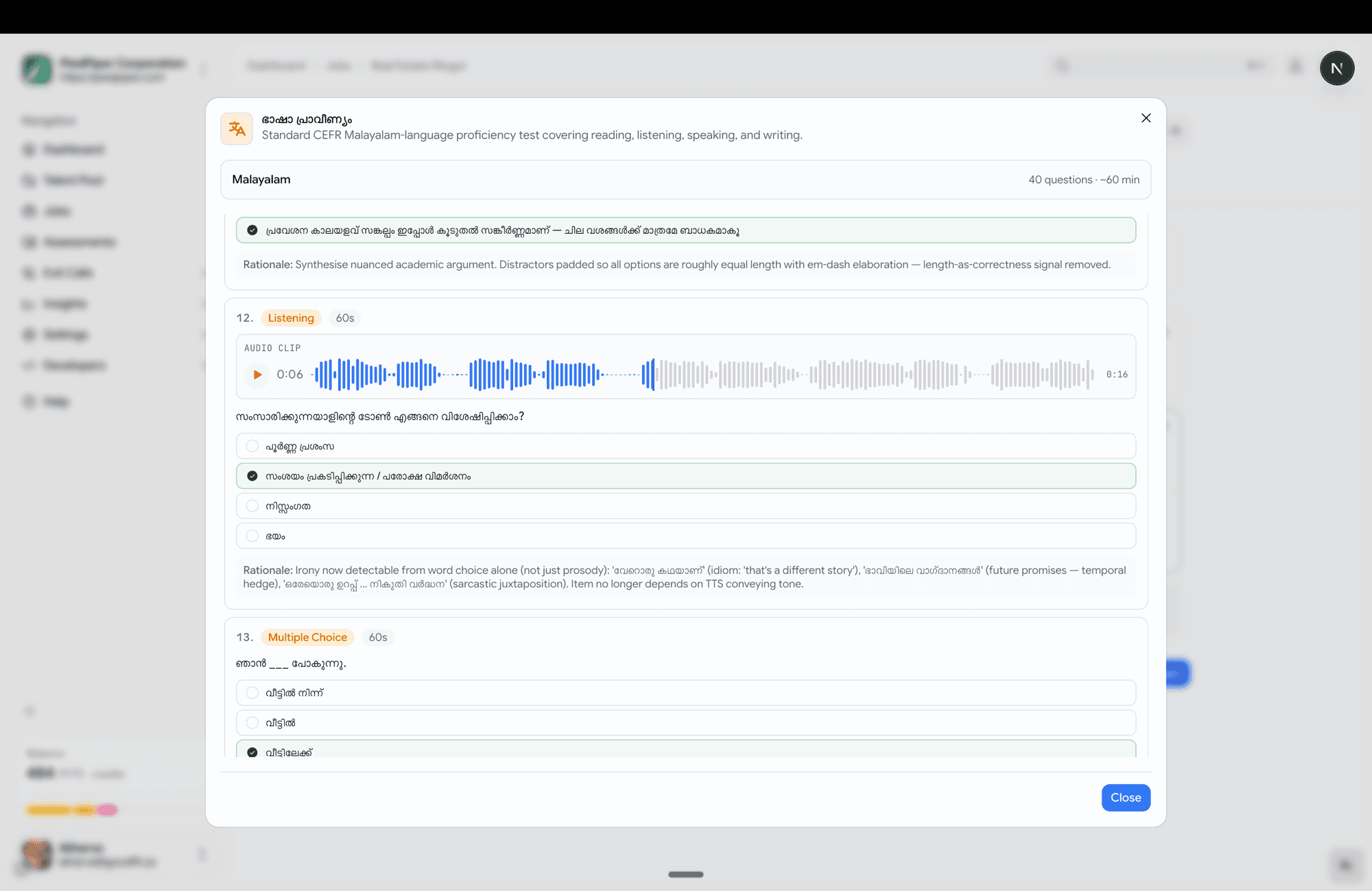
- Hit View questions on any language to open a full read-only preview — reading passages, audio clips, every option, and the answer key — exactly what the candidate will see.
Voice
Generate the ideal answer for a custom question
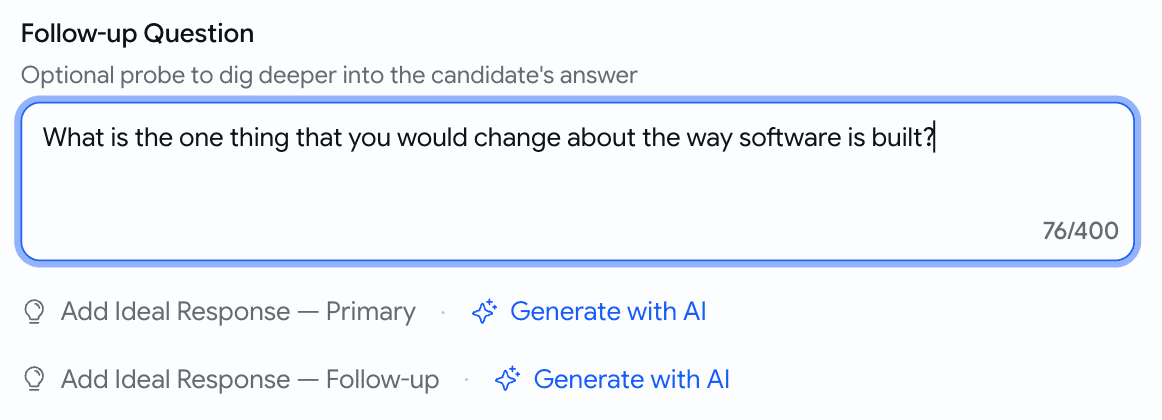
When you write your own voice question, you no longer have to hand-write the scoring guide.
- A Generate with AI button now sits next to each ideal-response slot — both the primary question and the follow-up.
Prescreening
Add talent-pool candidates as prospects, in bulk
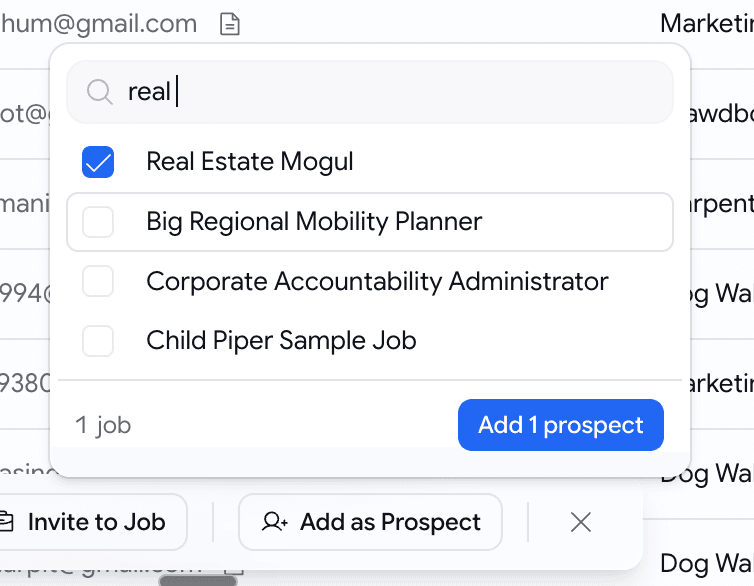
Found good people in your talent pool? Drop a batch straight onto a job — already scored.
- Select candidates, click Add as Prospect, pick one target job.
- Each candidate is scored against that job's description and added as a prospect with the score visible.
- A summary toast tells you what happened — "3 added, 1 already on this job, 1 skipped (no resume)".
Behind the scenes
Stop silently losing candidate emails
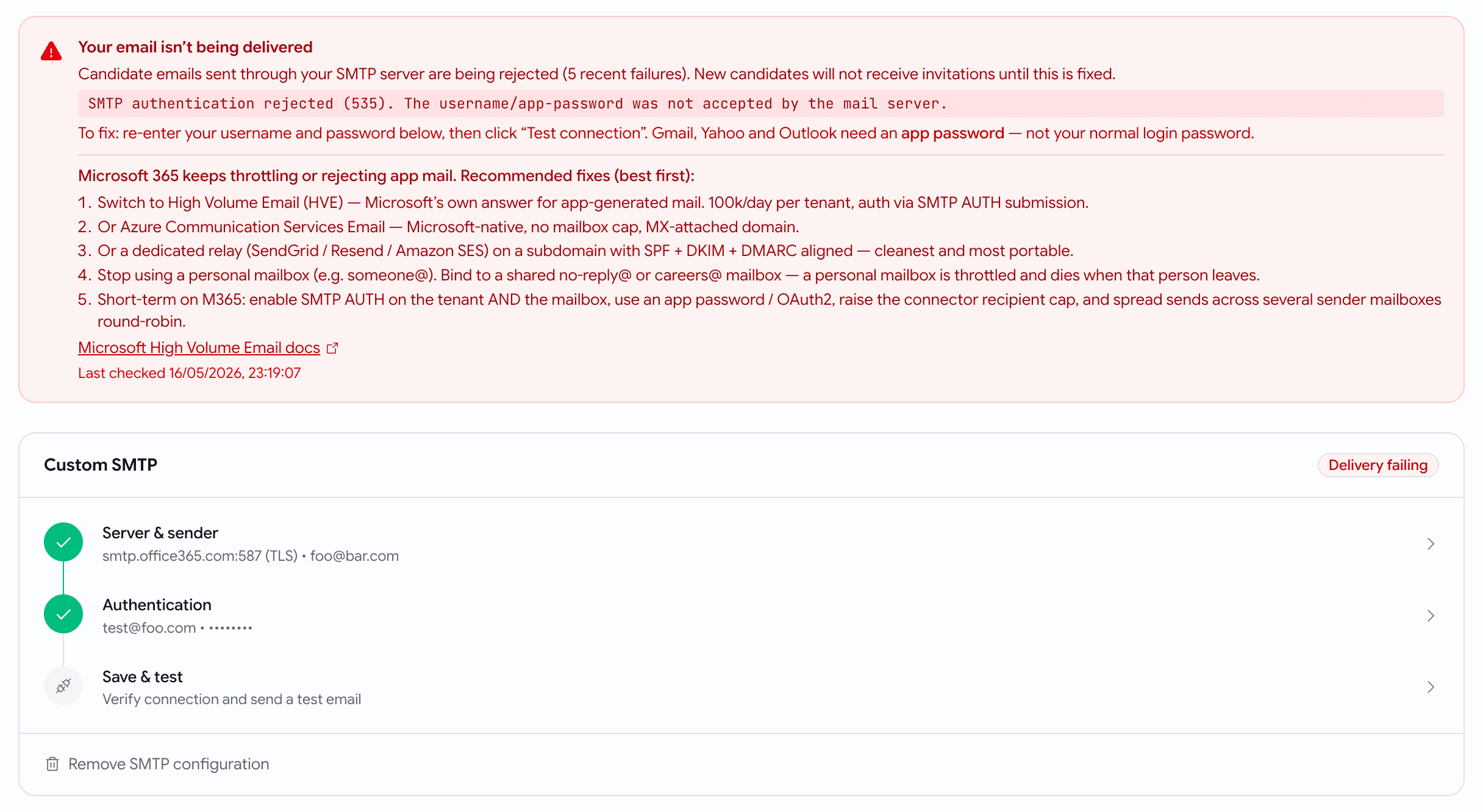
Candidate email is now durable and observable — and you find out fast when your mail is misconfigured.
- If your custom SMTP is broken, Email Settings shows a red "Delivery failing" banner with the exact provider error and provider-specific fixes (including Microsoft 365).
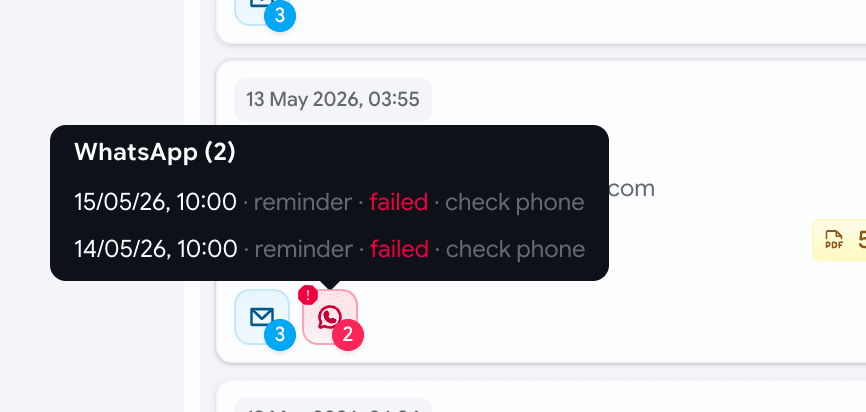
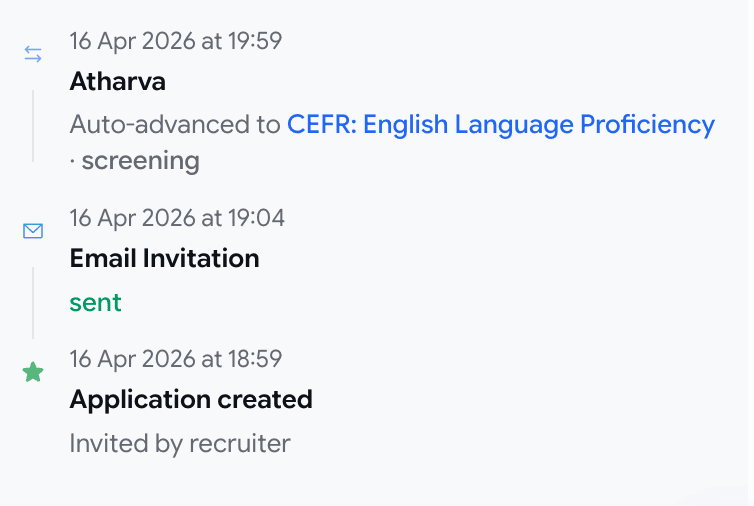
- Application cards and the activity timeline now show per-message delivery status alongside stage moves.