Release notes
June Week 4
Automatically review every voice interview for cheating after the call, capture who you hired the moment you close a role, start a coding test with questions already matched to the job, open any Insights report straight in Google Sheets, and let candidates save a role and come back to it later.
Voice
Catch what slipped past the live camera
Voice interviews already watch the camera during the call, but a quick camera-flip to a friend, a phone just out of shot, or someone feeding answers can slip through. Now every voice interview gets a careful second look once it's over.
- Every voice interview is reviewed automatically after it ends — nothing to switch on, nothing for the candidate to do, and zero effect on their call.
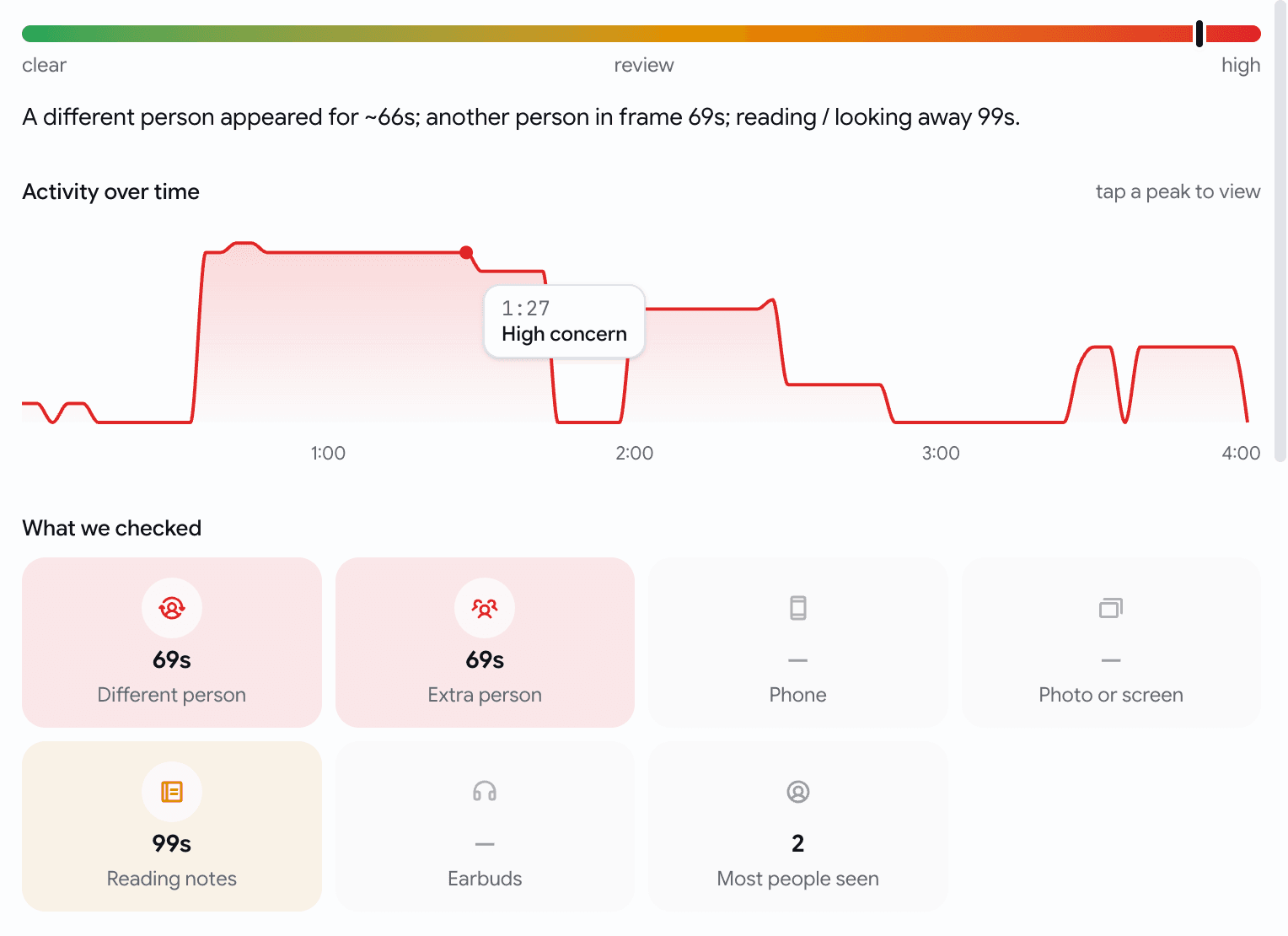
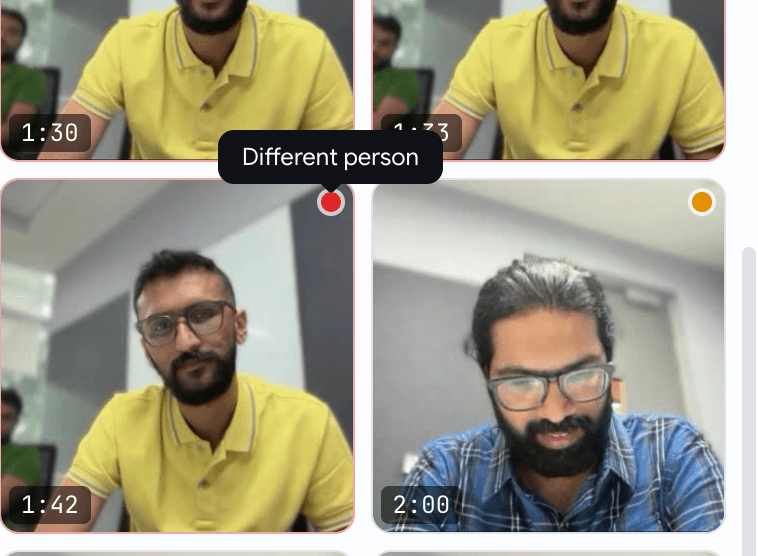
- It looks for the things that actually matter: a different person answering, an extra person in frame, a phone or earbuds, reading off notes, or a photo held up to fool the camera.
- A calm Video Proctoring summary lands on the candidate's voice assessment — a single reassurance line when nothing's off, and a clear verdict with the flagged moments when something is.
- Open the full report for a timeline of the whole interview, what we checked, and the exact flagged frames — tap any moment to jump straight to it.

Jobs
Closing a job now asks who you hired
Closing a filled role used to just flip a status — and the hire never made it into your numbers. Now closing asks the one question worth asking, and pre-fills the answer.
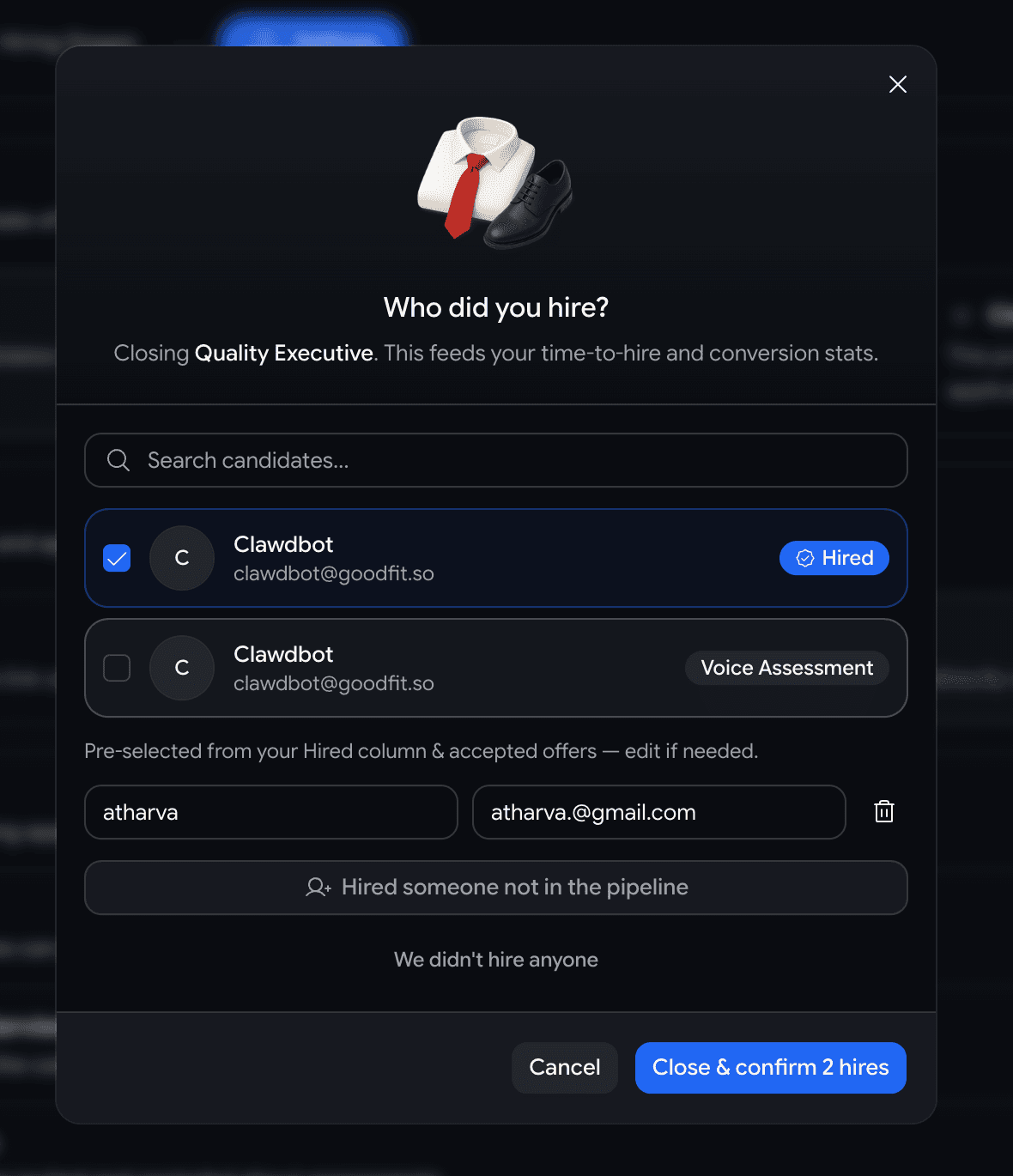
- Hit Closed on a job and a short Who did you hire? dialog opens, pre-checked with anyone already marked hired or holding an accepted offer — best case, you confirm and you're done.
- Hired someone from the pipeline? They're recorded as a hire, so time-to-hire, conversion, velocity, and sourcing stats fill in for free.
- Hired someone off-platform? Add their name — and email if you have it — as many people as you need.
- Didn't hire anyone? Pick a reason — filled internally, budget freeze, cancelled, still deciding — and leave a note.
Assessments
Building a coding test for a role? It suggests questions to start with
A coding assessment built for a specific job used to open as a blank bank you searched by hand. Now it opens with three questions already matched to that role.
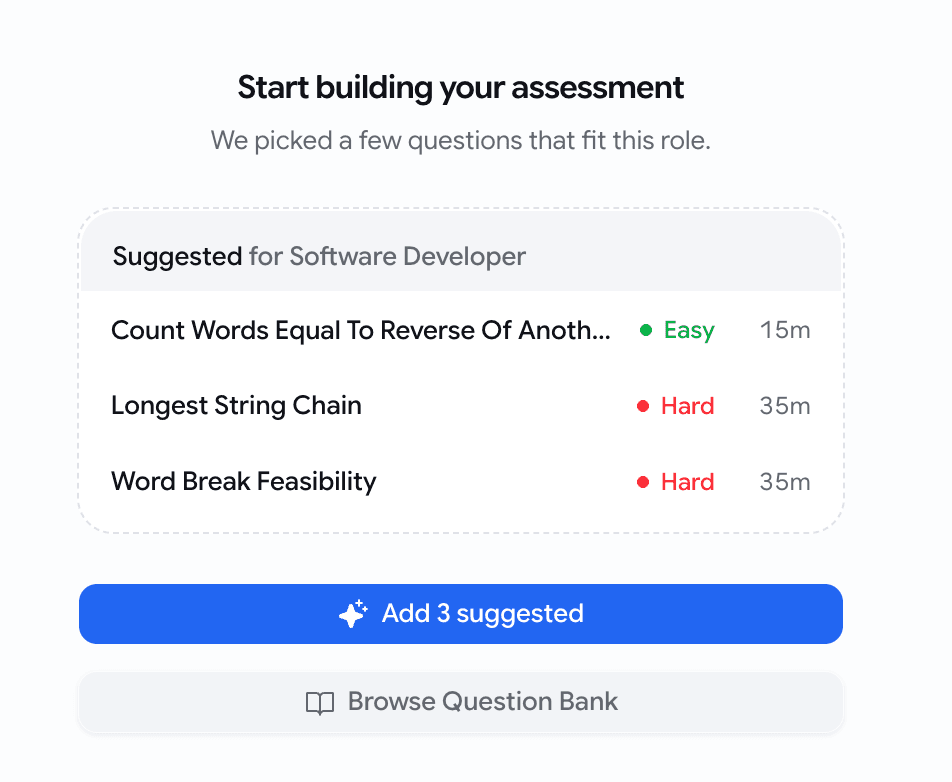
- Create a coding assessment for a job and the empty state leads with 3 suggested questions, ranked against the job's title, description, and required skills.
- One Add 3 suggested tap drops all three in — then add, swap, or edit like any other question.
- Picks come straight from your existing question bank, so they're questions you already trust — surfaced up front instead of hunted for.
- Building a standalone test with no job attached? The plain builder is exactly as it was.
Insights
Open any Insights report straight in Google Sheets
Every Insights page already exported a CSV — but if you live in spreadsheets, that meant download the file, open Sheets, import it. Now it's one click.
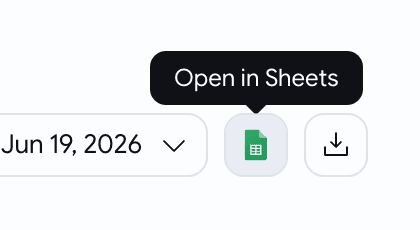
- A new Open in Sheets button sits next to Download CSV on every Insights page — overview, pipeline, activity, and sourcing.
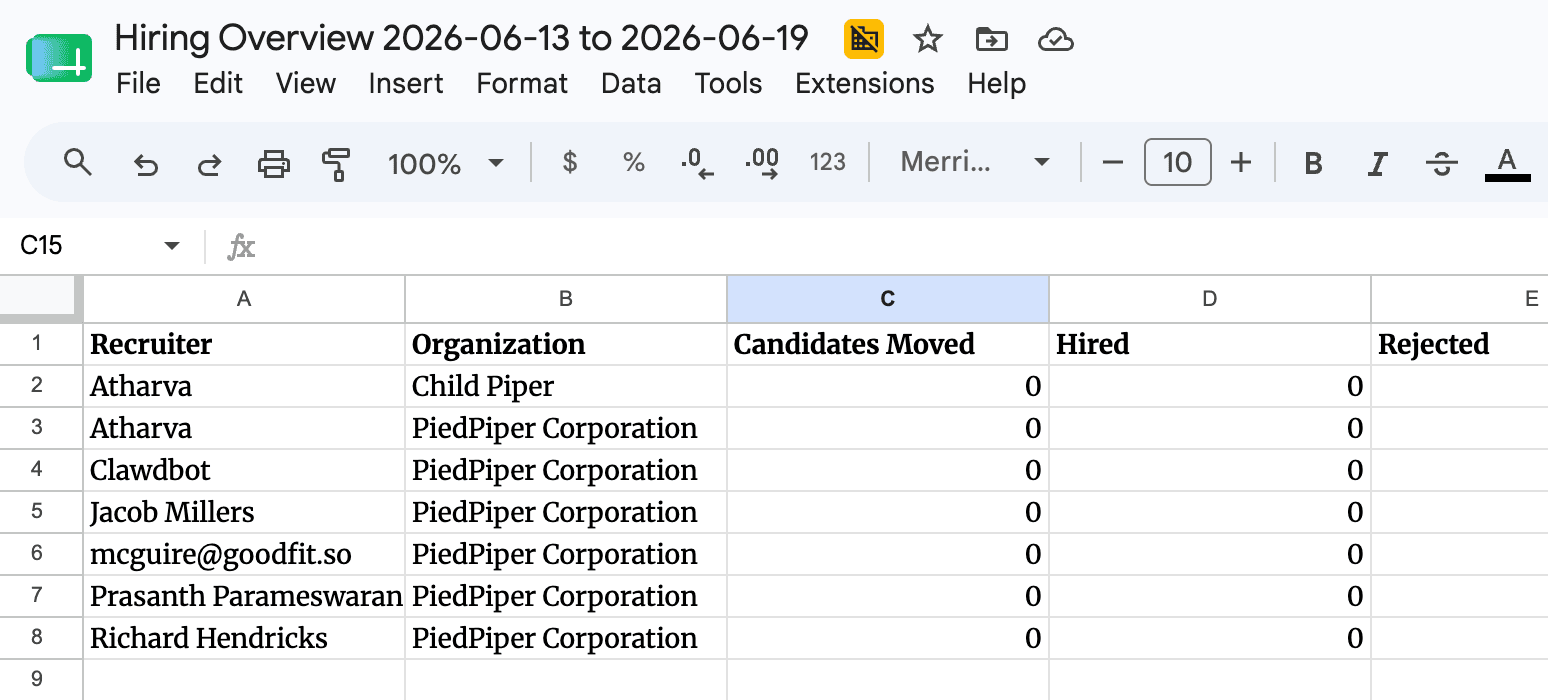
- It opens the data you're looking at as a live Google Sheet — one tab per section, with bold, frozen headers.
- It matches your filters and date range exactly — what's on screen is what lands in the sheet, nothing more.
- The sheet opens shareable by link, so you can hand the numbers to anyone who needs them.
Jobs
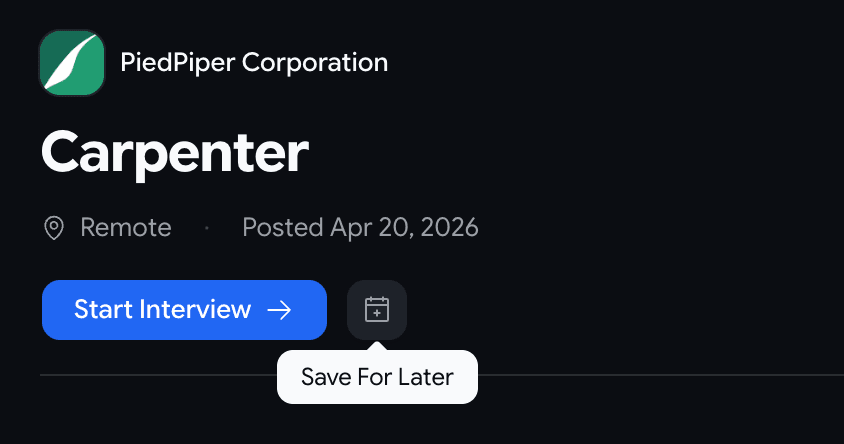
Candidates can save a role and come back to it later
- A new Save For Later button sits beside Start Interview on public job pages.
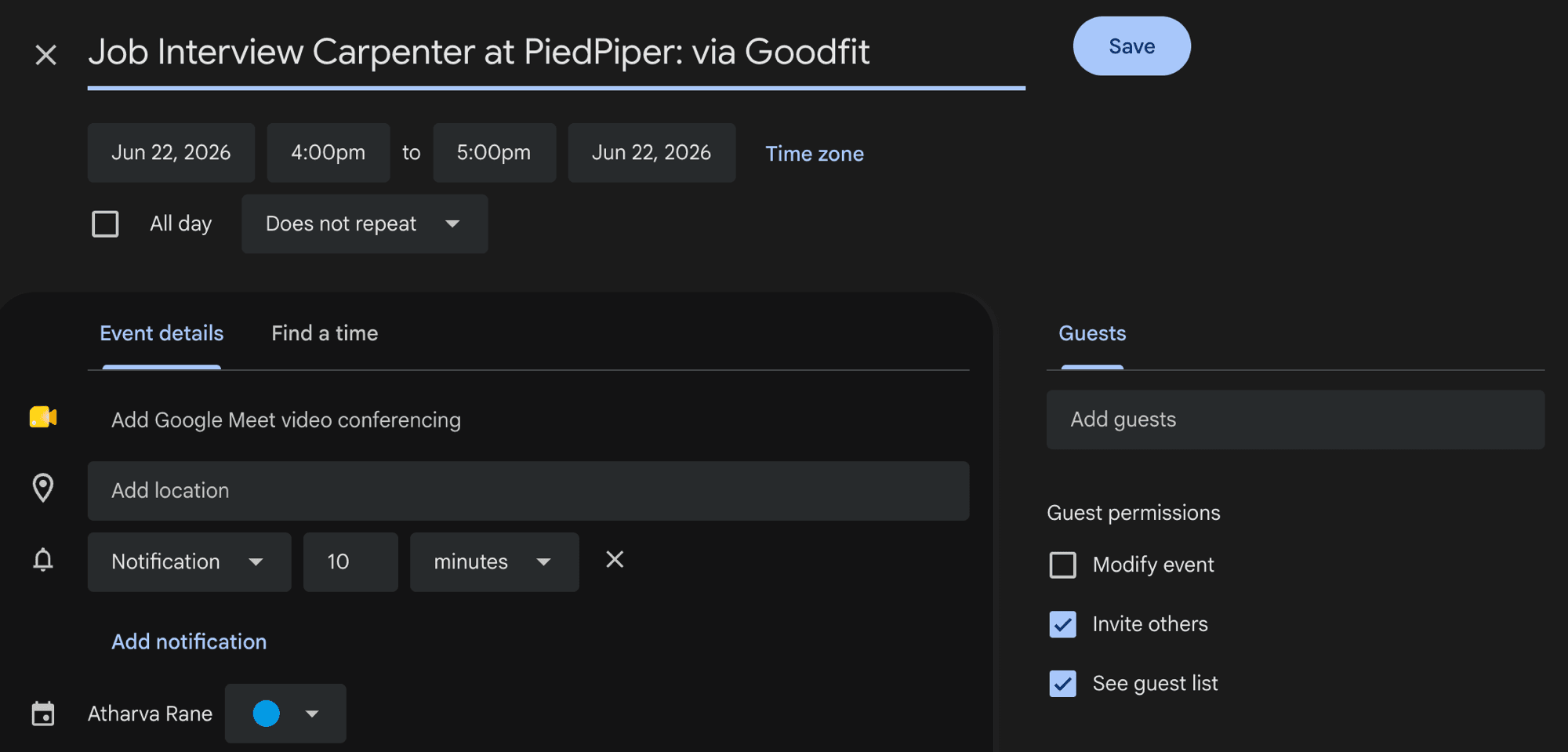
- One tap opens a Google Calendar reminder, pre-filled and linking straight back to the role — the candidate picks whatever time works for them.
- It's a personal reminder, not a booking — nothing is reserved and no one on your team is pinged.