Release notes
October Week 2
Interviewers who can open and score a candidate's report without seeing what stays with your team, and coding assessments that catch answers typed in by a desktop tool
Jobs
Interviewers score candidates without becoming recruiters
Letting an interviewer see a candidate used to mean making them a recruiter on the job, with every phone number, form answer and team note that comes with it. Now you add them to the job's interview panel instead.
- Add people under Team → Interview Panel on the job's edit page. Anyone who isn't on your team yet gets an email invite.
- They open a candidate's report and submit a scorecard. They can't move, reject, hire, email, share or download a candidate.
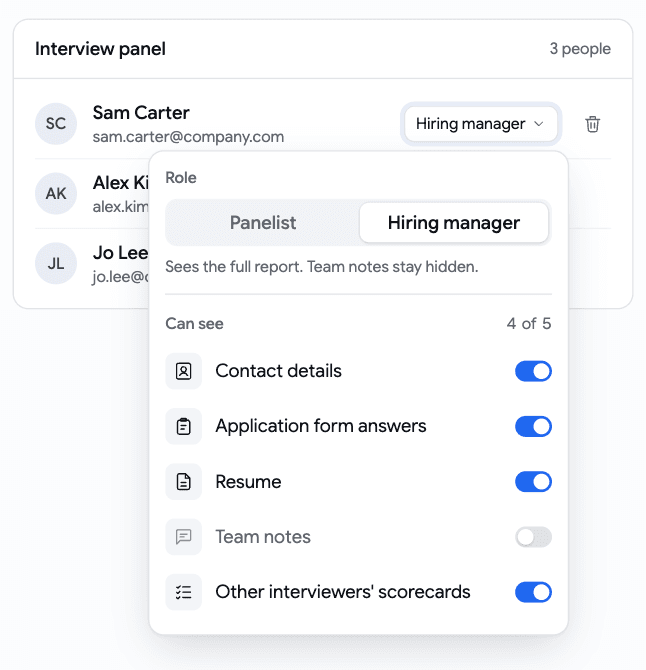
- Choose what each person sees. Five switches: Contact details, Application form answers, Resume, Team notes and Other interviewers' scorecards. Start from Panelist (resume only) or Hiring manager (everything except team notes), then adjust.
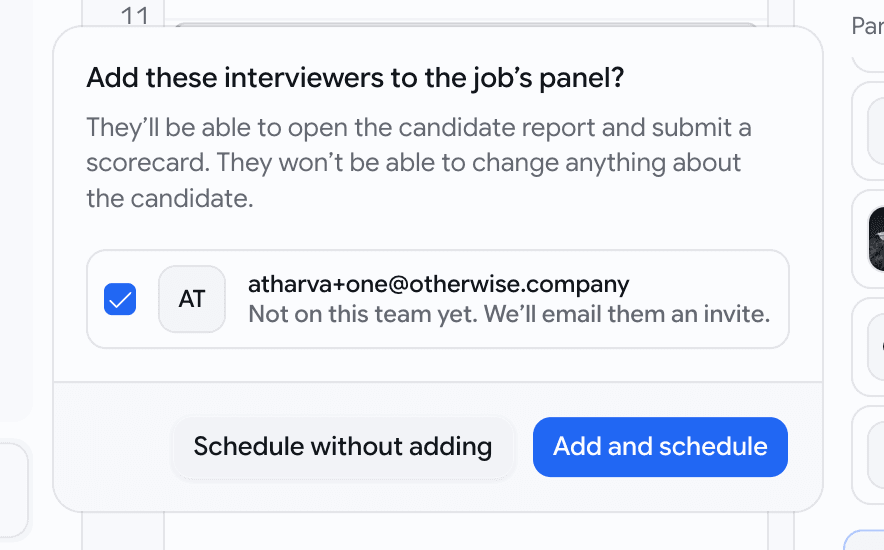
- Booking an interview adds them for you. When you schedule, everyone invited who can't open the report yet is listed and ticked.
Add and scheduleadds them to the panel, so the report link in their calendar invite opens.Schedule without addingbooks it as before. - No peeking at colleagues. An interviewer sees the other scorecards only once they've submitted their own, so nobody anchors on someone else's verdict.
Proctoring
Coding answers typed in by a desktop tool get flagged
A new kind of cheating tool reads the question off the candidate's screen and types the answer in for them. There's no paste, no tab switch and nothing in the browser for our other checks to find. We now catch it by how the code arrives.
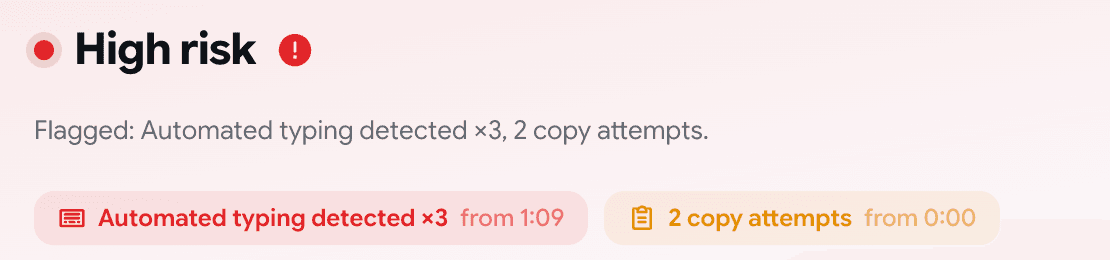
- Code that appears far faster than anyone types, with the mouse not moving, is flagged in the Integrity Report as Automated typing detected, with the time so you can watch that moment in the recording.
- It's a high-risk flag. The attempt's Integrity card leads with it, in red.
- Fast typists are safe. The bar is about twice the speed of a quick typist.
- Candidates are told, not stopped. The bar at the top of the assessment reads
Unusual typing pattern detected. Recorded.We let them carry on on purpose: the more of the session we see, the clearer the picture you get.